The Method That Actually Records WhatsApp Calls on Android
You tried a normal call recorder and got nothing. You tried a screen recorder and got a black screen or silence. That is not your fault: WhatsApp calls are encrypted internet (VoIP) calls, so ordinary Android recorders, which are built for the regular phone line, simply cannot capture them. This is the single most common reason people search for "how to record WhatsApp call" and come away frustrated.
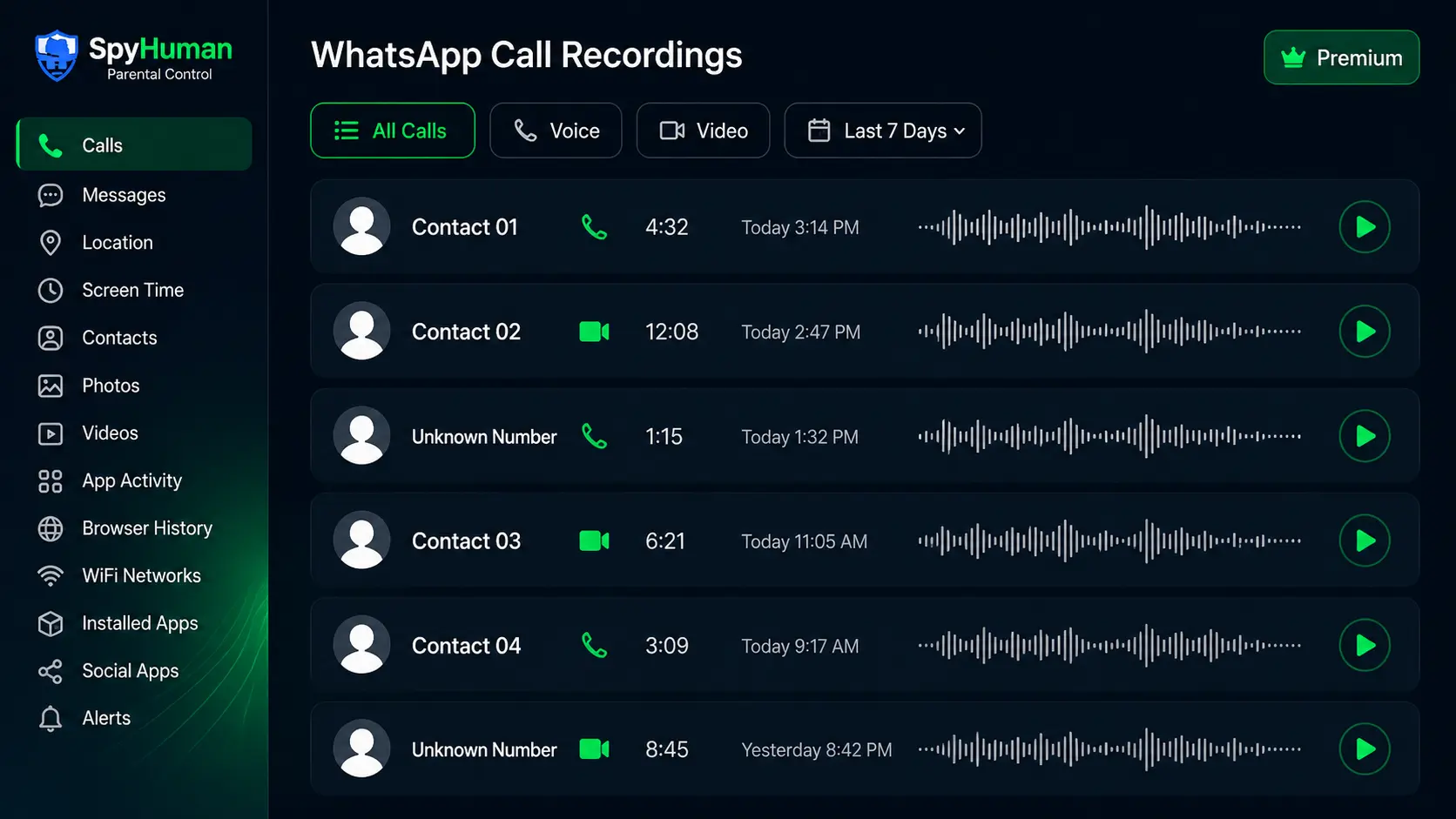
SpyHuman is built specifically for this gap. Installed on an Android device you are entitled to monitor, it records WhatsApp voice calls in full and captures the audio of WhatsApp video calls, automatically, with no root and no recording icon, then uploads each recording to a dashboard you open from any browser. This page explains exactly why the usual methods fail and how this WhatsApp call recording app succeeds.
Why You Can't Normally Record WhatsApp Calls
It helps to understand what is actually happening, because it changes which tool you reach for.
- WhatsApp uses VoIP, not the cellular network. The call audio travels over the internet, end-to-end encrypted. Your phone's call-recording feature only taps the regular voice line, so it never "hears" a WhatsApp call.
- Android restricts cross-app audio. Since Android 10, apps are blocked from grabbing another app's call audio stream directly. That is why so many free "WhatsApp call recorder" apps stopped working or only record your own microphone.
- Screen recorders capture no protected audio. Even when a screen recorder runs during a call, WhatsApp's protected audio path usually means you get video with silence.
The honest version
There is no trick inside WhatsApp itself, and no website can record someone's WhatsApp calls remotely without software on the phone. The only reliable way to record WhatsApp calls on Android is a monitoring app installed on the device, granted the right permissions. SpyHuman is that app. It records via Android's accessibility and microphone services, which is the approach that still works on current Android versions in 2026.
How SpyHuman Records WhatsApp Calls
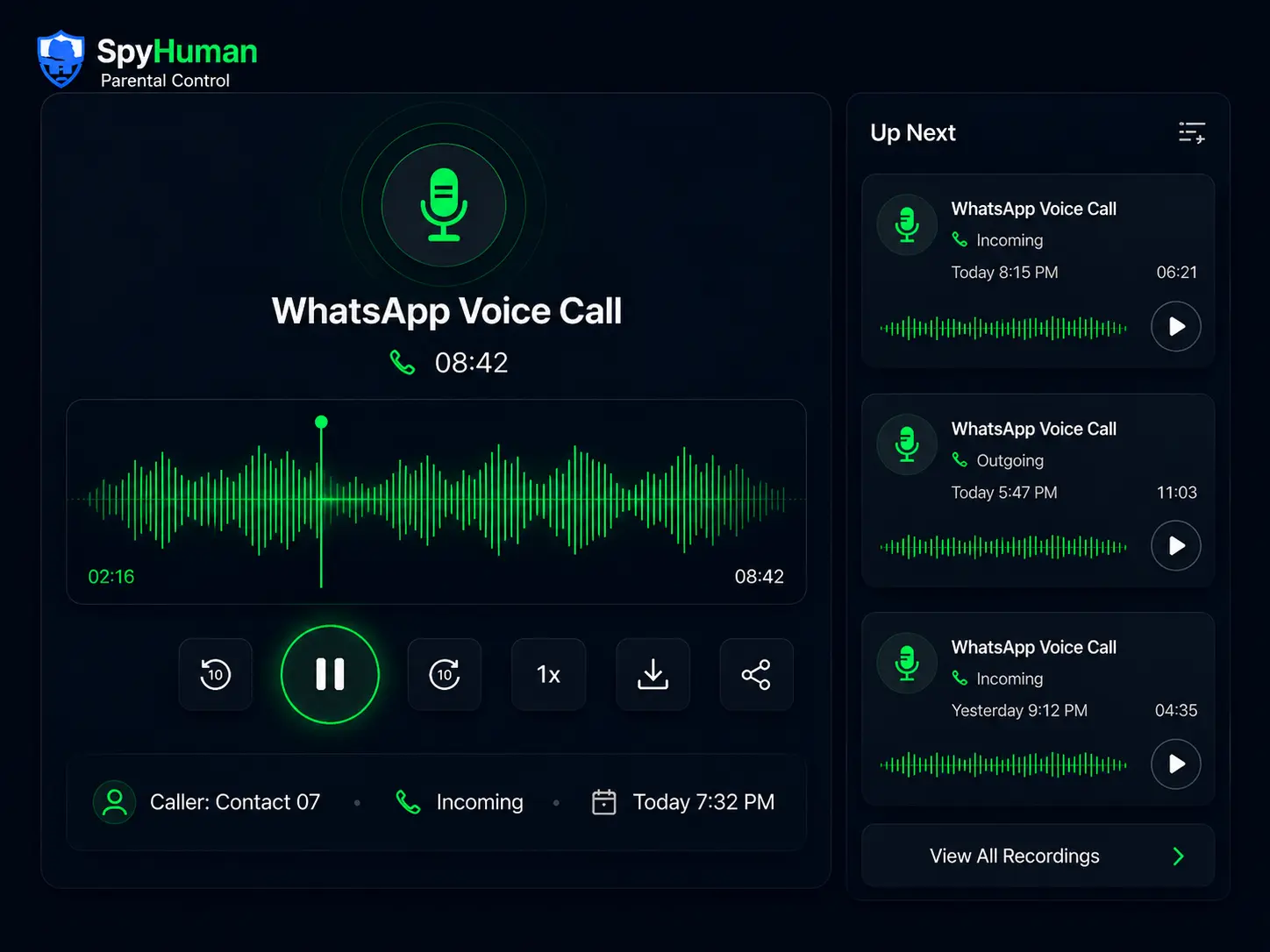
Once installed on the monitored Android device, SpyHuman watches WhatsApp in the background and begins recording the moment a voice or video call connects. You do not press anything; nothing is triggered manually, so there is no "missed recording." Here is exactly what it captures:
- Voice calls in full. Both sides of every incoming and outgoing WhatsApp voice call.
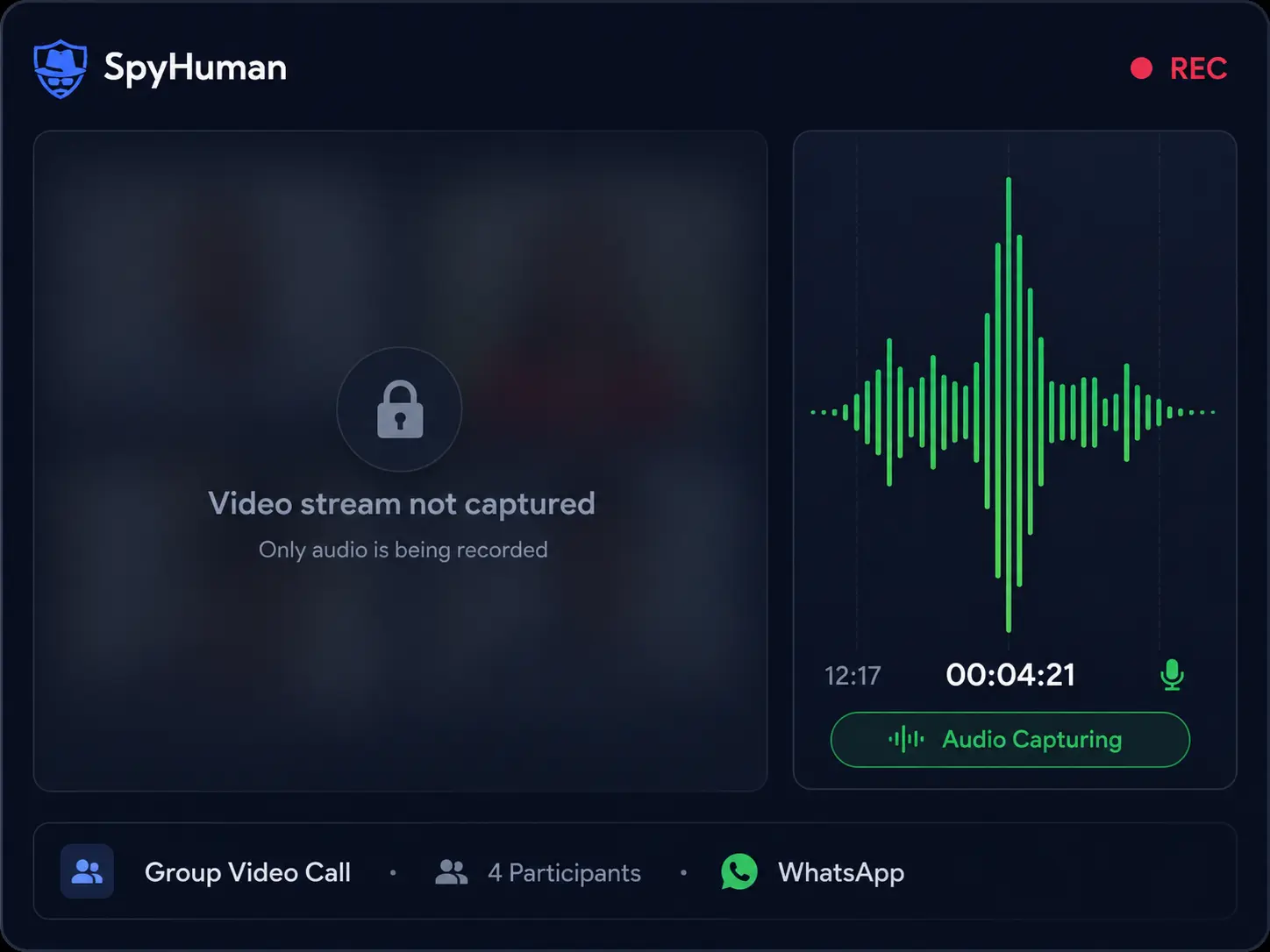
- Video-call audio. The complete audio track of WhatsApp video calls (the video picture is not captured; see the honesty note below).
- Caller details and timestamps. Name or number, call duration, and the exact date and time.
- Automatic cloud upload. Recordings sync over WiFi or mobile data to your dashboard, safe even if the device is later wiped.
- Searchable archive. Filter recordings by contact, date, or duration and download them as audio files.
For the full picture of your child's WhatsApp activity, this pairs with our complete WhatsApp tracker, which adds chats, media, and contacts on top of call recording.
Quick Answers
How do you record a WhatsApp call on Android?
Install a monitoring app such as SpyHuman on the Android device you are entitled to monitor, grant Accessibility and Microphone permissions, and it records every WhatsApp voice call automatically and uploads it to your dashboard. WhatsApp has no built-in recorder, and ordinary call recorders cannot capture its encrypted VoIP audio.
Can you record a WhatsApp video call?
You can record the audio of a WhatsApp video call. SpyHuman captures the full two-way audio so you can hear exactly what was said. The video image is not recorded, because Android prevents one app from recording another app's screen. For monitoring, though, the spoken conversation is what counts.
Is there a free way to record WhatsApp calls?
You can register a SpyHuman account for free and install it to confirm it works on the device. Continuous WhatsApp call recording with unlimited dashboard history is a Premium feature, currently 17.99 USD per month, backed by a 14-day conditional refund. Free phone-based and browser tricks do not reliably record WhatsApp calls.
Record WhatsApp Calls in Under 5 Minutes
Most guides on how to record a WhatsApp call send you through flaky screen recorders. SpyHuman replaces all of that with one automated install:
Need screenshots? See the full installation guide, watch the 3-minute video tutorial, or download the PDF guide.
Reviewed independently by real customers
Read and write reviews on TrustpilotLook inside the dashboard first
You do not have to install anything to see how this looks. The demo is the real dashboard with sample records in it.
You Now Know Why Other Apps Fail
SpyHuman is the method that records WhatsApp voice and video-call audio on Android. Set it up free and get your first recordings.
Voice vs Video Call Recording: What Exactly Is Captured
Being precise here builds trust and prevents disappointment, so here is the honest breakdown.
WhatsApp voice calls
- Full two-way audio of every incoming and outgoing voice call
- Group WhatsApp voice calls
- Recorded even when the device is on silent or do-not-disturb
WhatsApp video calls
- Full audio track of one-on-one and group video calls
- Both sides of the conversation, clearly audible
- The video picture itself is not recorded, because Android security blocks recording another app's screen
For regular cellular calls outside WhatsApp, add our standalone phone call recorder so you have complete audio coverage across every line.
No Root, Discreet, and Android-Only
SpyHuman installs in a couple of minutes and runs without rooting the device. Rooting voids the warranty and can destabilise the phone; you do not need it here. The app supports Android 5.0 and above and works on the popular brands sold across India, Pakistan, the US and the Philippines, including Xiaomi/Redmi, Samsung, Oppo, Vivo, Realme, Motorola and OnePlus.
In Monitoring of Minor Children mode the app icon is hidden and there are no recording beeps on the device, so a child cannot casually spot it. Battery and data behaviour stay normal.
Is It Legal to Record WhatsApp Calls?
Recording calls is powerful, so use it lawfully. In plain terms, SpyHuman is intended for these situations:
- Parents and legal guardians monitoring their own minor child's device for safety
- Device owners recording on a phone they personally own
- Employers on a company-owned device, used with the employee's clear written notice and consent
Consent law varies. Some places follow one-party consent (one person on the call may consent to recording); others require two-party / all-party consent (everyone must agree). Recording another adult's private calls without a lawful basis can be illegal. You are responsible for checking the rules in your country, state, or region before you record.
Free vs Premium: WhatsApp Call Recording
SpyHuman is freemium. The free plan lets you set everything up and confirm monitoring works; full WhatsApp call recording sits in Premium because of the cloud storage and bandwidth involved.
| Feature | Free Plan | Premium ($17.99/mo) |
|---|---|---|
| Account, install & setup | Included | Included |
| Basic logs (recent call/SMS/GPS) | Last 5 entries | Unlimited |
| WhatsApp voice call recording | Not available | Unlimited |
| WhatsApp video-call audio recording | Not available | Unlimited |
| Regular phone call recording | Not available | Unlimited |
| WhatsApp chats & 15+ social apps | Not available | Full access |
| Dashboard history | Limited | Extended |
To turn on recording and 30+ other tools, upgrade from your dashboard. See the Free vs Premium pricing page for current plans and any discounts. We link the live price rather than promising one that may change.
14-Day Conditional Refund
If Premium suffers a severe technical failure on a fully compatible Android device and our team cannot fix it, you can request a refund within 14 days of purchase. Email [email protected] and see the full refund policy for the exact eligibility conditions.
SpyHuman vs Generic Call Recorders That Fail on WhatsApp
This is the difference between an app built for WhatsApp's VoIP audio and a generic recorder that was never designed for it:
| Capability | SpyHuman | Typical free recorders |
|---|---|---|
| Records WhatsApp voice calls | Yes | Usually fails |
| Records WhatsApp video-call audio | Yes | Rarely |
| Captures both sides of the call | Yes | Often one-sided |
| Works without root | Yes | Mixed |
| No visible recording icon | Yes | Shows indicator |
| Auto cloud upload | Yes | Local only |
| Survives a device reset | Yes | Lost |
| Remote dashboard access | Yes | No |
Round out your setup with SMS tracker, call log monitoring, and location tracking, or browse all monitoring features.
Everything the WhatsApp Call Recorder Includes
Voice Call Recording
Full two-way audio for every incoming and outgoing WhatsApp voice call.
Video-Call Audio
Complete audio from every WhatsApp video call, one-on-one or group.
Full Call Logs
Caller name or number, duration, and exact timestamp on each call.
Auto Cloud Upload
Recordings sync to your dashboard automatically, safe even after a wipe.
Discreet Operation
No app icon and no home-screen icon in Monitoring of Minor Children mode.
Searchable Archive
Filter recordings by contact, date range, or call duration.
Download Audio
Save recordings as audio files for your own records.
No Root Needed
Runs on any Android 5.0+ device without rooting or jailbreaking.