A Safety Perimeter, Not Ad-Tech
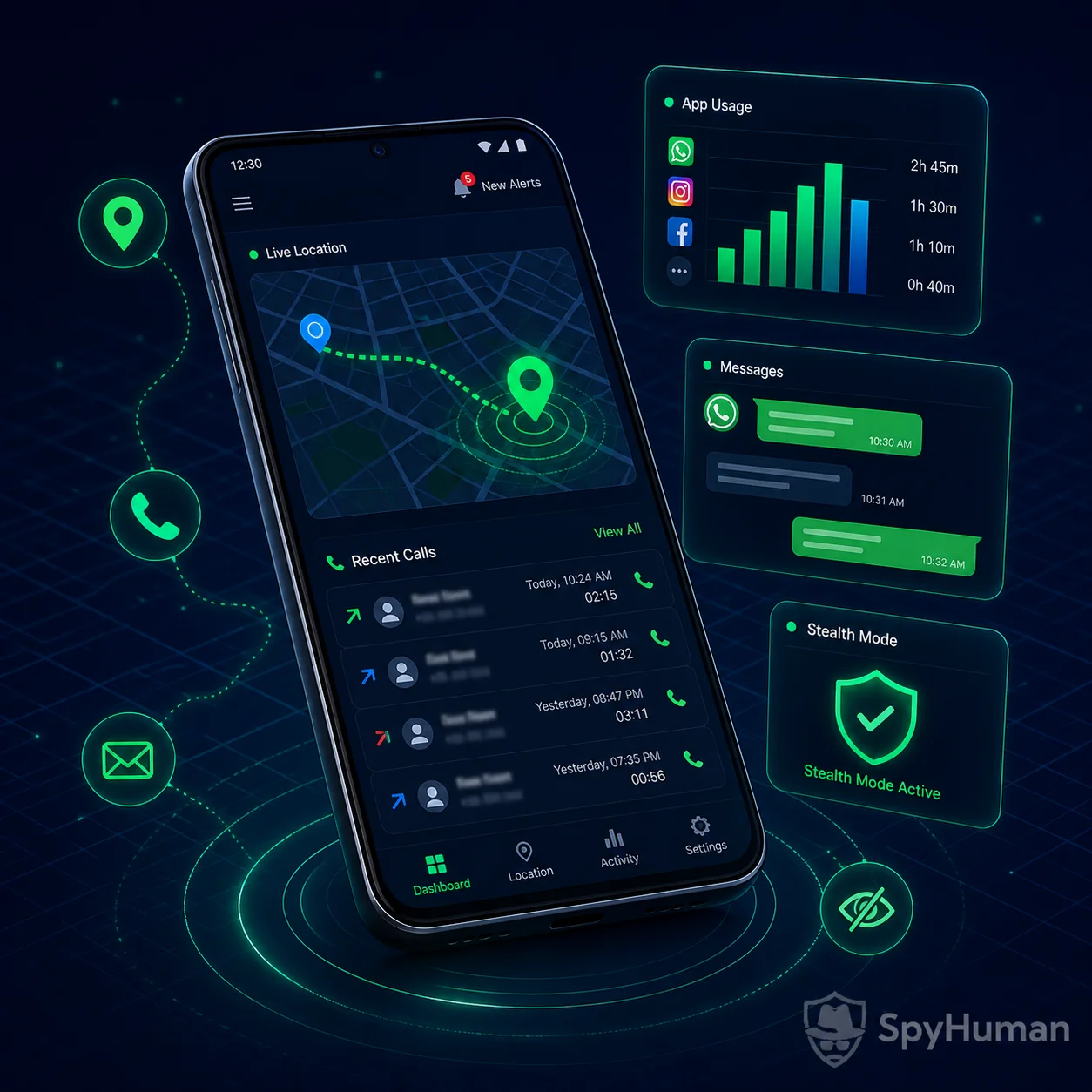
SpyHuman is a geofencing app for Android built for one job. You draw a boundary around a place that matters, whether that's home, school, or a job site, and you get an instant alert the moment the phone you are monitoring crosses it. This is family-and-employer safety geofencing, not the advertising kind. Set a zone, get notified on entry or exit, and keep a full history log of every crossing, all from one dashboard you open in any browser.
For lawful use only: your own minor children, devices you own, or company-owned devices used with the user's consent.
What Geo-Fencing Alerts Actually Do
The idea is simple: define a zone → get an instant alert when it is crossed → keep a logged history. You are not staring at a map all day. The app watches the boundary for you and only pings you when something happens.
Define a Zone
Drop a pin on a map and set a radius around home, school, work or any place that matters.
Instant Alert
Get notified the moment the phone enters or leaves the zone. You pick which.
Logged History
Every entry and exit is saved with a time and place, so you can review the day later.
Multiple Zones
Run several geofences at once (home, school and a grandparent's house), each with its own rules.
How It Works in 3 Simple Steps
No tech skills, no rooting. Three steps take you from sign-up to your first alert.
Real Situations Geo-Fencing Solves
The same draw-a-zone, get-an-alert idea fits very different everyday needs:
Did they reach school?
Set a zone around the school. Get an arrival alert each morning and a departure alert at home time, with no "text me when you get there" needed.
Home before dark
A geofence around your house tells you the instant your child arrives home safely, so you can stop watching the clock.
Friend's house, not the mall
If your teen says they are at a friend's place, an exit alert warns you the moment they leave a zone you both agreed on.
Job sites & routes
On company-owned phones used with consent, get an alert if a worker leaves the job site or strays from a delivery route during shift hours.
The Honest Truth About Geofencing
Plenty of pages oversell location features, so here is the straight version of what this geofencing app can and cannot do:
Geofencing needs the app installed on the phone. You cannot fence a stranger's number. There is no way to draw a boundary around someone's phone number and get alerts without monitoring software running on that specific Android device, with the right to monitor it. Anyone promising number-only geofencing is misleading you.
It is also not perfect to the centimetre. GPS is excellent outdoors but less precise indoors or among tall buildings, so a tight 50-metre zone can occasionally fire a late or early alert. A slightly larger radius fixes that. And on the free plan you get one zone to prove it works. Multiple zones, real-time alerts and longer history retention are Premium. We would rather you know that up front than feel misled after signing up.
If you want continuous, minute-by-minute positioning rather than boundary alerts, pair this with real-time GPS location tracking. Both live in the same dashboard.
What You Get: Free Plan vs Premium
SpyHuman runs on a freemium model. Start free to confirm geofencing works on the device, then upgrade when you want multiple zones and real-time alerts. Here is how the plans compare:
| Feature | Free Plan | Premium ($17.99/mo) |
|---|---|---|
| Create a safe zone | 1 zone | Multiple zones |
| Entry & exit alerts | Limited | Real-time |
| Entry/exit history log | Recent only | Full retention |
| Location history & routes | Not Available | Full Access |
| Calls, SMS & app monitoring | Last 5 entries | Full Access |
| Data storage | 30 days | 90 days |
| Ads | Contains ads | Ad-free |
The free plan is the no-risk way to prove geofencing works on the device before you spend a cent. When you are ready, compare free and premium plans to add multiple zones, real-time alerts and full history retention.
SpyHuman Geofencing vs Life360 & Google Family Link
If you are weighing a dedicated family locator, here is an honest side-by-side. The big difference: SpyHuman runs quietly in the background and bundles geofencing with a full monitoring suite, so one account covers far more than a single-purpose locator, with no per-seat family pricing.
| Capability | SpyHuman | Life360 | Google Family Link |
|---|---|---|---|
| Draw custom safe zones | Yes | Yes (paid tiers) | No zones |
| Instant entry/exit alerts | Yes | Yes (paid) | No |
| Runs silently in background | Yes | Shared, visible | Visible |
| Per-seat family pricing | No | Yes | Free |
| Calls, SMS & app monitoring | Yes | No | Screen time only |
| Android version support | 5.0+ | Modern only | Modern only |
Searching for a Life360 alternative because you want more than a shared dot on a map? SpyHuman gives you geofencing plus the rest of the monitoring suite in one place. See all monitoring features to compare.
Quick Answers: How Geofencing Works
How does geofencing work?
Geofencing draws a virtual boundary around a real-world place. A geofencing app like SpyHuman checks the monitored phone's GPS position against that boundary in the background; when the phone crosses it, the app fires an instant entry or exit alert and saves a history entry. You set the centre point and radius of each zone yourself.
How do I set up a geofence alert for my child on Android?
Register a free SpyHuman account, install the app on your child's Android phone using one-time physical access, grant location permission, then open your dashboard and drop a pin on the school or home to draw a zone. Choose entry, exit or both, and you will get an alert the moment the boundary is crossed. No root is required.
Is there a free geofencing app for families?
Yes. SpyHuman is free to start: the free plan lets you create one safe zone and confirm alerts work on the device. Multiple zones, real-time entry/exit alerts and longer history retention are part of Premium at $17.99/month, with a 14-day conditional refund.
Compatibility & Requirements
- Android only: Works on Android 5.0 and above. No iPhone or iOS support, and we say so plainly rather than over-promise.
- No root: Full geofencing without rooting, so the device warranty stays intact.
- Wide brand support: Xiaomi, Samsung, Oppo, Vivo, Realme and most other Android brands.
- Background + light footprint: Periodic location sampling keeps geofencing running with modest battery and data use.
- Internet to sync: Crossings queue offline and upload once the phone reconnects to Wi-Fi or mobile data.
Want to pair zones with daily limits? Combine geofencing with screen time and app limits, or get the full picture by learning how to track a phone number's location from our dedicated guide.
14-Day Conditional Refund · Cancel Anytime
If Premium suffers a severe technical failure on a fully compatible Android device and our team cannot fix it, you can request a refund within 14 days of purchase. Email [email protected] and see the full refund policy for the exact eligibility conditions. You can cancel anytime.
Is Geofencing Someone's Phone Legal? Consent & Responsible Use
Location alerts are sensitive, so we keep it simple and honest. SpyHuman geofencing is built for lawful, consent-based monitoring only:
- Parents & guardians: You may set safe zones on your own minor child's device to keep them safe.
- Your own devices: You may geofence a phone you own, including for lost-device recovery.
- Employers: You may geofence a company-owned device when the user is informed and has given consent.
- What you must not do: Tracking another adult's private phone without their consent may be illegal where you live. You are responsible for complying with local law.
Your alerts and history are visible only to your account. When in doubt, get consent and check your local rules first. For minor children, we also recommend an age-appropriate conversation about safety alongside any zones you set.