
Hear Exactly Who Your Child or Employee Is Talking To
You want one thing: to know what is actually said on a phone you are responsible for. Automatically, without standing over the device, and without the person knowing you set it up. SpyHuman is a hidden call recorder for Android built for exactly that. Installed on a device you are entitled to monitor, it records both sides of every incoming and outgoing call in the background, with no app icon and no recording beep, and uploads each recording to a dashboard you open from any browser.
This is not a consumer "tap to record" utility. It is a true automatic call recorder for parents and employers who need a set-and-forget, remote, both-sides record, paired with a transparent legality section most apps hide. Below we explain honestly what works in 2026, what is required, and what is lawful.
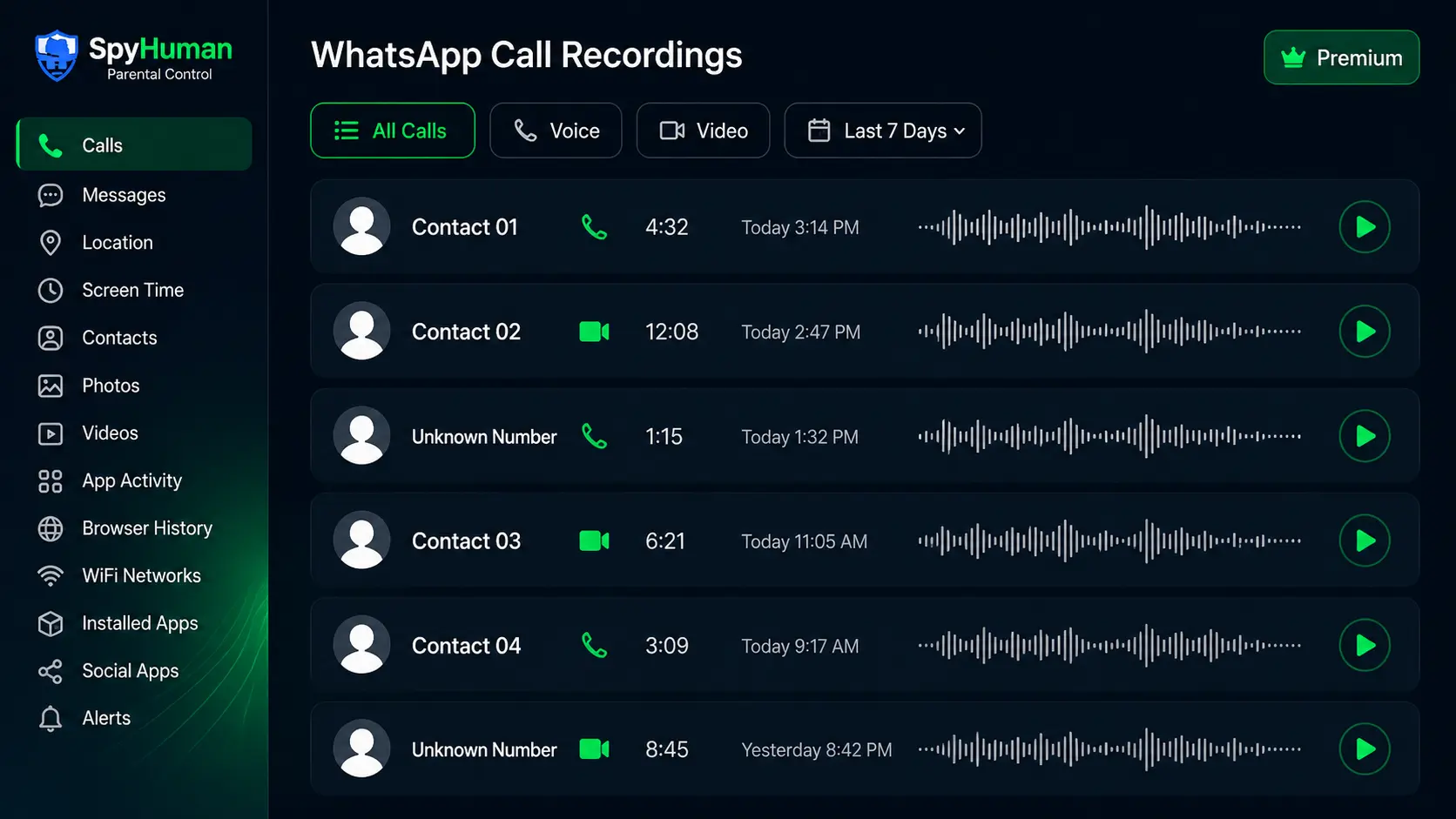
What the SpyHuman Call Recorder Does
Once it is installed and permissions are granted, you never touch the phone again. The recorder runs on its own and does the work:
- Records automatically. Every incoming and outgoing call is captured the moment it connects; nothing has to be tapped or remembered.
- Both sides of the conversation. You hear the caller and the device user, not just one side.
- Uploads to your dashboard. Recordings sync over WiFi or mobile data, so they are safe even if the phone is later reset.
- Organized and searchable. Sorted by contact and date, with duration and timestamp, ready to play or download as audio files.
- Runs silently. In stealth mode there is no icon and no beep, so a child cannot casually spot it.
Why Stock and Play Store Call Recorders Fail in 2026
If you have already tried a free call recorder from the Play Store and felt let down, that is not your fault. Modern Android deliberately broke most of them, and the reasons matter because they decide which tool you reach for:
- The forced announcement beep. On Android 9 and 10+, Google made many recorders play an audible announcement or beep so the other party knows, which is useless if you need a quiet record.
- Local-only storage. Stock recorders save audio on the same phone. If the device user finds and deletes a file, or wipes the phone, the recording is gone, and you can only access it by holding that phone.
- A visible app icon. A normal recorder sits in the app drawer with its name on it. Anyone scrolling the phone can see it, open it, and switch it off.
- One-sided or broken audio. Tightened microphone rules mean many free apps now record only the device user's side, or nothing at all, on newer phones.
The honest version
No website can record someone's calls remotely without software on the phone, and no free Play Store utility reliably gives you silent, both-sides, remotely-accessible recordings on current Android. The only approach that still works is a monitoring app installed on the device with the right permissions. SpyHuman is that app. It records in the background, hides its icon, and pushes recordings off the phone to your dashboard, which is precisely what consumer recorders cannot do.
Key Capabilities
Automatic Recording
Captures every call automatically. No tapping, no missed calls, nothing to remember.
True Stealth / No Icon
Hidden from the app drawer with no recording beep in monitoring mode.
Both-Side Audio
Records the caller and the device user, so the full conversation is clear.
Remote Online Access
Recordings upload to your dashboard, so you can listen from any browser, anywhere.
Organized by Contact
Sorted by contact and date with duration and exact timestamps.
Playback & Download
Stream each recording or save it as an audio file for your records.

Call recording works hand in hand with the rest of the suite. Many parents pair it with our WhatsApp call recorder and live ambient recording for complete audio coverage across every line and the room around the phone.
Quick Answers
How do you record calls on Android without the person knowing?
Install a monitoring app such as SpyHuman on the Android device you are lawfully entitled to monitor, choose the Monitoring of Minor Children mode, and grant the recording permissions. It then records both sides of every call automatically with no icon and no beep, and uploads each recording to your dashboard. There is no remote, app-free way to do this; software has to be on the phone.
What is the best hidden call recorder app for Android?
For lawful parental or employer monitoring, the best fit is an app that records automatically, captures both sides, hides its icon, and stores recordings off the phone in a cloud dashboard. SpyHuman does all four without root on Android 5.0+, which is what separates it from consumer Play Store recorders that save locally and show an icon.
Is there a free automatic call recorder?
You can register a SpyHuman account for free and install it to confirm monitoring works on the device. Continuous automatic call recording with full dashboard history is a Premium feature, currently 17.99 USD per month with a 14-day conditional refund, because of the cloud storage and bandwidth it uses. Free local-only recorders exist but break the stealth, both-sides, and remote-access requirements most monitoring buyers actually need.
Set It Up in 3 Steps
No technical skills and no rooting. The whole thing takes about five minutes with the phone in your hand once:
Need screenshots? Follow the full installation guide or browse all monitoring features to see what else installs in the same five minutes.
No root, no beep, no icon
SpyHuman records both sides of every call silently and pushes them to your dashboard. Set it up free and hear the first call today.
Who Uses a Hidden Call Recorder, and Why
Worried parents
Knowing who a child talks to, and how those conversations sound, is one of the few ways to catch grooming, bullying, or a predator early. Calls reveal tone and intent that text messages hide. SpyHuman lets a parent quietly confirm a child is safe without an interrogation. Many pair it with our SMS tracker and mobile location tracker for the full picture.
Employers (company-owned devices)
On a company-owned phone issued with a clear, signed monitoring policy, call recording supports compliance, dispute resolution, and quality control. The key is disclosure: employees must be told the device is monitored. Used that way, automatic recording protects the business and the employee alike.
Is It Legal to Record Calls? Consent & Lawful Use
Call recording is powerful, so use it lawfully. We will not pretend the rules do not exist. Being clear here is exactly why this page is trustworthy. SpyHuman is intended for these situations:
- Parents and legal guardians monitoring their own minor child's device for safety.
- Device owners recording on a phone they personally own.
- Employers on a company-owned device, used with the employee's clear written notice and consent.
Consent law varies. India follows a one-party consent approach, meaning one participant in the call can lawfully consent to it being recorded. The United States is mixed: some states are one-party, others require all-party (two-party) consent. Recording another adult's private calls without a lawful basis can be a crime. You are responsible for checking the rules in your country, state, or region before you record.
No Root, Discreet, and Android-Only
SpyHuman installs in a couple of minutes and runs without rooting the device. Rooting voids the warranty and can destabilise the phone; you do not need it here. The app supports Android 5.0 and above, including Android 12, 13 and 14, and works on the brands sold across India, Pakistan, the US and the Philippines, including Xiaomi/Redmi, Samsung, Oppo, Vivo, Realme, Motorola and OnePlus.
In Monitoring of Minor Children mode there is no app icon, no recording beep, and no notification, so a child cannot casually find it. Battery and data behaviour stay normal.
Free vs Premium: What Call Recording Unlocks
SpyHuman is freemium. The free plan lets you set everything up and confirm monitoring works; full automatic call recording sits in Premium because of the cloud storage and bandwidth involved.
| Feature | Free Plan | Premium ($17.99/mo) |
|---|---|---|
| Account, install & setup | Included | Included |
| Basic logs (recent call/SMS/GPS) | Last 5 entries | Unlimited |
| Automatic call recording (both sides) | Not available | Unlimited |
| Stealth / no-icon mode | Not available | Included |
| Cloud upload & remote dashboard access | Not available | Included |
| Playback & download recordings | Not available | Included |
| WhatsApp call recording & 15+ social apps | Not available | Full access |
| Dashboard history | Limited | Extended |
To unlock recording and 30+ other tools, upgrade from inside your dashboard once you are set up. See the Premium pricing plans page for current prices and any discounts. We link the live price rather than promising one that may change.
14-Day Conditional Refund
If Premium suffers a severe technical failure on a fully compatible Android device and our team cannot fix it, you can request a refund within 14 days of purchase. Email [email protected] and see the full refund policy for the exact eligibility conditions.
SpyHuman vs Ordinary Call Recorder Apps
This is the difference between a monitoring tool and a consumer recorder that modern Android has largely neutered:
| Capability | SpyHuman | Typical free recorders |
|---|---|---|
| Records automatically | Yes | Mixed |
| Captures both sides | Yes | Often one-sided |
| No recording beep | Yes | Forced announcement |
| No visible app icon | Yes | Shows in app drawer |
| Auto cloud upload | Yes | Local only |
| Survives a device reset | Yes | Lost |
| Remote dashboard access | Yes | No |
| Works without root | Yes | Mixed |
Round out your setup with the WhatsApp tracker, SMS tracker, and mobile location tracker, or trace numbers with our flagship phone number tracker.