One Dashboard for Every Company Android Phone
If your team carries company-issued Android phones, you need to know those devices are used for work, stay where they should, and are not leaking customer data or racking up risk. SpyHuman is an employee monitoring app for exactly that: install it on a company-owned Android phone, give the employee a written monitoring notice, and call logs, GPS location, app usage and messaging activity all sync to one secure dashboard you open from any browser.
This is employee monitoring software for Android built around disclosure, not secrecy. We help you run lawful, consent-based monitoring of devices the company owns, and we are deliberately clear about what that means before you sign up. For a step-by-step setup walkthrough, see our guide to monitoring work phone activity.
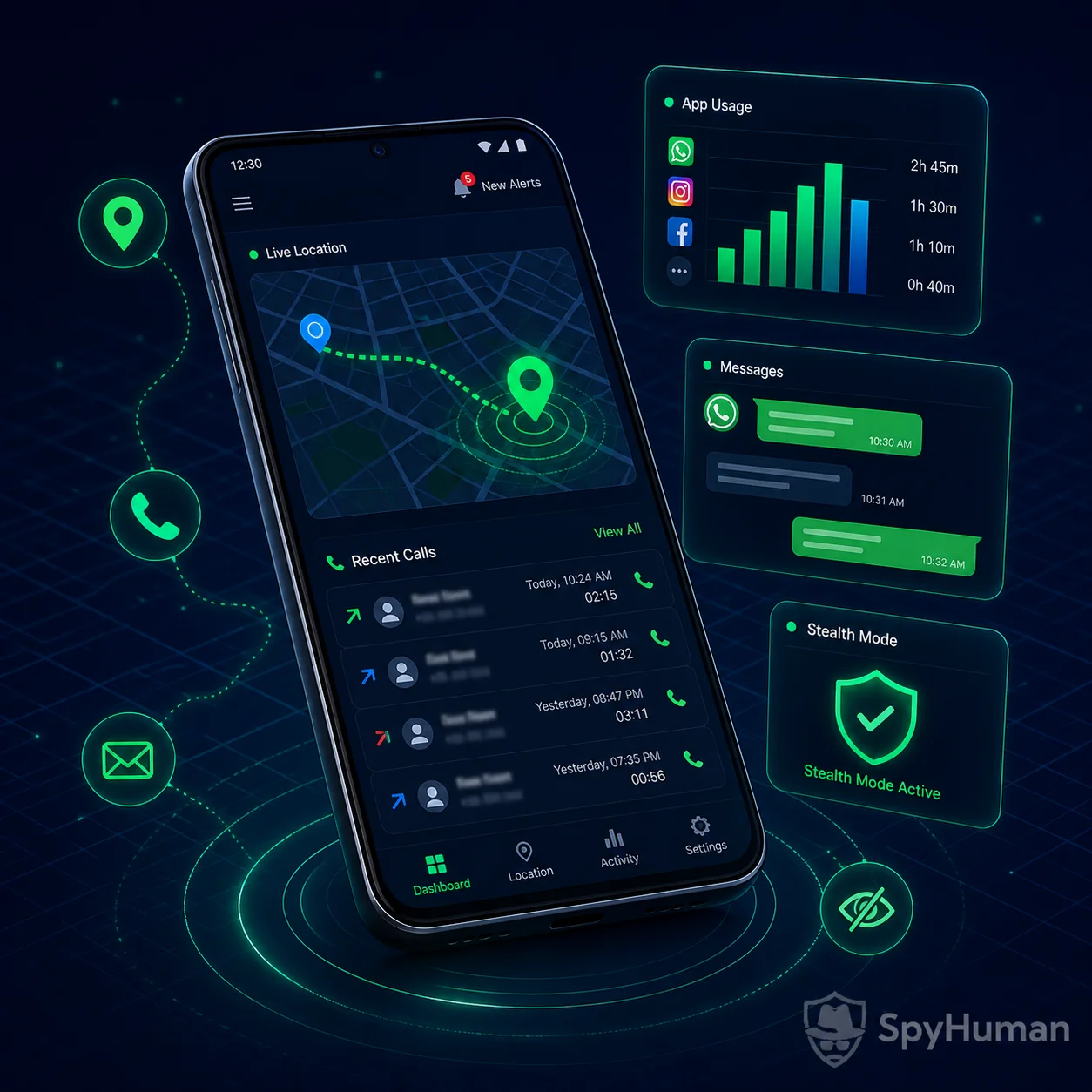
What SpyHuman Tracks on a Company Android Phone
Once it is installed on a company device and the employee has acknowledged the monitoring policy, SpyHuman reports the activity that matters for a business, and managers never have to touch the handset again:
- Calls and call recording. Incoming and outgoing call logs with duration and timestamps, plus recorded audio on supported devices for compliance and quality control.
- GPS location and history. See where each company phone is and where it has been, useful for field, delivery and sales teams.
- App usage and screen time. Which apps are installed and how long they are used, so you can confirm a work device is used for work.
- Messages and web history. SMS, messaging activity and visited websites, to catch data leaks and policy violations early.
- One remote dashboard. Every device rolls up to a single web dashboard, so you manage a fleet of phones from one screen.
Why Desktop-Only Monitoring Tools Miss the Mobile Workforce
Most "employee monitoring software" was designed for office desktops, capturing screenshots and keystrokes on a laptop. That leaves a blind spot most teams actually live in: the company phone in the field. Here is the honest gap:
- Desktop tools don't see the phone. A field rep, driver or site supervisor spends the day on a mobile device, where the calls, location and messaging actually happen.
- Generic GPS apps don't see app or call activity. Knowing where a phone is tells you nothing about how the device is being used.
- Consumer trackers store data locally. If a handset is lost, wiped or swapped, the record is gone unless it was already off the device.
- Many tools hide their compliance footing. They are vague about consent, which is the one thing that makes workplace monitoring lawful.
The honest version
No tool can monitor a company phone remotely without software installed on that device, and no app makes secret surveillance of an employee's personal phone lawful. SpyHuman closes the mobile gap the right way: it runs on the company-owned Android device, uploads activity to a dashboard so the record survives a lost or reset phone, and is paired with a disclosure-and-consent workflow most competitors gloss over. We would rather tell you that upfront than over-promise.
Key Capabilities
Calls & Recording
Full call logs plus recorded audio on supported devices, organized by contact and date.
GPS Location History
Live location and route history for field, delivery and sales devices.
App & Screen Time
Installed apps and time-in-app reporting to confirm work use of work phones.
Messages & Web
SMS, messaging activity and browser history to flag policy breaches and leaks.
Remote Dashboard
Every company phone reports to one secure dashboard, accessible from any browser.
Consent Workflow
Built for disclosed, written-consent monitoring of company-owned devices.

Each capability has a dedicated tool inside the suite. Teams commonly start with the call recorder for compliance and the mobile location tracker for field staff, then add app and message reporting as policy needs grow.
Quick Answers
How do you monitor employees on company Android phones legally?
Issue company-owned devices, give each employee a written monitoring policy that lists exactly what is tracked, and have them acknowledge it before the phone is used. Install monitoring software such as SpyHuman only on those company devices, and use the data for legitimate work purposes. The combination of company ownership plus disclosed consent is what keeps workplace monitoring lawful in most regions.
What is the best employee monitoring app for a mobile workforce?
For staff who work from a phone rather than a desk, the best fit is an Android employee monitoring app that captures calls, GPS location, app usage and messaging on the company device and stores it in a remote dashboard. SpyHuman does this without root on Android 5.0+, which is what separates a mobile-first monitoring tool from desktop-only software that never sees the field phone.
Is there a free way to try employee monitoring software?
Yes. Register a SpyHuman account for free and install it on one company device to confirm monitoring works before you roll it out. Continuous logging, call recording and full dashboard history are Premium because of the cloud storage and bandwidth involved. See the pricing page for current business plans rather than relying on a quoted figure that can change.
Deploy Across Your Team in 3 Steps
No technical skills and no rooting. Each company phone takes about five minutes with the device in hand once:
Rolling out several handsets? Follow the full installation guide or review all monitoring features to decide what each device should report.
Reviewed independently by real customers
Read and write reviews on TrustpilotWhat do you want to keep an eye on?
Pick what matters on the device you supervise. You will see which tools cover it and how far the free plan goes.
The free plan shows the last five records and keeps 30 days. Premium lifts both limits, and the 3-day trial needs no card.
No root. Disclosed consent. One dashboard.
SpyHuman monitors company-owned Android phones lawfully and rolls every device into a single screen. Set it up free and add your first device today.
Who Uses Company-Device Monitoring, and Why
Field and delivery teams
When staff are on the road all day, location history and call logs confirm routes were run, customers were called, and the company phone stayed on the job. It protects honest employees as much as the business, because the record is objective. Field-heavy teams usually pair location with the call recorder for a full picture of each shift.
Regulated and customer-data roles
In finance, healthcare, support and sales, recorded calls and messaging logs help with compliance, dispute resolution and quality assurance, provided the employee was told the company device is monitored. Disclosure is the entire point: monitoring a work phone is reasonable, surprising someone is not.
Data-loss prevention
App usage, browser history and message logs surface a leaked client list or a side-channel before it becomes a breach. On a company-owned device with a signed policy, that oversight is a legitimate security control.
Legality & Consent: Monitor Lawfully, Not Secretly
This is the section other vendors hide, and it is exactly why this page is trustworthy. SpyHuman is for disclosed, consent-based monitoring of company-owned devices, not covert surveillance of staff. Use it within these boundaries:
- Company-owned devices only. Monitor phones the business owns and issues, not an employee's personal handset.
- Written disclosure and consent. Give each employee a clear monitoring policy stating what is tracked, and have them acknowledge it before use.
- Legitimate purpose. Use the data for work, security and compliance, not to pry into private life.
No Root, Android-Only, and Honest About Limits
SpyHuman installs in a couple of minutes per phone and runs without rooting the device. Rooting voids the warranty and can destabilise a company handset; you do not need it here. The app supports Android 5.0 and above, including Android 12, 13 and 14, on the brands businesses commonly issue, including Samsung, Xiaomi/Redmi, Oppo, Vivo, Realme, Motorola and OnePlus.
Free vs Premium: What Business Monitoring Includes
SpyHuman is freemium. The free plan lets you deploy and confirm monitoring works on a company device; continuous logging and recording sit in Premium because of the cloud storage and bandwidth involved.
| Capability | Free Plan | Premium |
|---|---|---|
| Account, install & setup | Included | Included |
| Basic logs (recent call/SMS/GPS) | Last 5 entries | Unlimited |
| Call recording on company devices | Not available | Unlimited |
| GPS location history | Not available | Full history |
| App usage & screen-time reports | Not available | Included |
| Messaging & browser history | Not available | Included |
| Multi-device fleet dashboard | Limited | Extended |
To turn on recording and the full reporting suite across your fleet, upgrade from inside your dashboard once devices are set up. See the pricing plans page for current business pricing and any discounts. We link the live price rather than promising one that may change.
14-Day Conditional Refund
If Premium suffers a severe technical failure on a fully compatible Android device and our team cannot fix it, you can request a refund within 14 days of purchase. Email [email protected] and see the full refund policy for the exact eligibility conditions.
SpyHuman vs Desktop-Only Monitoring Software
This is the difference between mobile-first monitoring of the company phone and software that only ever sees a laptop:
| Capability | SpyHuman (Android) | Typical desktop tools |
|---|---|---|
| Monitors company phones | Yes | No |
| Call logs & recording | Yes | No |
| GPS location for field staff | Yes | No |
| App usage & screen time | Yes | Desktop only |
| Data survives a lost/wiped phone | Yes | N/A |
| Disclosed consent workflow | Built-in guidance | Often vague |
| Works without root | Yes | N/A |
Round out your deployment with the call recorder for compliance and the mobile location tracker for field teams, or see how every tool fits together in all features.