
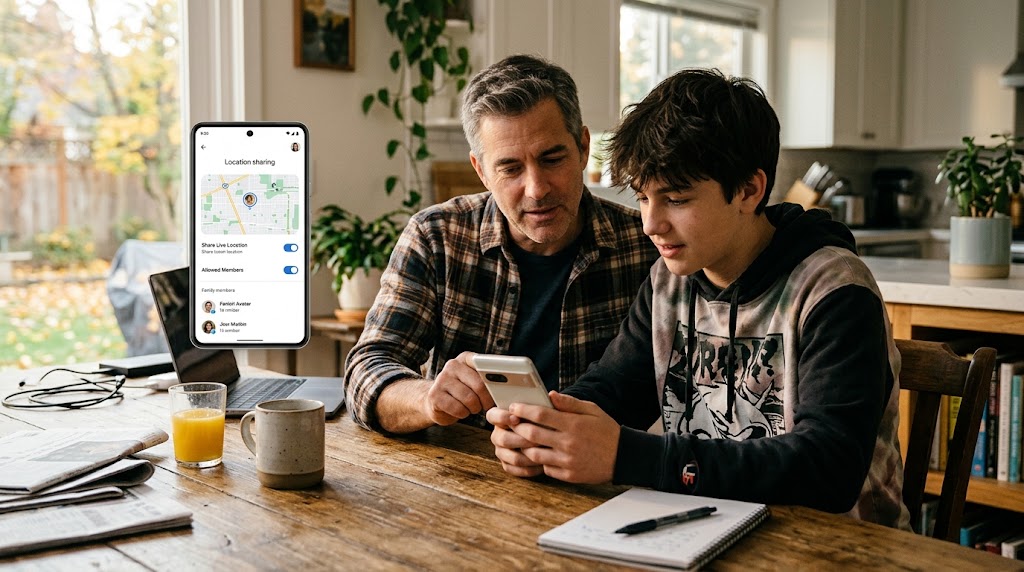
Most guides about phone tracking skip the part that matters most: whether the person whose phone you’re tracking knows about it and has agreed to it. That’s not a technicality. It’s the difference between a useful safety tool and something that can get you in legal trouble and destroy a relationship.
This guide is for people who want to track a phone for a legitimate reason, keep a child safe, manage their own devices, or oversee company phones at work, and do it the right way from the start.
Why learning how to track a phone with consent changes everything
Consent isn’t just a legal checkbox. It changes the entire dynamic of how tracking works in your life.
When your teenager knows their phone is monitored, they make different choices, and the monitoring becomes a safety net rather than a secret camera. When an employee knows the company phone logs location, they adjust their expectations, and the employer avoids a lawsuit. When you share your location with your partner voluntarily, it’s a convenience, not control.
The covert version of each scenario tracking a teen without telling them, monitoring an employee’s personal phone in secret, checking a partner’s location without them knowing—produces the opposite result:
- Teens: Feel betrayed when they find out (and they always find out).
- Employees: Have grounds for a legal breach claim or regulatory complaint.
- Partners: Experience a permanent loss of trust.
Consent makes tracking actually work for its intended purpose, while secrecy makes it fail at everything except gathering evidence for a fight.
What the law says about how to track a phone with consent
The legal picture is clear in most jurisdictions worldwide, even when specific details vary.
| Jurisdiction | Legal Framework | Key Consent Requirement |
| India | DPDP Act (2023) & IT Act (2000) | Location is personal data. Consent or lawful parent/employer status is strictly required. |
| United States | Federal Wiretap Act & State Privacy Statutes | Parental tracking of minors is allowed; company phones require written employee notice. |
| European Union | GDPR & e-Privacy Directive | Explicit opt-in consent is mandatory for tracking adult devices in almost every context. |
The common thread across every jurisdiction: tracking your own device or a minor child’s device within the law is fine. Tracking another adult’s phone without their informed consent is not. SpyHuman’s Lawful Use Policy mirrors this principle exactly.
For the full breakdown, read is it legal to track a phone and is it legal to track a child’s phone.
The three lawful scenarios to track a phone with consent
1. Monitoring your minor child’s phone
You’re the parent or legal guardian, and you want to know your child is safe. This is the most common and clearly lawful use case.
- How to do it with consent: Tell your child what you’re doing, why, and what you’ll be able to see. Adjust the level of monitoring to their age.
- The tools: Google Family Link is the free, built-in starting point for Android. Apple Screen Time offers the same for iPhones. For deeper oversight (call logs, app activity), a consent-based app like SpyHuman’s phone number tracker adds those features when installed openly.
For the full setup walkthrough, see how to set up Google Family Link.
2. Tracking a device you own
Your phone, your tablet, your rules. Whether it’s locating a lost device, backing up data remotely, or managing a spare phone, tracking a device you own is straightforward.
- The tools: Google Find Hub (Android), Apple Find My (iPhone), and Samsung SmartThings Find, let you locate, ring, lock, and erase your own devices for free.
- Walkthrough: For details on locating lost hardware, see how to find a lost phone by phone number.
3. Monitoring a company-owned device
An employer can monitor a company-owned device, provided the employee has been clearly informed in writing before monitoring starts.
- How to do it right: Include the monitoring policy in the employment agreement or device policy, signed before handing over the device.
- Legal boundaries: Never monitor an employee’s personal phone or track them outside working hours without a clear business reason. For more detail, see employee phone monitoring laws.
A practical consent checklist
Whether you’re a parent or an employer, follow this basic checklist:
- Before you start: Tell the person what you’ll monitor, why, and which tools are being used. Get written acknowledgment for workplace devices.
- While monitoring: Do not exceed the scope you agreed on. Keep data secure and limit who can view location logs.
- If things change: Re-ask for consent if expanding the scope or adding new features.
- When it ends: Stop monitoring when the child reaches adulthood or an employee leaves. Review our Data Deletion page to remove stored account records safely.
Voluntary location sharing: the lightest version
Not every situation needs a dedicated monitoring app. Voluntary location sharing carries no ambiguity because the person shares actively and can turn it off at any time:
- Google Maps: Tap your profile > Location sharing > Select contact & duration.
- WhatsApp: In chat > Attachment icon > Location > Share live location (15 mins, 1 hr, or 8 hrs).
If someone stops sharing, the right response is an open conversation, not installing a covert tracker.
What if someone refuses?
- Minors: Parental authority allows monitoring, but for older teens, negotiate a compromise (e.g., location sharing on Maps instead of detailed logging).
- Adults: Refusal is their legal right. Installing unauthorized monitoring on an adult’s phone can lead to criminal charges.
- Employees: Monitoring company hardware is a job condition. If they refuse monitoring on a personal phone, issue a company device instead.
The line between monitoring and surveillance
Monitoring with consent is a safety tool. Surveillance without consent is unauthorized control.
If you want to secretly check a partner’s phone or track an ex, those uses are prohibited under SpyHuman’s Lawful Use Policy and illegal in most jurisdictions. If you suspect someone is secretly watching your own device, read am I being tracked and how to stop it.
Frequently asked questions
Do I need written consent to track my child?
For a minor, parental authority is usually sufficient under Indian law, and no formal written consent is required. However, explaining the tracking openly is recommended as children grow older.
Can I use SpyHuman on my child’s phone?
Yes. SpyHuman is designed for parents to install openly on devices they own or manage for their minor children. See the phone number tracker page for details.
Is verbal consent enough for employees?
Written disclosure is strongly recommended and legally required in many jurisdictions. Always include device monitoring clauses in signed employment policies.
What if my teen deletes the monitoring app?
That’s a conversation to have, not a technical problem to solve. If they’re old enough to remove the app, they’re old enough to discuss why the monitoring exists and negotiate a version both sides can live with.
Can I track an adult family member with their consent?
Yes, as long as they freely consent and retain the ability to revoke access at any time (e.g., using Google Maps Location Sharing).
Is it okay to track my own phone for security?
Absolutely. Tracking your own device (Find My Device, Find My iPhone, SmartThings Find) is always lawful and recommended. Set it up now.



Leave a Reply