We Tested 8 Android Monitoring Apps for 2026: Here's the Honest Verdict
If you are a parent trying to keep a child safe online, or an employer monitoring a company-owned phone, you have probably noticed that most "best monitoring app" lists read like sales pages. This one is different. We compared 8 popular Android tools on the things that actually decide the choice for a real, mostly-mobile, India-and-US audience: is there a genuinely free plan, does it need root, how deep is WhatsApp and social tracking, is there a refund, and what does it cost in INR and USD.
Our editor's pick for the best free Android monitoring app of 2026 is SpyHuman, not because it does the most, but because it is one of the very few you can actually register and install for free before paying. It needs no root, and it is tuned for Android. We will be just as clear about its limits: it is Android-only, and the full feature set is a paid premium upgrade. If you need iPhone or a full desktop suite, other apps below fit better.
Best overall free Android monitoring app: SpyHuman
It is the only app in this roundup with a genuinely free start (register and install with no card), runs no-root on Xiaomi, Samsung, Oppo, Vivo and Realme, and tracks calls, SMS, GPS, WhatsApp and social apps from one dashboard. Premium upgrades are covered by a conditional refund (see refund policy). Best for parents and employers on Android who want to try before they pay.
How we scored each app
Every app was rated out of 10 on seven weighted factors, with the most weight on what our audience asks for most: a real free tier and no-root install. We do not take payment to rank an app higher, and SpyHuman is our own product. So where we recommend it, we tell you exactly why, and where a rival is the better fit we say so.
- Free plan
- No-root install
- WhatsApp & social depth
- Reliability on Android
- Refund policy
- Price (INR / USD)
- Support
2026 Android Monitoring Apps Compared
The columns most readers decide on are the first three: free plan, no-root, and WhatsApp/social. Scroll the table sideways on mobile to see every column.
| App | Free plan? | No root? | WhatsApp / Social | Refund | Platform | Our score |
|---|---|---|---|---|---|---|
| SpyHuman Editor's pick | Yes, free start | Yes | Yes, deep | Conditional | Android | 9.4 |
| mSpy | No | Yes (basic) | Yes | Varies | Android, iOS | 8.6 |
| Qustodio | Limited free | Yes | Screen-time focus | Varies | All platforms | 8.4 |
| Bark | Trial only | Yes | Alerts, not full chats | Varies | Android, iOS | 8.2 |
| FamilyTime | Limited free | Yes | Limited | Varies | Android, iOS | 7.9 |
| Eyezy | No | Yes (basic) | Yes | Varies | Android, iOS | 7.8 |
| Hoverwatch | Trial only | Yes (basic) | Limited | Varies | Android | 7.4 |
| iKeyMonitor | Limited free | Some features | Yes | Varies | Android, iOS | 7.2 |
Swipe the table sideways on mobile. Scores are our editorial assessment, not user-review averages.
We do not publish each rival's price here because plans and promotions change constantly, so check each vendor directly. For our own plans, see SpyHuman pricing plans.
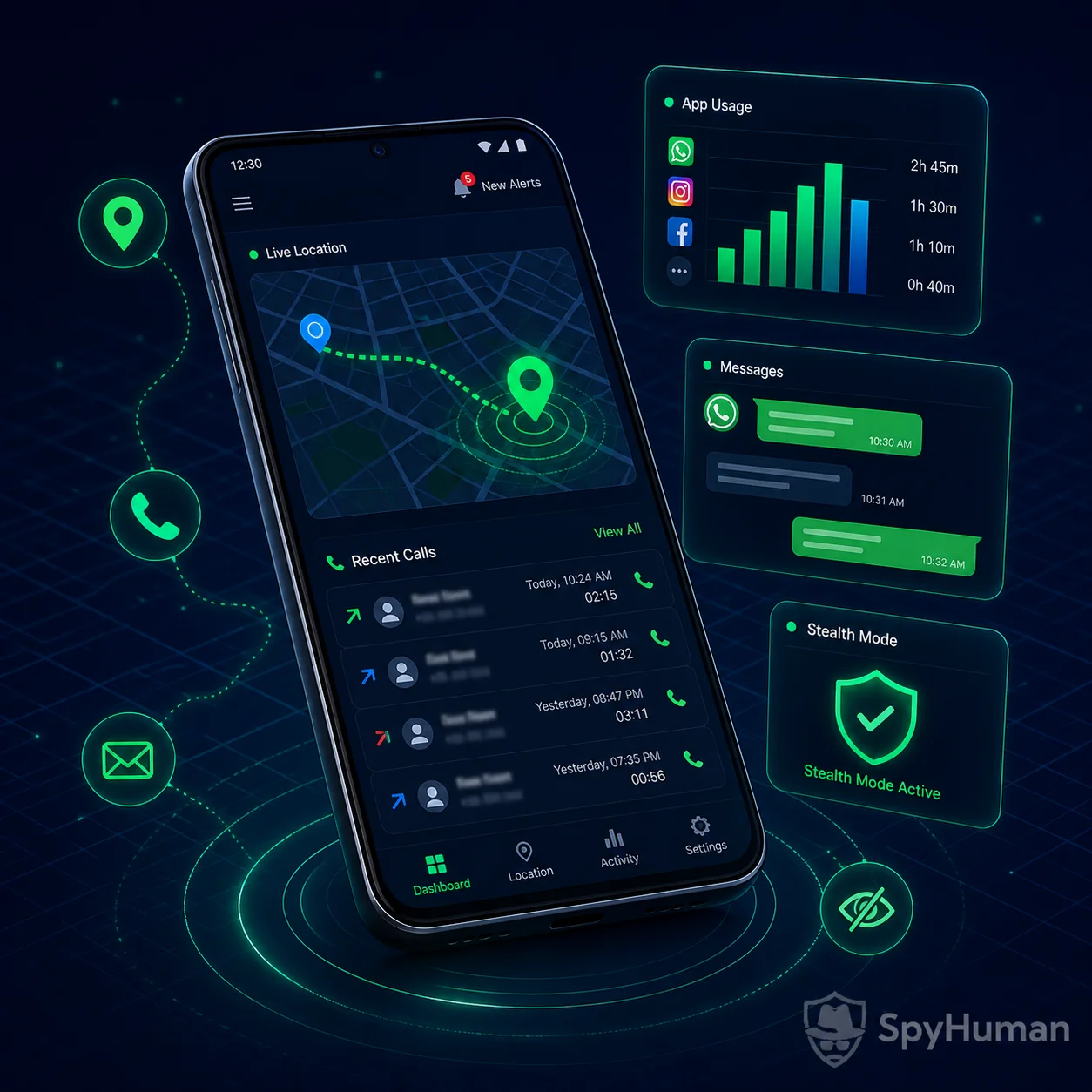
1. SpyHuman: Best Free Android Monitoring App
SpyHuman Best for: parents & employers on Android who want to try free first
9.4/10SpyHuman is a consent-based Android monitoring app that you can register and install for free, then explore the dashboard before deciding to pay. On a standard non-rooted phone it tracks 30+ data types from one web dashboard: GPS location and geofencing, call logs and recorded calls, SMS and contacts, the WhatsApp tracker and other social apps, plus photos, browsing history and app usage. Setup takes under five minutes with one-time physical access; no technical skill is required.
- Genuinely free start, no card to register
- No root; works on Xiaomi, Samsung, Oppo, Vivo, Realme
- Deep WhatsApp & social tracking
- Conditional refund on premium
- Android-only, no iPhone support
- Full feature set needs a premium upgrade
The honest summary: if the phone you want to monitor is Android and you would rather test a tool before paying, SpyHuman is the easiest yes on this list. See the full list of monitoring features or read more about it as a parental control app for Android.
The Runners-Up (2 to 8)
These are all real, established products. Each fits a specific need better than SpyHuman in at least one way, and we say where.
mSpy Best for: parents who need iPhone as well as Android
8.6/10A long-established commercial monitor with strong social-app coverage and a polished dashboard. The catch is there is no free tier. It is a paid subscription only.
- Covers Android and iPhone
- Mature social-app monitoring
- No free plan; paid only
- Premium tiers can get pricey
Prefer a free start on Android? See our free mSpy alternative.
Qustodio Best for: screen-time limits & web filtering across devices
8.4/10A polished family-safety suite that shines at screen-time scheduling, app limits and web filtering across Android, iOS, Windows and Mac. It is lighter on deep chat monitoring than the spy-style apps here.
- Excellent screen-time & filtering
- Works across all major platforms
- Limited message/chat visibility
- Best features are paid
Bark Best for: alert-based safety without reading every message
8.2/10Bark takes a privacy-respecting approach: instead of showing you everything, it scans for risks (bullying, predators, self-harm signals) and alerts you. Great for older teens who would resent full surveillance, less suited if you need raw logs.
- Smart risk alerts, not full surveillance
- Good fit for teen trust balance
- No free plan (trial only)
- Not for reading full chat history
FamilyTime Best for: location, geofencing & basic family controls
7.9/10A friendly family-control app with a free tier covering location, geofencing and basic limits. Deep message and social monitoring is thinner than the dedicated trackers on this list.
- Limited free tier available
- Strong location & geofencing
- Limited chat/social depth
- Advanced controls are paid
Eyezy Best for: a modern UI with broad social coverage
7.8/10Eyezy markets a slick interface and wide social-app coverage across Android and iOS. Like mSpy, it is paid-only with no genuine free tier to test first.
- Clean, modern dashboard
- Broad social-app coverage
- No free plan
- Heavier marketing claims
Comparing it directly? See our Eyezy alternative.
Hoverwatch Best for: Android-only call & SMS logging on a budget
7.4/10A no-frills Android tracker focused on calls, SMS and location. Reliable for the basics, but its social-app coverage is limited and there is no real free plan.
- Solid call/SMS/location basics
- Android-focused
- Limited social coverage
- Trial only, not free
See our Hoverwatch alternative.
iKeyMonitor Best for: keystroke logging & granular controls
7.2/10Feature-rich with keystroke logging and a limited free tier, but the interface is dated and some features lean on root for full functionality, which can void warranties.
- Limited free tier & keylogging
- Granular controls
- Some features need root
- Older, busier interface
Reviewed independently by real customers
Read and write reviews on TrustpilotWhat do you want to keep an eye on?
Pick what matters on the device you supervise. You will see which tools cover it and how far the free plan goes.
The free plan shows the last five records and keeps 30 days. Premium lifts both limits, and the 3-day trial needs no card.
No subscription needed to test our pick
Register free, install in under five minutes, and judge the SpyHuman dashboard yourself before you ever pay.
How to Choose the Right Monitoring App
The "best" app is the one that matches your situation. Run through these four questions before you pick:
Do you need WhatsApp & social?
If reading chats matters, choose a deep tracker like SpyHuman or mSpy over a screen-time-first app such as Qustodio or FamilyTime.
Do you want to try free first?
Most apps here are trial-only or paid. SpyHuman, Qustodio, FamilyTime and iKeyMonitor offer free starts of differing depth, and SpyHuman's is the most complete on Android.
Android only, or iPhone too?
SpyHuman and Hoverwatch are Android-only. If any phone is an iPhone, you need mSpy, Eyezy, Bark or a cross-platform suite instead.
Child or employee?
For minors, a parent can monitor their child's device. For staff, use a company-owned phone with the employee's disclosed consent. Never an adult's private phone in secret.
Is Phone Monitoring Legal?
Yes, as long as you have the right to monitor the device. The legality of any app on this list depends entirely on how you use it, not on the app itself. The rules differ by who you are monitoring:
SpyHuman is consent-based monitoring software, not a covert hacking tool. It requires one-time physical access to install. There is no lawful, legitimate way to set up real monitoring on a phone you have never touched.
Quick Answers
What is the best free parental control app for Android in 2026?
SpyHuman is our pick for the best free Android monitoring and parental control app of 2026, because it lets you register and install at no cost, runs without root, and tracks calls, SMS, GPS, WhatsApp and social apps from one dashboard. The full feature set is a paid premium plan backed by a conditional refund.
Do Android monitoring apps need root?
No. The recommended apps in this guide, including SpyHuman, mSpy, Qustodio and Bark, run on standard non-rooted Android phones, so the device keeps its warranty and behaves normally. Only a few legacy features in older apps such as iKeyMonitor require root, which we advise against for everyday parental control.
Which monitoring app is best for tracking WhatsApp?
For reading WhatsApp and other social-app conversations on Android, a dedicated tracker like SpyHuman or mSpy goes deeper than screen-time-first suites. SpyHuman is the one you can start free, so you can confirm WhatsApp monitoring works for your device before paying.
Do These Apps Need Root? Will They Be Detected?
The apps we recommend run on standard, non-rooted Android phones, so the device keeps its warranty and behaves normally across Xiaomi, Samsung, Oppo, Vivo and Realme on Android 5.0 and above. You do not need any technical skill, just one-time physical access for the short install.
Free vs Premium: What You Get With SpyHuman
Creating an account and installing the app is free, and that is the whole reason SpyHuman is our editor's pick over paid-only rivals. You start free, confirm it works on your device, and upgrade only if it fits.
| Free | Premium | |
|---|---|---|
| Register & install | Yes, no card | Yes |
| Dashboard access | Yes | Yes |
| Core tracking preview | Included | Full |
| WhatsApp & social, full history | Upgrade | Unlocked |
| All 30+ data types | Upgrade | Unlocked |
| Refund policy | No | Conditional |
The premium upgrade unlocks full WhatsApp and social history plus the complete data set. We do not list a price here because plans change, so see SpyHuman pricing plans for current details, and explore it as a parental control app for Android.
Refund & Cancellation
SpyHuman premium is backed by a conditional refund: because it is a digital product the policy is strict, so refunds apply mainly when the software cannot be made to work on a compatible device after our support team has tried to help. Read the full refund policy for the exact eligibility rules and timeframe before you buy. Other apps in this roundup have their own refund and cancellation terms that vary by plan and promotion, so check each vendor's policy too.