
Phones go missing more often than people admit. Yours slid out of your bag on the train. Your kid’s battery died and you’re staring at the ceiling at midnight. An unknown number keeps calling at 2am, and you want to know who it is.
Three different problems. Three different tools. If you’re wondering how to track a phone number for free, the honest answer is it depends on which of these three you’re actually dealing with. This guide covers every free method that works in 2026, plus the ones to skip entirely.
What free tracking can and can’t do
Set expectations first. Free tools split into two buckets.
One: tools that locate a device you own or manage, like Find My Device or Find My iPhone. Two: tools that identify a caller or pull public info tied to a number, without live GPS.
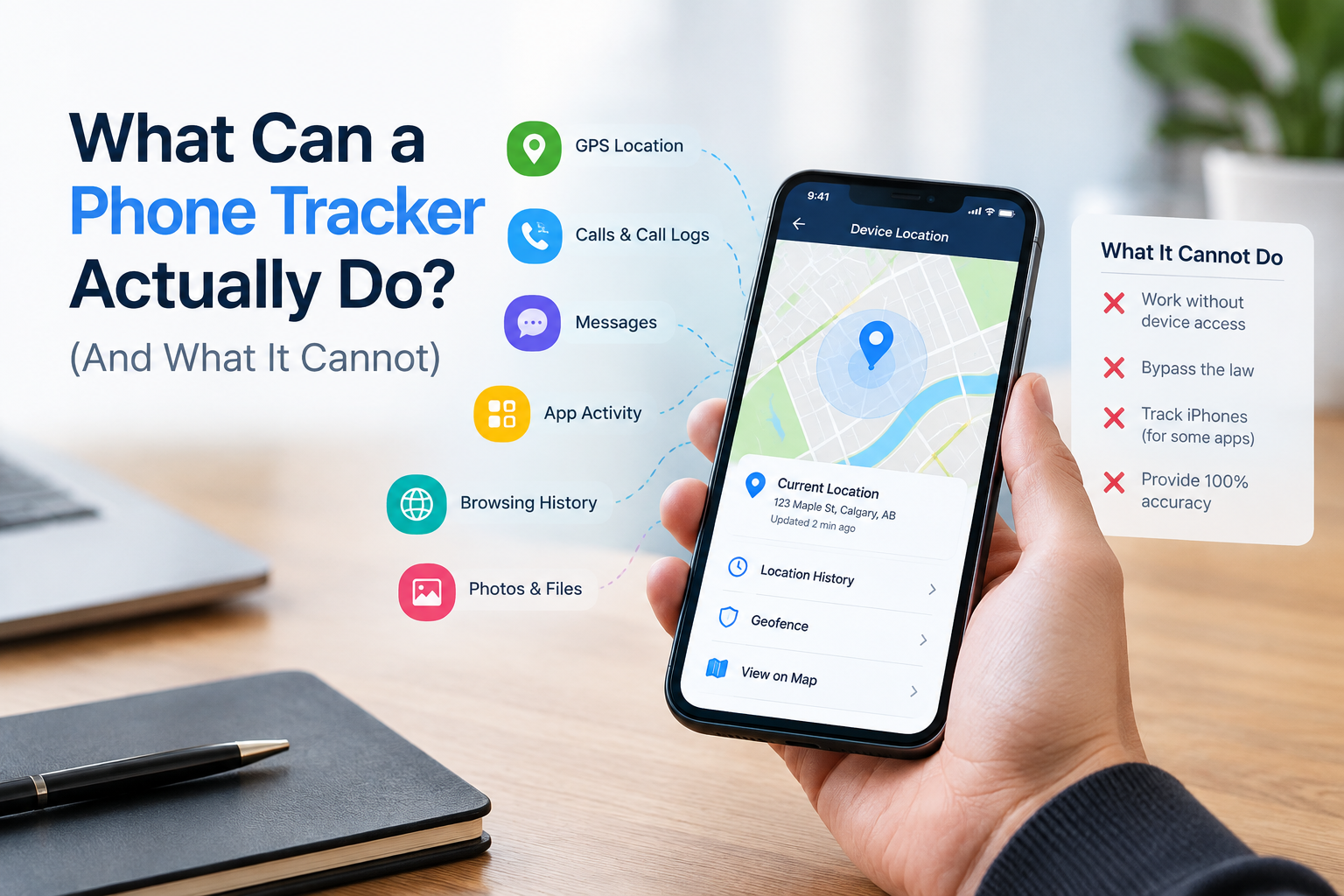
No free tool will hand you a stranger’s real-time location just because you typed their number into a search box. That needs the phone’s account access, the owner’s consent, or a warrant. If a site promises otherwise, it’s lying to you, harvesting your email, or both.
Find a phone you own
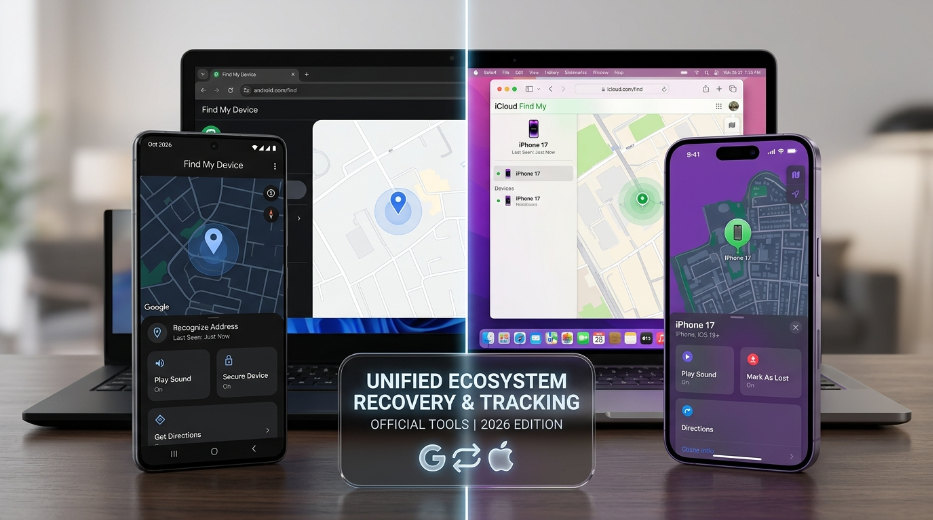
If it’s your phone, this part is easy. Both Android and iOS come with built-in location tools in their operating systems, so you don’t need to install or configure anything later, as long as the feature was enabled before the phone went missing.
Android, using Find My Device:
- Go to android.com/find on any browser
- Sign in with the Google account on the lost phone
- Pick the device from the list if you have more than one
- Check the map for its current or last-known spot
- Ring it, lock it, or wipe it
This function needs the phone to be powered on and connected, either to Wi-Fi or mobile data. If it’s off, you get the last known location, not a live one. Android’s newer Find My Device network can also approximate a phone’s spot using Bluetooth signals from nearby Android devices, even with cell data off, though that’s not the same as GPS-level accuracy.
iPhone, using Find My:
- Open Find My on another Apple device, or go to iCloud.com/find
- Sign in with the Apple ID from the lost phone
- Select the device and check the map
- Play a sound, mark it lost, or erase it
Both are free. Both are built into the OS. No third party is sitting between you and your data, which matters more than people realize until something goes wrong.
Samsung phones:
Get a second option: Samsung Find My Mobile, also called SmartThings Find. It works the same way as Google’s tool, through findmymobile.samsung.com, but adds one useful trick. If the phone is completely offline, SmartThings Find can sometimes triangulate its location using Bluetooth signals from other nearby Samsung devices. That only works if other Samsung phones happen to be in range, so treat it as a bonus, not a guarantee.
Location history, not live tracking
Sometimes you don’t need to know where a phone is right now. You need to know where it’s been.
Google Maps Timeline logs a device’s past locations, even stretches when it was offline, by piecing together Wi-Fi and cell tower data. Open Google Maps, tap your profile picture, then “Your Timeline,” and browse by day or month.
It’s not real-time, and Google has been shifting Timeline data to live on-device rather than in the cloud, so recent versions may require checking the phone directly instead of pulling it up on another device. Still useful for reconstructing a trip or confirming where a phone was on a specific afternoon.
Carrier tracking and IMEI
Two options worth knowing even though neither gives you a live map the way Find My Device does.

Carrier tracking service:
Most major carriers, including Verizon, AT&T, and T-Mobile, offer some form of device location or account protection. It’s not self-service. You’ll need to call and provide proof of ownership, and some carriers charge a small monthly fee for the full feature. Accuracy runs on cell tower triangulation, so expect “somewhere in this neighborhood,” not a street address. IMEI tracking is useful as a last resort, especially when the phone is dead and Find My Device has nothing to show you.
IMEI tracking:
Every phone has a 15-digit IMEI number, a unique hardware ID. You can’t use it to track a phone yourself in real time, no matter what an app or website claims. What it’s actually for: filing a police report. An IMEI is primarily an identifier. Consumers cannot simply enter an IMEI somewhere and obtain a live location. You’ll find your IMEI printed on the original box, listed in your carrier account online, or at myaccount.google.com/device-activity for Android phones.
| Method | Free | Real-time | Works offline | Extra app needed |
| Google Find My Device | Yes | Yes | No (last known only) | No |
| Samsung Find My Mobile | Yes | Yes | Partial, via Bluetooth | No |
| Google Maps Timeline | Yes | No, history only | Yes, cell/Wi-Fi based | No |
| Carrier tracking | Varies | No | Yes, cell towers | No |
| IMEI + police report | Free | No | Yes | No |
How to track a phone number for free using reverse lookup
Free reverse lookup tools can tell you the general carrier, whether it’s a mobile or landline number, the region it’s registered in, and whether it’s been flagged for spam. Truecaller and Whitepages both run free lookups off public directories and user-submitted reports, which is a fine starting point for a number that keeps showing up uninvited. For deeper directory lookups, specialized phone number tracker tools can help cross-reference caller details.
Location sharing, with consent
Want ongoing visibility into where a friend or family member is, not just a one-time check? Consent-based sharing beats everything else on this list.
Google Family Link deserves a closer look if you’re a parent, since it’s built for exactly these purposes. Unlike Find My Device, which is designed for emergencies, Family Link runs continuously and transparently. Some parents complement standard location sharing with notification tracking to see real-time alerts, incoming message updates, and app activity directly from the monitored phone. Set it up by installing the app on your phone, signing in as the parent, adding your child’s account, then accepting the supervision request on their device.
| App | Platform | Free tier | Best for |
| Google Maps location sharing | Android / iOS | Yes | Casual sharing with friends or family |
| Find My (Family Sharing) | iOS | Yes | Apple households already in the ecosystem |
| Google Family Link | Android | Yes | Parents monitoring a minor’s device |
| Life360 | Android / iOS | Yes, limited | Driving alerts, check-ins |
Google Family Link deserves a closer look if you’re a parent, since it’s built for exactly these purposes. Unlike Find My Device, which is designed for emergencies, Family Link runs continuously and transparently. The child’s device shows that supervision is active. Set it up by installing Family Link on your phone, signing in as the parent, adding your child’s Google account, then accepting the supervision request on their device. From there, you get real-time location updates and alerts when they arrive at or leave specific places, like school or home.
For couples or friend groups, Google Maps location sharing does the same job with less structure: just pick a contact, choose how long to share, and you’re done. Life360 adds driving alerts and check-ins on top, with a limited free tier before it asks for a subscription. The common thread across all of these: the person being tracked opts in, and they can turn it off whenever they want.
Apps that install directly on the tracked phone
There’s a separate category worth mentioning: apps you install directly onto the phone you want to monitor, rather than tools that piggyback on an existing account like Google or Apple’s. Installing a dedicated mobile location tracker app gives you full live GPS mapping, route histories, and geofencing alerts for family members. Family locator apps in this category typically need two steps: creating an account on the service’s website, then installing and logging into their app on the phone being tracked, with location permissions granted on setup.
This approach makes sense for a family member’s phone or a company-owned device, always with the phone user’s knowledge. This approach fails if used to hide tracking from an adult who hasn’t agreed to it, which is where the legal line sits in most places regardless of the relationship involved.
Tracking a fleet, not just one phone
Everything above works for one phone at a time, tied to one Google or Apple account. That approach quickly becomes unworkable once you’re responsible for more than a handful of devices.
Businesses managing company phones usually need something built for scale instead: a device management platform that shows every phone on one dashboard, with location history, remote lock, and remote wipe available in bulk rather than one login at a time. This does mean installing an agent on each device, which is a step beyond the consumer tools above, but it’s the only realistic way to keep a mixed fleet of Android, iOS, and laptop devices under one roof.
If that’s your situation, look for a platform that covers every OS you’re issuing rather than one that only handles phones, since most companies end up managing laptops alongside them anyway.
What to skip
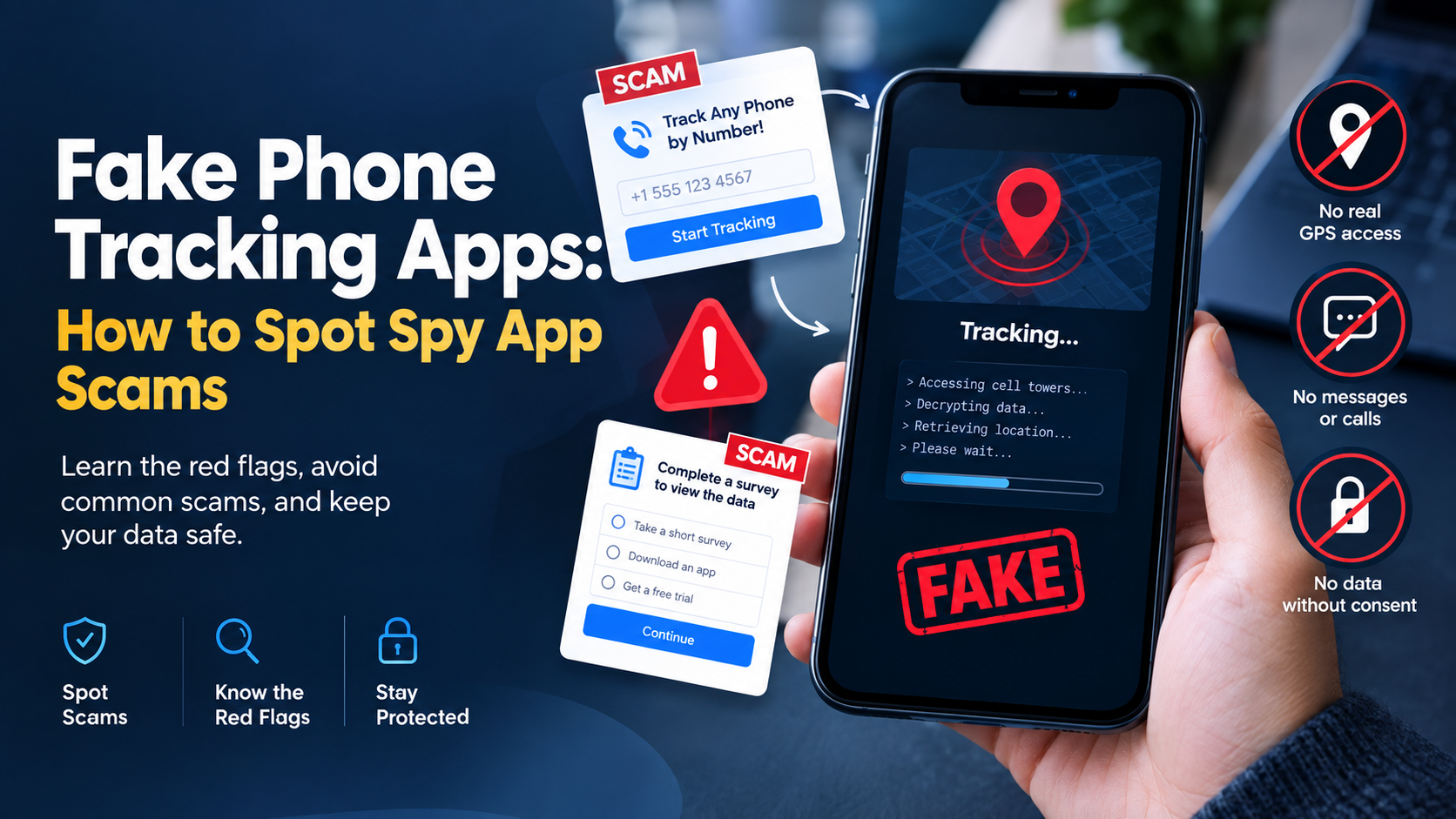
Plenty of “track any number free” sites promise instant GPS coordinates. Most fall into three categories: scams that harvest your email, ad farms that deliver nothing, or apps that run silently on someone else’s phone without their knowledge.
That last one matters most. Tracking another adult without their knowledge isn’t just unreliable software. In many places, it’s illegal, period, no matter the excuse. Parents monitoring a minor child, or a company tracking a device it owns under a disclosed policy, sit in different legal territory. A partner secretly tracking another adult is not in the same legal territory.
FAQS
Can I track a number’s location without an app on the target phone?
Not accurately. You need either the device’s built-in Find My service or a location-sharing app the user installed and approved. A number-only lookup gets you a general region, not a pin on a map.
Is tracking someone’s phone legal?
It depends on consent and where you live. Your own device, or your kid’s phone as a parent, is generally fine. Another adult’s phone without their knowledge is restricted or illegal in most places. Ask first.
Can I track a phone that’s turned off?
Not in real time. Find My Device and Find My Mobile both show the last known location before the phone powered down. Google Maps Timeline sometimes has more recent history if the phone connected to Wi-Fi or a cell tower shortly before shutting off.
Why does reverse lookup data look outdated occasionally?
Databases pull from public records and user reports. They don’t update live. A number that changed hands last month might still show the old owner for a while.
How accurate is phone location tracking?
GPS runs about 5 to 10 meters outdoors under a clear sky. Indoors or in dense areas, phones fall back to Wi-Fi triangulation, roughly 10 to 50 meters, or cell tower triangulation, which can be off by anywhere from 100 meters to a few miles depending on tower density.
Can police track a number for free?
They can request carrier data, but that usually needs a warrant or an emergency. It’s not something the general public gets through a free app, no matter how the marketing reads.
Do I need the number or the actual phone to track it?
For GPS accuracy, you need account access, a Google or Apple ID tied to the device, and not just the number. The number alone only gets you carrier-region or caller ID info through a lookup service.
Bottom line
The short version of how to track a phone number for free: match the tool to the job. Use Find My Device or Find My iPhone for your own lost phone. Samsung Find My Mobile if it’s a Galaxy. Carrier tracking or an IMEI report when the phone’s dead and gone. Reverse lookup for the mystery caller. Consent-based sharing, whether that’s Google Maps, Family Link, or a dedicated family locator app, for ongoing peace of mind.
What you won’t get, no matter how many sites promise it, is a stranger’s live coordinates from just their number. If you’re trying to find your phone right now, Google’s Find My Device support page walks through it step by step.
Leave a Reply