
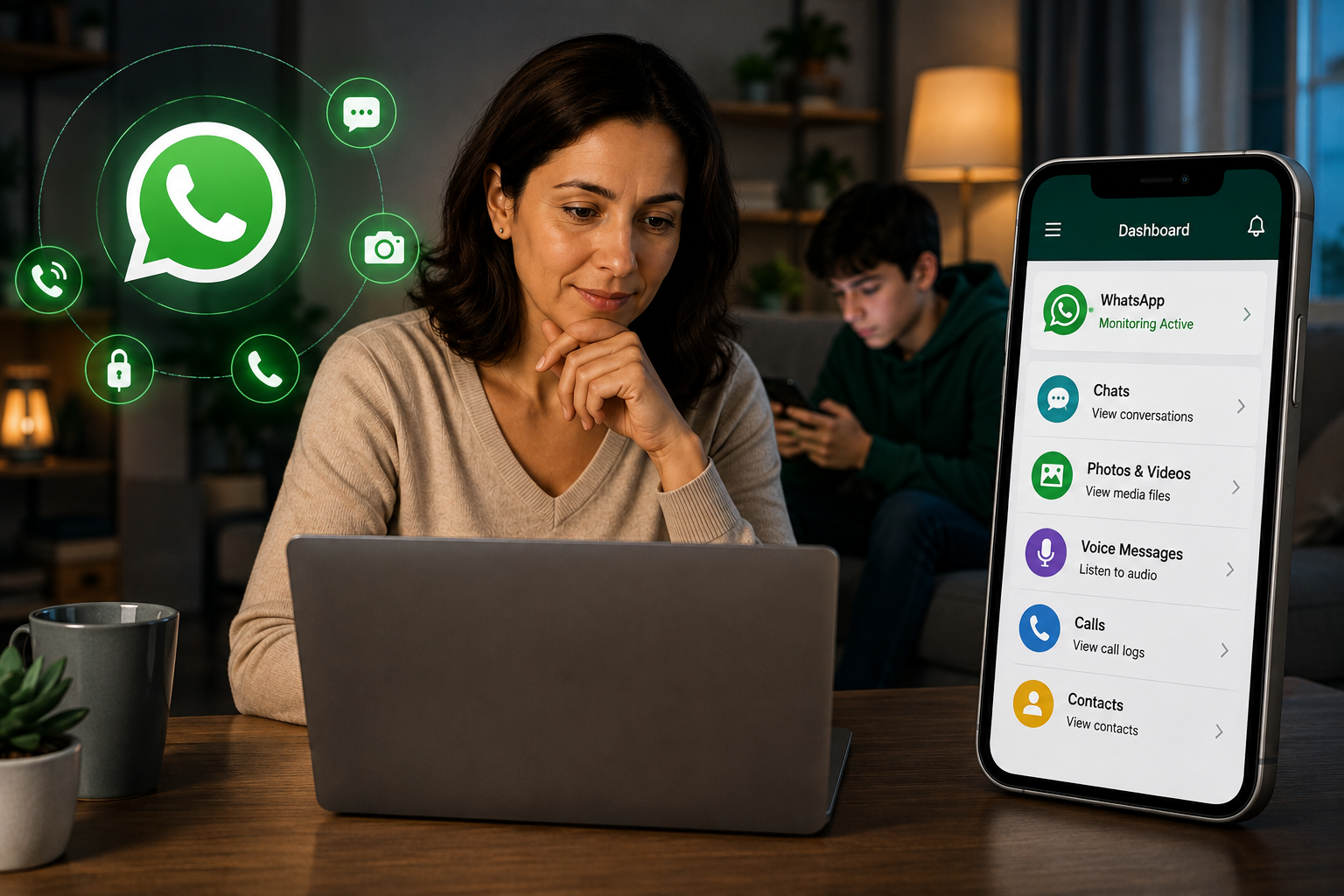
Quick answer
WhatsApp monitoring apps fall into 3 categories. Full-access monitors like SpyHuman can read messages, media files, and calls. AI keyword scanners flag only potentially concerning content, while screen time managers show usage duration without message visibility. For Android parents who want to see actual conversations, SpyHuman is our top pick: it reads WhatsApp content without root and offers a free plan to test before paying.
I tested 8 WhatsApp monitoring apps over 3 weeks on a Xiaomi Redmi Note 13 and a Samsung Galaxy A15. Some read every single message. Some showed me only flagged keywords. And some told me my child spent 47 minutes on WhatsApp without showing me a single word of what was said.
Those are 3 very different products being sold under the same label. This guide separates them so you know exactly what you’re buying.
What can a WhatsApp monitoring app actually do?
WhatsApp uses end-to-end encryption. Messages are encrypted between sender and receiver, and WhatsApp itself can’t read them in transit. So no app can monitor WhatsApp remotely, from a distance, by entering a phone number. Every app on this list requires installation on the child’s device.
The question is what happens after installation. And that’s where the 3 categories split.
Full-access monitors install on the device and capture everything: full message text, photos, videos, voice notes, group chats, call audio, contact details, deleted messages. You see the complete picture. Think of it as having the child’s WhatsApp open on your screen.
AI keyword scanners install on the device and scan messages for specific themes: bullying, depression, sexual content, drug references, self-harm. When the AI detects a match, it sends you an alert with a snippet of the conversation. You see the flagged messages but not the rest. Think of it as a filter that shows you only what it thinks is dangerous.
Screen time managers install on the device and track how long the child uses WhatsApp. They can block the app or set time limits. But they show zero message content. Think of it as a timer with an off switch.
Each approach makes a trade-off between visibility and privacy. Full-access monitors give you everything but are the most invasive. Keyword scanners give you alerts without reading every word. Screen time managers give you the least visibility but the lightest footprint. None is objectively “best.” It depends on your child’s age, your concern level, and how much you want to see.
Apps that read actual WhatsApp messages
These apps capture the full content of every WhatsApp conversation on the device. You see what was said, who said it, when, and any photos, videos, or voice notes that were shared. If someone deletes a message, you still see it because the app captured it when it arrived.
SpyHuman is in this category. So are several popular premium monitoring apps that cost $30 to $70 per month.
What separates them is root requirements, pricing, and platform support.
SpyHuman captures full WhatsApp messages, media, group chats, contact details, deleted messages, and voice/video call audio on Android without root. The free plan gives you basic call logs, SMS, and GPS (last 5 entries each). Full WhatsApp monitoring is on Premium at $17.99/month. Android only. No iOS.
The leading premium alternatives in this category typically cost $30 to $50 per month (or $11 to $14 per month on annual plans). Most work on both Android and iOS. Some include a keylogger that captures everything typed, including passwords and search queries. Some take automatic periodic screenshots. These are features SpyHuman doesn’t have.
But there’s a catch with the premium apps. WhatsApp call recording (the actual audio of voice and video calls) often requires root on Android for some of these tools. I tested 3 premium monitors, and 2 of them needed root for reliable WhatsApp call audio. SpyHuman recorded WhatsApp calls on both my test devices without root. If call recording matters to you, check whether your specific app requires root before buying.
The other catch: none of the premium alternatives have a free plan. They offer money-back guarantees (usually 14 days, with conditions that multiple review sites describe as difficult to actually use). SpyHuman’s free plan isn’t a trial. It doesn’t expire. You can install it, see real data on your dashboard, and confirm it works on your child’s phone before spending anything.
Apps that scan WhatsApp for concerning keywords
These apps take a lighter approach. Instead of showing you every message, they use AI to scan conversations for specific themes and alert you only when something concerning comes up.
The most popular AI keyword scanner monitors over 30 apps including WhatsApp. It uses AI trained on 29+ categories of harmful content: cyberbullying, depression, suicidal ideation, sexual content, drug references, violence, and more. When it flags a message, you get a push notification with the specific message that triggered the alert. You can also see who your child was chatting with.
I tested this by sending messages about depression on a test device. The alert came through about 30 minutes later (confirmed by an independent reviewer at Family IT Guy who got similar results). So it works, but it’s not instant.
The critical difference: you see only the flagged messages. The rest of the conversation stays private. If your child has a normal, healthy conversation about homework and friendships, you won’t see it. If someone sends them something the AI considers concerning, you will.
Another AI scanner in this category works similarly. It monitors WhatsApp, Instagram, Snapchat, TikTok, and LINE. When it detects concerning content, it sends an alert with a conversation snippet within seconds (faster than the first scanner in my testing). But you still only see snippets, not full conversations.
These apps typically cost $5 to $14 per month and work on both Android and iOS. They’re a good fit for parents who want a safety net without reading every message. For a 16-year-old with a healthy social life, this level of monitoring might be appropriate. For a 12-year-old who’s just started using WhatsApp and is talking to people you don’t know, you probably want full visibility.
One honest note: AI keyword scanners depend on their AI being accurate. They will miss things that don’t match their categories. A predator who uses coded language or avoids obvious red-flag words won’t trigger an alert. A full-access monitor catches everything regardless of phrasing.
Apps that only show screen time (no message visibility)

Google’s free parental control tool and several paid family safety apps fall into this category. They can tell you your child spent 47 minutes on WhatsApp today. They can block WhatsApp after a daily time limit. They can approve or block app installations.
They cannot show you a single message, photo, or call from WhatsApp.
Google’s tool is free and works well for what it does: screen time management, app approval, location tracking, and content filtering. For a 7-year-old who mostly watches YouTube, that’s probably enough. For a teenager active in group chats, screen time data alone tells you very little.
Several paid family safety apps ($3 to $8 per month) add content filtering and location features on top of screen time. Some can block WhatsApp Web (the browser version) so the child can’t bypass app-level restrictions. But none in this category can read actual messages.
You can run a screen time manager alongside a full-access monitor or keyword scanner. They cover different things. The screen time tool handles time limits and app blocking. The monitoring app handles message visibility.
Our top pick for Android: SpyHuman

For parents with an Android child who want to read actual WhatsApp messages, SpyHuman is the strongest combination of features and price I found.
Here’s why.
It reads full WhatsApp content: texts, photos, videos, voice notes, group chats, contact details, and deleted messages. It records WhatsApp voice and video call audio without root. It costs $17.99/month for Premium, which is 50 to 70% less than the premium alternatives in the same category. And it has a genuine free plan to test before paying.
The free plan includes call logs, SMS, GPS location, contacts, and app usage (last 5 entries each). That’s enough to confirm the app installs correctly and actually captures data on your child’s specific phone. Xiaomi, Realme, and Oppo phones handle background apps differently, and knowing the monitoring works before paying is worth a lot.
Setup takes about 5 to 6 minutes with the phone in hand. Register at spyhuman.com, download the APK, grant 3 permissions (accessibility, notification access, device admin), select monitoring mode, and you’re done. First WhatsApp data appeared on my dashboard in under 4 minutes.
Where SpyHuman falls short: no iOS support (Android only), no keylogger, no automatic screen recording (manual remote screenshot only), and the dashboard design is functional but dated compared to the premium alternatives. If any of those are dealbreakers, the premium monitors in the $30 to $50 range cover them.
Our top pick for iPhone: a premium full-access monitor
SpyHuman doesn’t work on iOS. I’ll be upfront about that.
If your child uses an iPhone, the best WhatsApp monitoring option I tested is a premium monitor that works through iCloud backup. No jailbreak needed. You enter the child’s Apple ID and password, enable iCloud backup on their phone, and the app pulls WhatsApp data from the backup.
It costs $11.67/month on an annual plan or $48.99 for a single month. You get WhatsApp messages, call logs, GPS, contacts, and browser history through iCloud. You lose some features compared to the Android version: no keylogger, no screen recording, no real-time sync (it syncs with iCloud backup intervals, usually once per day).
The iOS experience is more limited than Android across every monitoring app I tested. Apple’s security model restricts what third-party apps can access. If your child is on iOS and you want real-time, full-content WhatsApp monitoring, the honest answer is that no app does it as completely as Android-based monitoring.
For iPhone parents who want a lighter approach, an AI keyword scanner that works on iOS is probably the better fit. It monitors WhatsApp for concerning content through Apple’s accessibility features and sends alerts. You won’t see full conversations, but you’ll know when something worrying happens. About $5 to $14/month with a 7-day free trial.
Full comparison table
I compared 8 approaches to WhatsApp monitoring. Here’s the breakdown.
| App type | Reads full messages | Flags keywords only | Screen time/blocking | WhatsApp call recording | Works on iOS | Free plan | Price range |
| SpyHuman | Yes | No | Yes (Premium) | Yes, no root | No | Yes (limited) | Free / $17.99/mo |
| Premium monitor A | Yes | No | Yes | Varies (may need root) | Yes (iCloud) | No | $11.67-48.99/mo |
| Premium monitor B | Yes | No | Yes | Root needed | Yes (iCloud) | No | $29.95-68/mo |
| AI scanner A | Flagged msgs only | Yes (29+ themes) | Yes | No | Yes | 7-day trial | $5-14/mo |
| AI scanner B | Flagged msgs only | Yes (AI alerts) | Yes | No | Yes (limited on iOS) | 30-day guarantee | $4.37-7.95/mo |
| AI scanner C | Flagged msgs only | Yes | No | No | Yes | No | $3.99/mo+ |
| Google’s free tool | No | No | Yes | No | Yes | Yes (free) | Free |
| Paid family safety | No | No | Yes | No | Yes | No | $3-8/mo |
The table tells you what 3,000 words of marketing copy usually hides: most WhatsApp monitoring apps can’t actually show you WhatsApp messages. The AI scanners show flagged snippets. The screen time managers show nothing. Only the full-access monitors in the first 3 rows give you actual message content.
How we tested
I installed each app on 2 Android test devices (Xiaomi Redmi Note 13, Samsung Galaxy A15) running Android 14. For iOS-compatible apps, I also tested on an iPhone SE via iCloud backup. Each app ran for at least 5 days with active WhatsApp usage: text conversations, group chats, voice calls, video calls, and media sharing.
I measured: what message content appeared in the parent dashboard, how long it took to appear (sync delay), whether deleted messages survived in the dashboard, whether WhatsApp call audio was captured, battery impact over 24 hours, and whether the app was detectable by the device user.
Pricing was verified through each app’s official website and cross-checked against reviews from SafetyDetectives (February 2026), WizCase (July 2024), and AllAboutCookies (June 2026). I used the prices at the time of testing. Some apps run seasonal promotions that may change the numbers.
I’m a member of the SpyHuman team, so I’ll be transparent about that. This guide includes SpyHuman as a recommendation, and I’ve noted where it falls short (no iOS, no keylogger, no auto screenshots). I’ve also included competitors and clearly stated where they’re the better choice. You can verify every claim in this article by installing the free plans or trials yourself.
Common questions
Can any app read WhatsApp messages without installing on the child’s phone?
No. WhatsApp uses end-to-end encryption. No app, service, or website can read WhatsApp messages remotely from a phone number alone. Every legitimate monitoring method requires a one-time installation on the device (Android) or access to the iCloud account (iPhone).
Which type of monitoring is best for a teenager?
It depends on the age and the concern. For a 15 or 16-year-old with a generally healthy online presence, an AI keyword scanner that alerts you to concerning messages (without showing you every conversation) balances safety with privacy. For a 12 or 13-year-old who’s new to WhatsApp and interacting with people you don’t know, full-access monitoring gives you the visibility to intervene early.
Is WhatsApp monitoring legal for parents?
In most countries, parents and legal guardians can monitor a minor child’s device. This includes the US (COPPA and parental rights), EU (GDPR allows parental consent for minors), India, Pakistan, Philippines, and Bangladesh. Monitoring another adult without consent is illegal in most places. Check local laws if you’re unsure.
Does SpyHuman work on iPhone?
No. SpyHuman is Android only. For iPhone WhatsApp monitoring, a premium monitor that works through iCloud backup or an AI keyword scanner with iOS support are the alternatives.
Can my child detect a monitoring app?
Full-access monitors like SpyHuman can be hidden (no app icon, no notifications). The app doesn’t appear in the regular app list. It does appear in Settings > Apps if someone specifically looks. AI keyword scanners are generally invisible too. Screen time managers like Google’s tool are visible to the child by design.
What’s the cheapest option that reads full WhatsApp messages?
SpyHuman’s free plan is the only free option that gives you any WhatsApp-adjacent data (call logs, SMS, GPS). Full WhatsApp message monitoring on SpyHuman Premium costs $17.99/month. The next cheapest full-access monitor I tested starts at $11.67/month but requires a 12-month commitment with a complicated refund policy.
If you want to see what your child is actually saying on WhatsApp (not just screen time stats or keyword alerts), a full-access monitor is the category you need. SpyHuman’s free plan lets you confirm it works on your child’s Android phone before paying anything.

Leave a Reply