
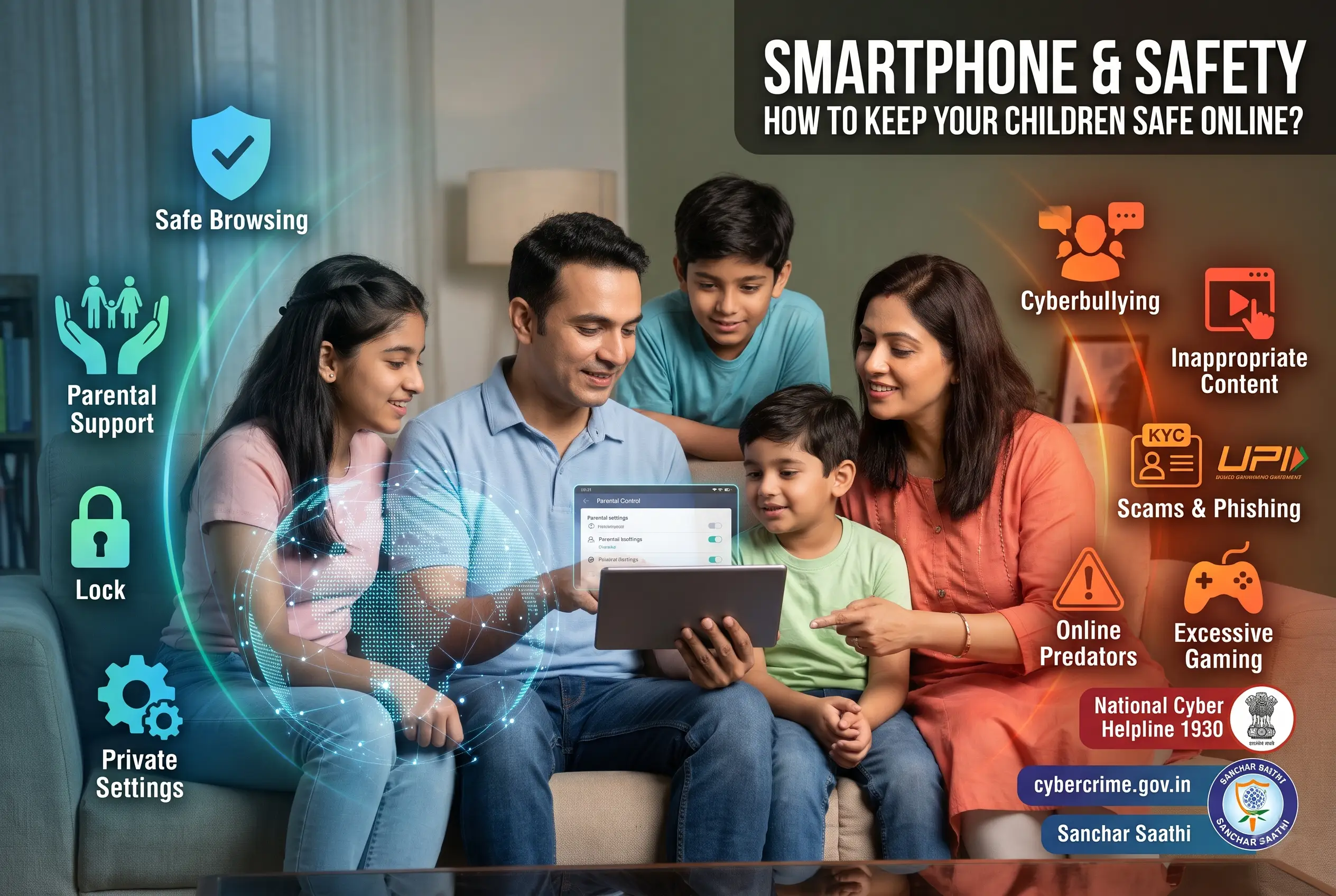
The internet your child uses is not the internet you grew up with. It is faster, more personal, more social, and more capable of reaching your child before you know it is happening. The good news is that most children navigate it without serious harm. The bad news is that the ones who don’t can be hurt in ways that are hard to see from the outside and hard to undo afterward.
This guide covers the real risks, in order of how common they actually are (not how scary they sound), and the real protections that work. I’ve kept the advice practical and honest, because a parent who understands the landscape makes better decisions than one who is simply afraid of it.
The risks, ranked by how common they actually are
Most online-safety guides lead with predators and kidnapping. Those are the most frightening risks but not the most common. Here is the honest order, based on what research and reporting actually show.
1. Excessive screen time and sleep disruption (most common)
This affects almost every child with a smartphone. The pattern is simple: the phone is engaging, the child uses it more than intended, sleep gets pushed later, school performance and mood follow. It is not dramatic, which is why it is easy to ignore, but it is the risk most likely to affect your child today.
The fix is structural, not conversational. Set time limits (Google Family Link or Apple Screen Time), enforce a bedtime lock, and charge the phone outside the bedroom. See how to monitor screen time on Android for the full setup.
2. Cyberbullying (very common)
Research consistently puts cyberbullying as the second most common online risk for children. It ranges from exclusion from group chats and spreading rumours to sustained harassment campaigns with fake accounts and leaked private messages.
The challenge for parents: most children don’t report cyberbullying. They feel ashamed, worry about losing their phone, or think adults can’t help. So the signs show up in behaviour (withdrawal, mood changes, reluctance to go to school, checking the phone anxiously) rather than in a direct report.
What works: a relationship where the child can tell you without fear of losing the phone, notification monitoring that catches patterns (see phone notification monitoring), and knowing how to report and block on each platform. Full guide: how to detect and handle cyberbullying.
3. Exposure to inappropriate content (common)
This includes pornography, violence, self-harm content, and extremist material. Most first exposure is accidental (a search result, a shared link, an algorithmic recommendation), not sought out.
The fix is layered filtering: SafeSearch, DNS-level blocking (CleanBrowsing, NextDNS), platform-level content restrictions (YouTube supervised accounts, Instagram sensitive-content filter), and a conversation about what to do when something disturbing appears (“close the tab, tell me”). See how to check your child’s browsing history for the browser-level protections.
4. Scams and phishing (common, especially in India)
Children are targeted by the same scams that target adults, and they are less equipped to recognise them. “Your KYC is expiring,” “you won a prize,” “your parcel is held,” these arrive by SMS, WhatsApp, and email, and a child who doesn’t know what KYC is may tap the link because it sounds official.
Teach recognition (no legitimate company asks for OTPs or payment via link), monitor SMS for scam patterns (see how to monitor your child’s text messages), and report scams on the 1930 helpline and Sanchar Saathi Chakshu.
5. Privacy oversharing (common, often invisible)
Children share personal information without realising it: their school name in a photo, their location in a story, their phone number in a game chat, their real name in a username. Each piece alone is harmless. Together they build a profile that a stranger could use.
The fix is education and settings. Set all social accounts to private. Disable location tags on posts. Use a username that doesn’t include the real name. And have the “your digital footprint is permanent” conversation: what goes online stays online, even if the app says it disappears. See Instagram parental controls and Snapchat parental controls for per-platform privacy settings.
6. Online predators (less common, but highest stakes)
Contact from an adult with harmful intent is the least common risk on this list but the most serious when it happens. Predatory contact typically follows a pattern: the adult finds the child on a public platform, moves the conversation to a private channel (DMs, a different app), builds trust over weeks or months, then escalates.
The red flags: an online-only friend who seems much older, conversations that move to a private or disappearing-message platform, requests for photos, requests to keep the friendship secret from parents, and gifts or money.
What protects: private accounts (strangers can’t initiate contact), WhatsApp parent-managed accounts or contact restrictions (unknown contacts can’t message), open communication with the child about what to do if an adult makes them uncomfortable, and monitoring tools that flag new unknown contacts. Full guide: how to protect your child from online predators.
7. Screen addiction and mental health impact (growing concern)
Beyond simple screen time, this is about compulsive phone use: the child cannot put the phone down, feels anxious without it, and prioritises phone time over sleep, exercise, and in-person relationships. Social media comparison (especially on Instagram and TikTok) is linked to body-image issues and anxiety in adolescents.
The fix is harder than setting a timer. It involves building an offline life that competes with the phone: sports, hobbies, face-to-face socialising. The phone should fit into a life, not be the life. Screen time limits help, but they are a floor, not a ceiling.
The protection stack: five layers
Every family needs a version of this stack. How deep you go depends on your child’s age and your concerns.
Layer 1: device settings (free, essential)
Screen lock. Find My Device on. Install Unknown Apps off. Play Store content ratings set. Location on. This takes 5 minutes and is non-negotiable. See how to set up parental controls on Android or iPhone parental controls.
Layer 2: parental control app (free tier available)
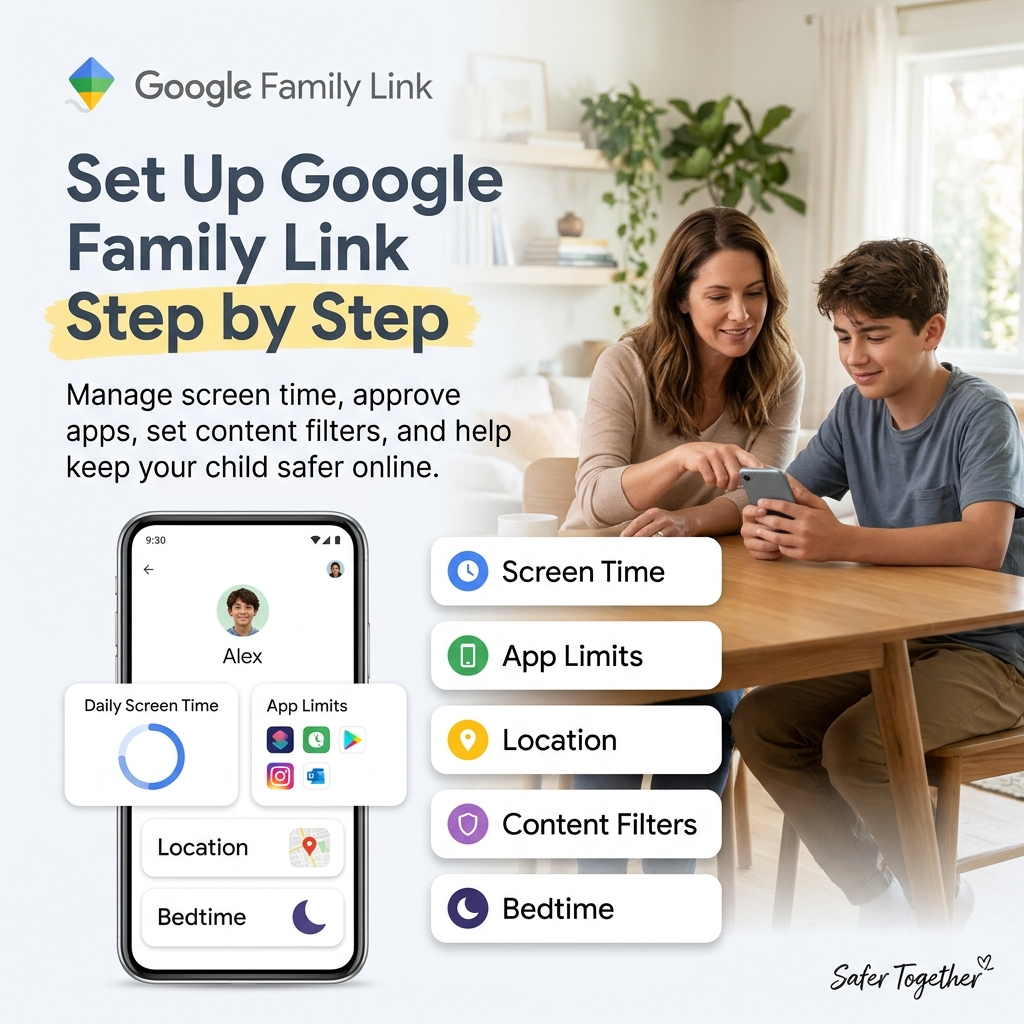
Google Family Link (Android) or Apple Screen Time (iPhone). Time limits, app approval, bedtime lock, location. Free and built-in. See set up Google Family Link step by step.
Layer 3: platform-level safety (free)
Each app’s own parental controls: WhatsApp parent-managed accounts, Instagram Teen Accounts, Snapchat Ghost Mode and Family Center. These control who contacts the child on each platform. See the individual guides: WhatsApp, Instagram, Snapchat.
Layer 4: content filtering (free)
DNS-level filtering (CleanBrowsing, NextDNS) blocks harmful websites across all apps and browsers. SafeSearch filters Google results. YouTube Kids or supervised YouTube for age-appropriate video content.
Layer 5: monitoring (optional, paid tiers)
For families that need content-level visibility (message reading, call logs, app activity details), a monitoring app like SpyHuman adds this layer. Install openly on the child’s device. See best parental control apps for the comparison.
Digital citizenship: what to teach at each age
Technical controls are one half. Teaching the child to be a safe, responsible digital citizen is the other half, and it’s the half that lasts after the controls come off.
Ages 5 to 7
Teach: not everything on a screen is real (characters, advertisements, fake games). Ask a parent before tapping anything. Tell a parent if something on a screen makes you feel scared or confused. Never tell anyone online your name, school, or where you live.
Ages 8 to 10
Teach: passwords are private (not shared with friends). Not everyone online is who they say they are. Screenshots mean nothing digital is truly temporary. If someone online asks to keep a conversation secret from your parents, that is a red flag. Parents should also teach children to use unique, strong passwords for their online accounts instead of reusing the same password everywhere. A password generator can help create stronger passwords.
Ages 11 to 13
Teach: your digital footprint is permanent (a post deleted is still cached, screenshotted, archived). Think before you post: would you say this in front of your whole school? How to recognise scam messages and phishing links. How to block, report, and mute on every platform you use. What cyberbullying looks like from the inside (you might not recognise it when it’s happening to you).
Ages 14 to 17
Teach: how algorithms work (they show you more of what you watch, which can create rabbit holes). Critical evaluation of information (not everything that looks professional is true). Consent in a digital context (sharing someone’s photo or message without permission is a violation). The legal consequences of certain online actions (sharing intimate images of minors is a crime, even among minors). How to manage your own digital wellbeing (recognising when the phone is making you feel worse, not better).
Full guide: digital literacy for kids: what to teach at every age.
India-specific online safety
A few risks and resources that are specific to the Indian context.
UPI and payment fraud. Children with access to a parent’s phone (or their own with UPI apps) can be targeted by payment scams. A “send Rs 1 to verify your account” request can lead to a UPI mandate that charges much more. Teach: never scan a QR code or approve a UPI request from a stranger. Never share a UPI PIN with anyone.
Online gaming scams. Games like Free Fire, BGMI, and Roblox are popular with Indian children, and in-game purchase scams (fake “free diamonds” sites, stolen account credentials) are common. Teach: never enter game credentials on a website outside the game. Never pay for in-game items through a third party.
Social media challenges. Viral challenges that spread on Instagram Reels, YouTube Shorts, and WhatsApp groups can range from harmless to physically dangerous. Most are fine, but a few each year involve genuine risk. Teach: if a challenge involves pain, secrecy, or doing something you wouldn’t normally do, don’t do it and tell an adult.
Reporting resources. The 1930 national cybercrime helpline handles online fraud, harassment, and child-exploitation reports. The cybercrime portal (cybercrime.gov.in) accepts online complaints. NCPCR (National Commission for Protection of Child Rights) handles child-safety matters. Save these numbers and sites.
Online gaming safety
Gaming is the entry point to the internet for many Indian children, and it carries its own set of risks that are separate from social media.
In-game chat. Games like Roblox, Free Fire, BGMI, Minecraft, and Fortnite have voice and text chat where players communicate with strangers. A child playing a game is also talking to people they don’t know, and predatory contact can start in a game chat as easily as in a DM.
The fix: turn off in-game chat for younger children (most games have this setting). For older children, set chat to “friends only.” On Roblox specifically, enable the parental controls in Account Settings, Privacy, and restrict contact to friends.
In-app purchases. Many free games are designed to push children toward spending money on skins, gems, and loot boxes. A child with access to a saved payment method can rack up hundreds of rupees (or more) without realising it.
The fix: remove saved payment methods from the Play Store or App Store. Set up purchase approval through Family Link (Android) or Ask to Buy (iPhone) so every purchase requires your confirmation.
Screen time in games. Games are designed to keep players engaged. A “quick round” of Free Fire can turn into two hours. Per-app time limits in Family Link are the structural fix, but a conversation about why the game feels hard to stop (it is designed that way) gives the child the self-awareness to manage it themselves over time.
AI chatbots and generative AI
This is the newest risk category and one most parents are not aware of yet.
AI chatbots (ChatGPT, Snapchat My AI, Character.ai, and others) are available to children through apps and websites. They can answer questions, generate content, hold conversations, and in some cases simulate emotional relationships.
The risks: a child may share personal information with a chatbot without understanding that it is stored and processed by a company. Character.ai and similar platforms let users create “characters” that can simulate romantic or emotional relationships, which is concerning for younger teenagers still forming real-world social skills. AI-generated misinformation can sound authoritative and be hard for a child to distinguish from facts.
The conversation: explain that an AI chatbot is a program, not a person. What you tell it is not private, it is processed by a company. It can be wrong, confidently, so always check important information against a real source. And it is not a substitute for human connection, which matters more than the convenience of always having something that “listens.”
Platform-specific: Snapchat My AI is enabled by default on Snapchat and cannot be removed without a paid subscription. Discuss it with your teen if they use Snapchat. On WhatsApp, parent-managed accounts (under 13) have Meta AI disabled by default, which is the right setting.
Working with the school
The child’s school is your ally, and most Indian schools are increasingly active on digital safety.
Ask whether the school has a cyberbullying policy and know the reporting process. If the school uses WhatsApp groups, understand who administers them and what the rules are for student contact. If the school distributes devices (tablets, laptops), ask what controls are installed and whether they cover home use.
Some schools run digital-literacy workshops. Attend one if offered, because hearing the same safety messages from a teacher reinforces what you say at home. And if the school doesn’t run one, suggest it, because the need is universal and most schools are open to it.
When something goes wrong
If your child tells you something happened online, or if you discover it through monitoring, the first response matters more than anything that follows.
Listen before you react. The child took a risk by telling you. Reacting with anger teaches them not to tell you next time.
Assess the severity. A classmate being mean in a group chat is different from an adult requesting photos. The former needs a conversation and maybe a school report. The latter needs police involvement immediately.
Document before you delete. Take screenshots of the conversation, the profile, the messages. You need this for any report.
Report on the platform. Every major platform has reporting for harassment, bullying, and inappropriate contact. Use it.
Report to authorities if it’s serious. In India: 1930 (cybercrime helpline), cybercrime.gov.in, local police cyber cell. Do not hesitate. The police have tools to trace accounts and contacts that you don’t.
Support the child. What happened is not their fault, even if they made a mistake (sharing information, talking to a stranger). Make sure they know that.
The conversation that matters most
I have said this in every guide in this series, and I will say it here one more time, because it is the most important thing in this entire article.
The single strongest protection for a child online is a parent they can talk to when something goes wrong. Every filter, every control, every monitoring app is a backup system. The primary system is the relationship.
Build it by telling them what you’ve set up and why. Build it by checking in without interrogating. Build it by not punishing them for telling you something uncomfortable. Build it by admitting when you don’t know something about a platform and learning together. Build it by following the same rules you set for them.
No app replaces this. But the right apps support it.
Frequently asked questions
What’s the biggest online risk for children in India? By frequency: excessive screen time and sleep disruption. By severity: predatory contact, though this is much less common. By financial impact: scams and phishing.
At what age should I start teaching online safety? As soon as the child uses a screen, even on your device. Age 5 to 7 basics (don’t tap random things, tell a parent if something is scary) scale up to teenage digital citizenship.
Do parental controls actually work? They reduce risk significantly. They don’t eliminate it. A child determined to bypass controls can find ways. Controls buy time and create guardrails while the child develops judgment.
Should I monitor my child’s online activity? For younger children (under 13), yes, actively. For teenagers, shift from active monitoring to agreed-upon check-ins and AI-powered alerts (like Bark). The depth should decrease as maturity increases.
My child was cyberbullied. What do I do? Listen first. Document everything (screenshots). Report to the school and the platform. If it involves threats, contact the police. Do not retaliate online. See cyberbullying guide.
Is it possible to make the internet completely safe for a child? No. But it is possible to make it safe enough that the risks are manageable and the child has the skills and support to handle what gets through. That’s the realistic goal.
Updated October 2026. Sources: NCPCR guidelines, 1930 cybercrime helpline, UNICEF child online safety research, Common Sense Media research, and platform-specific safety documentation.

Leave a Reply