
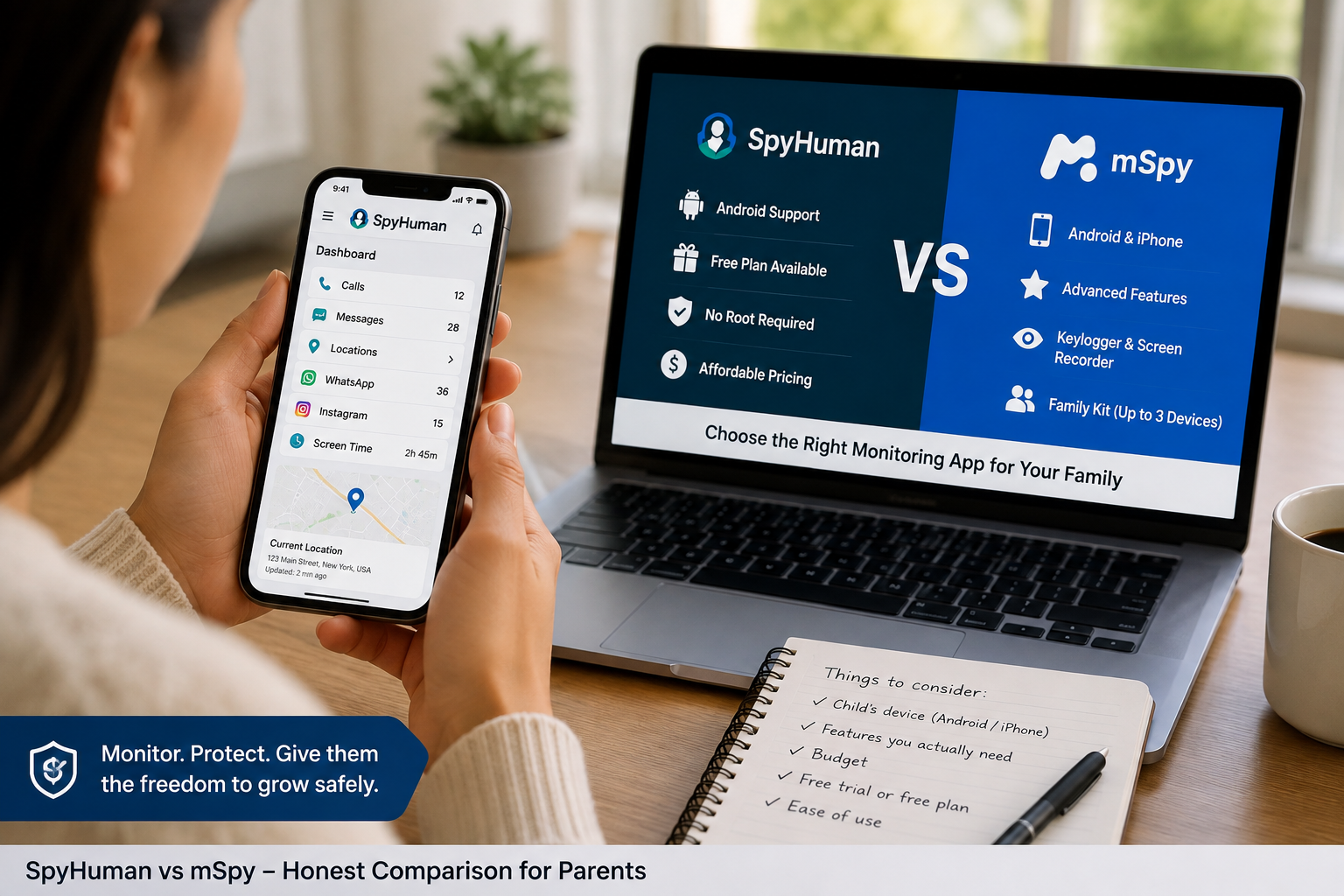
Parents searching for SpyHuman vs mSpy usually want an answer to a simple question: which app gives them the right level of phone monitoring for their child without paying for features they don’t need?
Both apps can monitor activity such as calls, messages, location, and social apps. The bigger differences come down to device support, pricing, free access, and the type of controls you want.
SpyHuman is built for Android and has a free plan. mSpy works with Android and iPhone and has a wider feature set, but its regular plans are paid.
So which one should you choose?
For a family using Android that wants to test a monitoring app before paying, SpyHuman is the better starting point. If your child uses an iPhone or you want features such as keylogging, screen recording, and broader iOS support, mSpy has the edge.
Let’s break down the differences.
SpyHuman vs mSpy at a glance
| Feature | SpyHuman | mSpy |
| Android support | Yes | Yes |
| iPhone support | No | Yes |
| Free plan | Yes | No ongoing free plan |
| Free trial | Free plan | Currently unavailable |
| No root required | Yes | Yes for many Android features |
| GPS tracking | Yes | Yes |
| Geofencing | Yes | Yes |
| Call monitoring | Yes | Yes |
| SMS monitoring | Yes | Yes |
| WhatsApp monitoring | Yes | Yes |
| Social media monitoring | Yes | Yes |
| Screen time controls | Yes | Yes |
| App blocking | Yes | Yes |
| Website blocking | Yes | Yes |
| Keylogger | Not listed | Yes |
| Screen recorder | Not listed | Yes |
| Remote camera | Not listed | Yes |
| Family plan | 1 device per plan | Up to 3 family members with a family kit |
Feature availability can depend on the device, operating system, and permissions.
What is SpyHuman?
SpyHuman is an Android monitoring and parental control app designed for parents who want to view a child’s phone activity from a web dashboard.
It can track calls, SMS, GPS location, app usage, browsing activity, and supported social apps. Premium adds tools such as call recording, WhatsApp and social monitoring, screen-time controls, app blocking, and geofencing.
If you’re comparing several Android parental control tools before choosing one, our guide to the best parental control apps for Android in 2026 gives you a wider look at the available options.
The big selling point is the free plan.
You can create an account without a credit card and check whether the service works on the child’s Android phone before paying. The free tier gives access to limited records, while Premium adds the advanced monitoring tools.
SpyHuman supports Android 5.0 and newer devices. Root access isn’t required.
There is one obvious limitation: SpyHuman doesn’t support iPhone or iOS.
If your child has an iPhone, you’ll need another option.
See SpyHuman’s parental control app
What is mSpy?
mSpy is a phone monitoring and parental control platform that supports Android and iPhone.
Its feature list is broader than SpyHuman’s. Depending on the device and setup method, mSpy includes GPS tracking, geofencing, call logs, SMS, social media monitoring, website blocking, app blocking, keylogging, screen recording, remote camera access, and ambient recording.
mSpy also supports a large number of messaging and social platforms, including WhatsApp, Instagram, Facebook Messenger, Snapchat, Telegram, Viber, Kik, Line, and Discord.
For parents with several children, mSpy has a family kit that supports up to 3 family members under one plan.
The trade-off is price.
mSpy’s pricing varies by plan and subscription length. The longer plans generally reduce the effective monthly cost compared with paying month to month.
SpyHuman vs mSpy: pricing
Price is one of the clearest differences between these apps.
SpyHuman has a free plan that lets parents test the basic service. Its Premium plan is currently $17.99 per month.
mSpy doesn’t currently provide an ongoing free plan. Its free-trial availability can also change so parents should check the current offer before purchasing.
| Pricing point | SpyHuman | mSpy |
| Free plan | Yes | No |
| Free starting option | Yes | No ongoing free tier |
| Monthly Premium | $17.99 | Higher than SpyHuman |
| Longer subscription | Available | Available |
| 1 device | Yes | Yes |
| Family option | 1 device per plan | Up to 3 family members with a family kit |
For parents who are price-conscious, this difference matters.
You can start with SpyHuman at no cost and then decide whether the premium features are worth paying for.
Compare SpyHuman’s current plans
Is SpyHuman a good mSpy-free alternative?
If by “free alternative” you mean a service you can actually use without paying upfront, SpyHuman is the stronger choice.
Its free plan isn’t a full replacement for Premium. You get limited access while advanced features require an upgrade.
Still, it gives you something useful: a way to test the service on your child’s Android phone before spending money.
mSpy is primarily a paid product, so parents looking specifically for an mSpy free alternative are likely to find SpyHuman more appealing.
SpyHuman vs mSpy: Android support
If you’re using Android, both apps are worth considering.
SpyHuman supports Android 5.0 and newer. It requires one-time physical access for installation but doesn’t require root access.
mSpy also supports Android 5.0 and newer. Its compatibility can depend on the specific phone and the permissions available on that device.
So Android parents have a real choice here.
Choose SpyHuman if price and a free starting point matter most.
Choose mSpy if you want the larger feature list and you don’t mind paying more.
SpyHuman vs mSpy: iPhone support
This one is easy.
mSpy wins because SpyHuman doesn’t support iPhone.
mSpy supports iPhone as well as Android. Its iPhone installation options can vary depending on the device and method used.
SpyHuman is Android-only.
So if your child uses an iPhone, there’s no real SpyHuman vs mSpy decision to make. mSpy is the relevant option between these 2.
Monitoring features compared
Parents often focus on the feature count. That’s useful, but the type of monitoring matters more.
Calls and SMS
Both apps provide call and SMS monitoring.
SpyHuman’s free plan gives parents access to basic records, while Premium provides broader monitoring and call recording.
mSpy provides call logs and SMS monitoring as part of its feature set. It also supports additional call-related monitoring on compatible devices.
If you only need call and text history on Android, SpyHuman can cover the basics for less money.
GPS location and geofencing
Both apps provide location tracking.
SpyHuman includes GPS tracking and geofencing. Parents can use location data to check where a child is and receive alerts around defined areas.
mSpy also provides GPS tracking and geofencing across supported devices.
For a parent whose main concern is knowing when a child arrives at school or gets home, either service can cover that use case.
WhatsApp and social media
This is another area where both apps compete closely.
SpyHuman supports WhatsApp and other social apps as part of its Premium monitoring features.
If WhatsApp is your main concern, it’s worth looking at our Best WhatsApp Tracker Apps for Parents in 2026 guide before choosing a monitoring tool.
mSpy also supports WhatsApp plus a broad list of other social and messaging platforms.
mSpy is the better pick if your family uses a wide mix of social and messaging apps.
SpyHuman makes more sense when the main target is an Android phone and the common apps parents already care about.
Screen time and app blocking
SpyHuman includes daily screen-time limits, scheduled app blocking, multiple schedules, remote locking and usage reports.
If this is one of your main reasons for installing a monitoring app, you can read more about SpyHuman’s screen time and app management before deciding.
mSpy also includes app blocking and website blocking.
If your main problem is gaming after bedtime or social media during homework, either app can help.
Keylogger and screen recorder
This is where mSpy pulls ahead.
mSpy lists an Android keylogger, iPhone keylogger, and screen recorder among its features. It also provides keyword alerts that can notify parents when selected terms appear in monitored activity.
SpyHuman’s public feature list focuses more heavily on calls, SMS, GPS, social monitoring, browsing, and app management. A keylogger and screen recorder aren’t listed among its main features.
If you specifically want those deeper monitoring tools, mSpy is the better match.
SpyHuman or mSpy: which is easier to start with?
SpyHuman has a simpler financial entry point.
You can register for free, install it on a compatible Android device, and use the basic dashboard before deciding whether to upgrade.
mSpy requires a subscription for its full service.
For a parent who isn’t very technical, testing SpyHuman first is probably the less risky route.
What about Google’s built-in parental controls?
There’s another option worth considering before paying for any monitoring app: Google’s own parental controls.
Google Family Link lets parents manage supervised Android devices with tools such as screen-time limits, app controls, and location features.
That’s useful if your goal is mainly controlling how your child uses the phone.
A dedicated monitoring app such as SpyHuman is aimed at parents who also want visibility into things such as calls, SMS, browsing, and supported social activity.
The right choice depends on what you’re trying to manage.
Which app is better for privacy and responsible monitoring?
This part deserves more attention than it usually gets.
Monitoring software can expose sensitive information such as messages, locations, photos, and contacts. Parents should use these tools only where they have the legal right to monitor the device.
SpyHuman states that its software is intended for legal use on a parent’s minor child’s device, a device owned by the user or a company-owned device where monitoring is known and permitted.
mSpy gives similar legal guidance.
There is also a parenting question here.
A monitoring app can help you spot a serious problem. It can also affect trust if it’s used without a sensible family rule around privacy.
For younger children, parents may need more visibility. For older teenagers, it can make sense to explain what you monitor and why.
The right approach depends on the child’s age, maturity, and the risk you’re trying to manage.
SpyHuman vs mSpy: pros and cons
SpyHuman pros
- Free plan available
- $17.99/month Premium
- Android 5.0+
- No root required
- GPS tracking and geofencing
- Calls and SMS monitoring
- WhatsApp and social monitoring
- Screen-time controls
- App and website blocking
- Simple Android-focused setup
SpyHuman cons
- Android only
- No iPhone support
- Free plan has limited access
- Advanced monitoring requires Premium
- Several children may require separate plans
mSpy pros
- Android and iPhone support
- Large range of monitoring features
- GPS and geofencing
- Social and messaging app monitoring
- App and website blocking
- Keylogger
- Screen recorder
- Remote camera and ambient recording on supported devices
- Family Kit for up to 3 family members
mSpy cons
- No ongoing free plan
- Higher monthly price
- Some iPhone features depend on installation method
- Some advanced functions may require additional device permissions
Who should choose SpyHuman?
SpyHuman is a strong fit if you meet most of these conditions:
- Your child uses Android
- You want to test the app before paying
- Your budget is around $18/month
- You care about GPS, calls, texts and app activity
- You want screen-time and app-blocking controls
- You don’t need a keylogger or screen recorder
- You want a no-root installation
For this type of parent, paying significantly more for mSpy may be difficult to justify when SpyHuman covers the main parental-control jobs at a lower monthly price.
Who should choose mSpy?
mSpy makes more sense when
- Your child uses an iPhone
- You have Android and iPhone devices in the family
- You want a wider range of messaging app support
- You need keylogging
- You want screen recording
- You need remote camera or ambient recording
- You have several children and want a Family Kit
- Price is less important than feature coverage
mSpy’s wider device support is the biggest reason to choose it over SpyHuman.
The iPhone difference alone can settle the decision for some families.
Is SpyHuman a good mSpy alternative?
Yes, especially for Android users.
Calling SpyHuman an mSpy alternative makes sense when you’re looking for similar parental monitoring tools at a lower entry price. The free plan makes the comparison even more interesting because you can test basic monitoring without committing to a subscription.
But the 2 products don’t have identical feature sets.
SpyHuman focuses on Android monitoring and parental controls. mSpy covers both Android and iPhone and has several deeper monitoring features.
So the better question is, which features will you actually use?
If the answer is location, calls, SMS, WhatsApp, app usage, and screen-time controls on Android, SpyHuman is likely enough.
If the answer includes iPhone monitoring, keylogging, or screen recording, mSpy is the better fit.
What should you check before choosing an mSpy alternative?
Start with the phone.
An app that works perfectly for Android won’t necessarily solve an iPhone monitoring requirement. Device compatibility should be the first filter.
Then look at the features you actually need.
For example:
- GPS location
- WhatsApp monitoring
- Screen-time controls
- App blocking
After that, compare pricing and whether you can test the service before paying.
This keeps you from paying for a long feature list you’ll never use.
Final verdict: SpyHuman vs mSpy
The winner depends heavily on the phone your child uses.
Choose SpyHuman if you have an Android phone and want an affordable parental monitoring app with a free starting plan. You get calls, SMS, GPS, app activity, social monitoring, and parental controls with Premium.
Choose mSpy if you need iPhone support or want a broader set of monitoring tools. Its feature list includes keylogging, screen recording, remote camera access, social monitoring, and more.
For most budget-conscious Android parents, I’d start with SpyHuman’s free plan and see whether it covers the family’s needs.
If you need iPhone monitoring or the deeper monitoring tools, go with mSpy.
The best choice is the one that fits the device, the age of your child, and the specific safety problem you’re trying to solve.
Compare the features first. Then choose the plan.
FAQs
Is SpyHuman cheaper than mSpy?
Yes. SpyHuman has a free starting option, and its premium plan is currently $17.99/month. mSpy uses paid subscriptions for its full service and costs more.
Can SpyHuman monitor an iPhone?
No. SpyHuman currently supports Android devices. mSpy supports both Android and iPhone.
Does mSpy have a free plan?
mSpy doesn’t currently have an ongoing free plan. Trial availability can change, so check its current offer before purchasing.
Can I use SpyHuman without rooting an Android phone?
Yes. SpyHuman is designed to work on compatible Android devices without root access.
Which is better for multiple children, SpyHuman or mSpy?
mSpy has the stronger family setup because its Family Kit supports up to 3 family members. SpyHuman’s current plans are focused on individual devices.
Is it legal to use SpyHuman or mSpy to monitor a child?
The answer depends on local law and the circumstances. Both services state that monitoring should be used where you have the legal right or required consent. Parents should check the rules that apply where they live before installing monitoring software.



Leave a Reply