
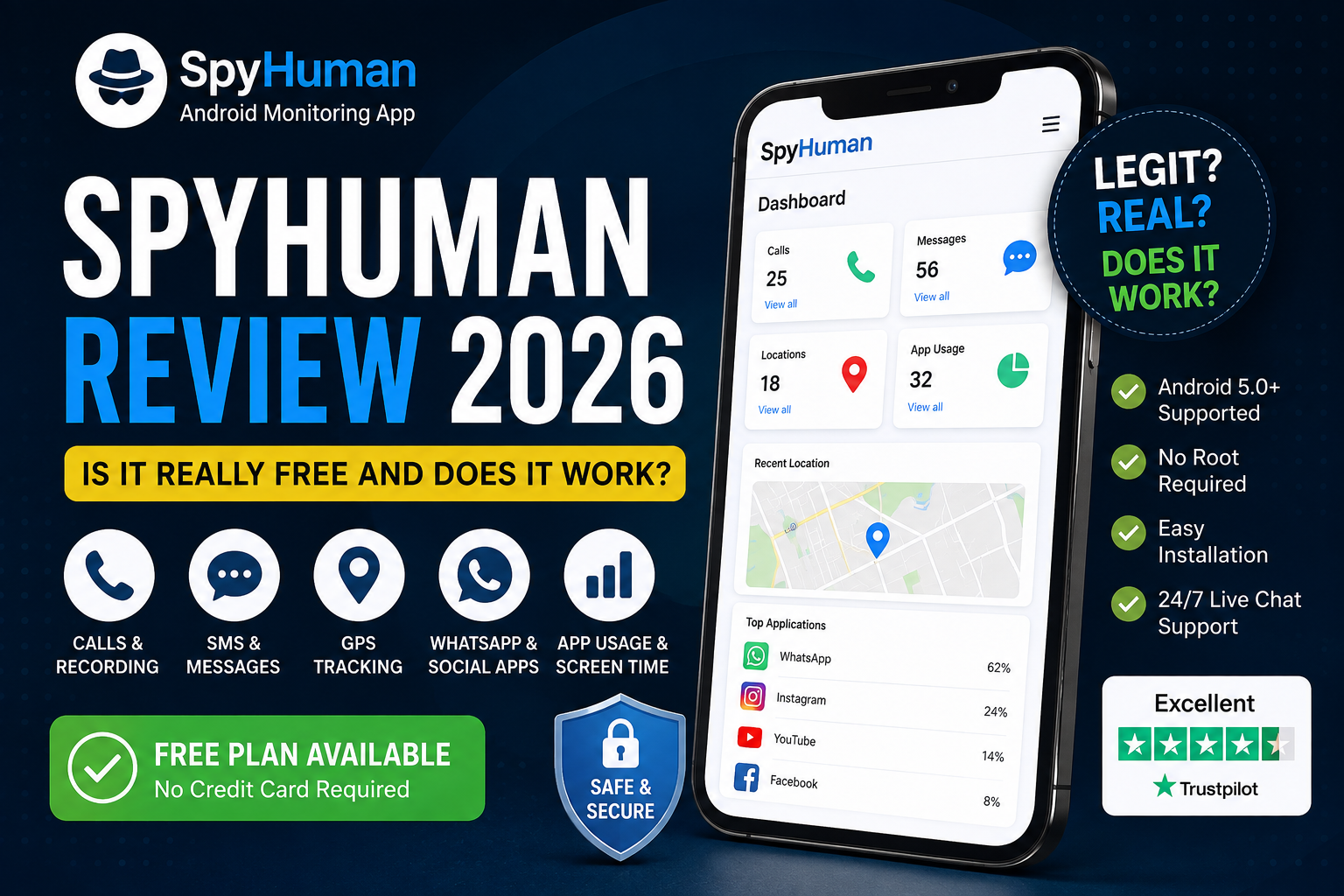
If you’re searching for a Spy Human review, you’re probably trying to answer 3 things: Is SpyHuman legit? Is SpyHuman really free? And does the app actually work on Android?
I checked SpyHuman’s current features, pricing, installation process, company information, and public customer feedback to get a clear answer.
SpyHuman is a real Android monitoring app with a free plan. You can create an account and install the app without entering payment details. The free plan has limits, though. Full monitoring tools such as call recording, complete social media monitoring, and real-time GPS features are part of Premium.
There’s another detail you should know before signing up. SpyHuman is Android-only and requires one-time physical access to the phone you want to monitor. It isn’t an iPhone tracking service.
So, is SpyHuman worth trying in 2026? For parents who need Android monitoring and want to test the service before paying, I’d say yes.
Spy Human review at a glance
| Category | My take |
| Overall | 4.2/5 |
| Free plan | Yes |
| Premium price | From $17.99/month |
| Android support | Android 5.0+ |
| iPhone support | No |
| Root required | No |
| Free account needs a card | No |
| Physical access needed | Yes, once for installation |
| Call monitoring | Yes |
| SMS monitoring | Yes |
| GPS tracking | Yes |
| WhatsApp monitoring | Premium |
| Social media monitoring | Premium |
| Call recording | Premium |
| Best for | Parents and authorized device monitoring |
The free plan lets you register and install without payment details. SpyHuman’s current pricing page says the free plan includes the last 5 records for calls, SMS, location, and app usage along with the contact book and installed-app list. Data is kept for 30 days.
Premium starts at $17.99 per month and includes the complete monitoring package according to the current pricing page.
What is Spy Human?
SpyHuman is an Android monitoring and parental control app. You install it on an Android phone you are legally entitled to monitor, then review activity through an online dashboard.
The company says SpyHuman has been operating since 2016 and is owned by Ekayan Consultancy Private Limited. Its About Us page identifies Nirav Solanki as founder and CEO and says the company provides support by email and live chat.
The app is designed around authorized monitoring. That includes a parent’s monitoring of a minor child’s phone, a device you own, or a company-owned phone where the user has been informed and has given consent.
That distinction matters with monitoring software. Apps in this category can be abused when someone installs them on another adult’s phone without permission. The Coalition Against Stalkerware explains the risks of software used for secret device monitoring and describes consent as a key dividing line between legitimate monitoring and stalkerware.
SpyHuman itself states that it doesn’t support secretly monitoring another adult.
Is Spy Human legit?
Yes. Spy Human is a legitimate operating product, rather than one of those websites that promise impossible phone tracking from a phone number alone.
There are several things I looked for when judging this.
First, the service has a functioning registration system and customer dashboard. The registration process lets you create an account before installing the Android app.
Second, there is a published pricing structure. SpyHuman currently lists a free plan alongside Premium at $17.99 per month.
Third, the company identifies the business behind the service. Its About Us page lists Ekayan Consultancy Private Limited along with company registration information and identifies its founder.
Fourth, there is a support channel. SpyHuman says its team generally replies to support emails within 24 hours and also provides live chat.
There’s also a public Trustpilot profile with recent customer reviews. The current listing includes reviews from customers discussing the software and support experience.
None of that means every user will have a perfect experience. Android devices have different manufacturers, battery settings, and permission systems. Those differences can affect monitoring apps.
Still, the basic signs of a real software business are there.
Is Spy Human really free?
Yes, but you need to understand what “free” means here.
SpyHuman currently has a free forever plan. You can register, install the app and use the basic dashboard without entering card details.
The free plan has usage limits.
According to the current pricing information, free users can access:
- The last 5 call records
- The last 5 SMS records
- The last 5 location records
- The last 5 app usage records
- Contacts
- Installed apps
- 30 days of data storage
- The online dashboard
Premium removes those limits and adds more advanced monitoring tools.
| Feature | Free | Premium |
| Account registration | ✓ | ✓ |
| Android monitoring | ✓ | ✓ |
| Online dashboard | ✓ | ✓ |
| Call logs | Last 5 | Unlimited |
| SMS logs | Last 5 | Unlimited |
| Location history | Last 5 | Full history |
| Call recording | No | Yes |
| WhatsApp monitoring | No | Yes |
| Social media monitoring | No | Yes |
| Screen time tools | No | Yes |
| App blocking | No | Yes |
| Website blocking | No | Yes |
| Geofencing | No | Yes |
| Storage | 30 days | 90 days |
| Ads | Yes | No |
These limits are based on SpyHuman’s current pricing page and can change over time.
So if you only need basic records and want to test the app, the free plan has a practical use.
If you want full monitoring, you’ll eventually need Premium.
What does Spy Human actually monitor?
SpyHuman covers several parts of an Android phone from one web dashboard.
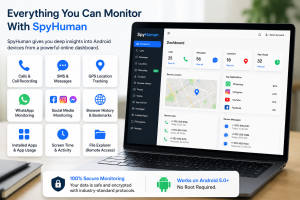
Calls and SMS
The app can record call activity and text message data from the monitored Android phone.
Premium adds call recording. The current product information lists both call logs and recorded calls among its monitoring functions.
For parents, this can help when they need to understand who a child is communicating with. For company-owned devices, it can provide activity records where monitoring has been properly disclosed and permitted.
GPS location
SpyHuman includes GPS monitoring with location history and real-time location tools on Premium.
The company also lists geofencing as a premium feature. That can be useful when a parent wants an alert connected to a particular area.
If location is the main thing you care about, you should compare the app’s location tools with your phone’s built-in family safety options before paying.
WhatsApp and social media
This is one of the reasons people search for a SpyHuman app review in the first place.
Premium includes WhatsApp and social media monitoring. SpyHuman says its social monitoring covers WhatsApp along with other supported social platforms.
The exact apps supported can change as Android and individual platforms change their technical restrictions. So check the current feature list before buying if one specific app is the reason you’re signing up.
Browsing and app usage
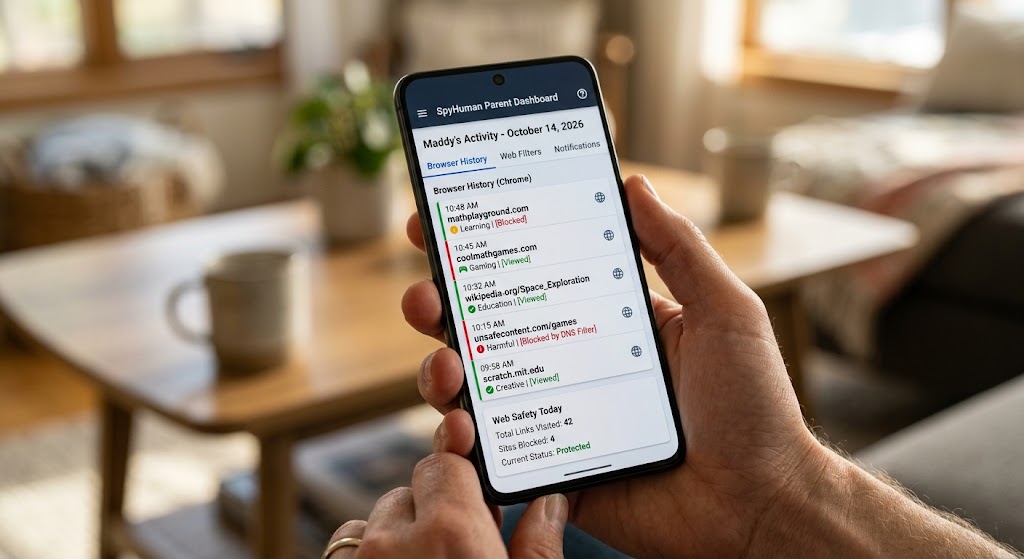
SpyHuman can also show browsing activity and app usage.
Premium includes screen-time tools and app blocking. Website blocking and geofencing are also listed among premium controls.
That makes the service more useful for parents who want to set boundaries around phone use rather than simply collect activity records.
Remote file access
SpyHuman also has a file explorer feature that allows authorized users to browse and download files from the monitored Android device through the dashboard.
This is a more advanced feature and probably isn’t necessary for every family.
How does Spy Human work?
The setup is fairly simple, although you do need access to the Android phone once.
The current installation guide lists these basic steps:
- Create a SpyHuman account.
- Download the installer.
- Install the app on the Android phone.
- Select the monitoring mode.
- Give the required permissions.
- Log into the dashboard.
- Review the collected activity remotely.
SpyHuman says the initial installation takes around 5 minutes and works without rooting the Android phone.
The physical access requirement is worth remembering.
You can’t simply enter someone’s phone number into SpyHuman and start watching their phone. The app needs to be installed on the monitored Android device first.
Once installation is complete, you can review activity from the online dashboard without repeatedly handling the phone.
If you’re comparing setup processes, the SpyHuman installation guide is the best place to check the current steps before you begin.
Does Spy Human work without root?
Yes.
SpyHuman states that it works on Android without rooting the device. The current product information lists support for Android 5.0 and newer versions.
That’s useful because rooting changes how Android works and can introduce security or stability issues.
You still need to grant the permissions requested during setup. Android may also restrict some background activity depending on the phone manufacturer and battery settings.
Samsung, Xiaomi, Oppo, Vivo, Realme, and OnePlus are among the brands listed by SpyHuman.
Does Spy Human work on iPhone?
No.
SpyHuman is an Android-only monitoring app.
The company says it supports Android 5.0 and above and doesn’t support iPhone or iOS.
So check the target phone before you register.
If the phone is an iPhone, SpyHuman isn’t going to solve your problem. You’ll need a monitoring service that specifically supports iOS.
Spy Human pros and cons
Every monitoring app has trade-offs. Here are the ones that matter most with SpyHuman.
Pros
- Free plan available
- No credit card needed to start
- No root required
- Android 5.0+ support
- Online dashboard
- GPS monitoring
- Call and SMS monitoring
- WhatsApp and social monitoring on Premium
- Call recording on premium
- Screen time and app controls
- One premium plan rather than several feature tiers
- 14-day conditional refund for qualifying premium purchases
- Email and live chat support
The current premium plan is listed at $17.99/month and includes the full set of paid features.
Cons
- Android only
- One-time physical access is required for installation
- The free plan has record limits
- Advanced features require Premium
- The app requires several Android permissions
- Device settings can affect background monitoring
- Monitoring must be used lawfully and with appropriate authorization
The Android-only limitation is probably the biggest one.
If your household uses both Android and iPhone devices, you’ll need to account for that before choosing SpyHuman.
Spy Human pricing: Is Premium worth it?
The current premium price starts at $17.99 per month. SpyHuman says the plan includes all premium monitoring features without separating them into several paid tiers.
For someone who only needs occasional call or location records, the free plan may be enough.
For a parent who wants regular monitoring across calls, GPS, WhatsApp, browsing, and app usage, Premium makes more sense.
The best part of the pricing model is that you can test the free version first.
You can create an account and see how the basic dashboard works before spending money. That’s useful when you’re unsure whether the app will behave properly on a particular Android phone.
You can check the current SpyHuman pricing plan before upgrading because prices and feature limits can change.
What do Spy Human reviews say?
Public customer feedback gives a mixed but generally positive picture.
The current Trustpilot profile includes recent reviews from users who mention the software and customer support. Some reviewers specifically praise response times and support.
You should still read reviews with some caution.
A review can tell you what happened on one person’s phone. It can’t guarantee the same result on your Samsung, Xiaomi, or another Android device.
That’s especially true for monitoring apps because Android manufacturers apply different background battery restrictions.
For that reason, I put more weight on the fact that SpyHuman lets you test the service for free than on any single 5-star review.
If you want to read more about how SpyHuman compares with other monitoring services, you can also check the recent SpyHuman vs mSpy comparison on the SpyHuman blog.
Is Spy Human safe to use?
Safety has 2 sides here: technical safety and responsible use.
From a product standpoint, SpyHuman says monitoring data is sent to a secure online dashboard and that the service doesn’t require rooting.
The bigger issue is how monitoring software gets used.
A parent monitoring a minor child’s phone is very different from secretly installing an app on another adult’s phone.
SpyHuman’s own terms say the software is intended for lawful monitoring, including a parent’s monitoring of their minor child, monitoring a device you own or monitoring a company-owned device where the user has been informed and has consented.
If you aren’t sure whether your intended use is permitted where you live, check local privacy and surveillance rules before installing monitoring software.
Who should use Spy Human?
SpyHuman makes the most sense for a few specific situations.
Parents with Android phones
This is the clearest use case.
If your child uses Android and you want more detailed information than basic screen-time controls provide, SpyHuman gives you calls, SMS, GPS, and app activity from one dashboard.
Its parental control app tools can also help with screen-time management and app restrictions.
People monitoring their own devices
You can also use monitoring software on a phone you own.
For example, someone may want a record of activity on a secondary Android device.
The key point is ownership and authorization.
Businesses with company-owned phones
Businesses may have legitimate reasons to monitor company-owned Android devices. Employee monitoring needs to follow the applicable workplace privacy rules and should be disclosed to users where required.
SpyHuman specifically states that company-device monitoring should involve user knowledge and consent.
Who shouldn’t use Spy Human?
There are some situations where SpyHuman is simply the wrong choice.
If you need iPhone monitoring, choose an iOS-compatible service.
If you want to track a phone using only a phone number, SpyHuman isn’t designed for that.
If you don’t have lawful access to the target device, don’t install monitoring software on it.
And if you’re looking for a completely free service with unlimited access to every monitoring feature, SpyHuman’s free plan won’t meet that requirement. The free version has clear limits, and Premium handles the advanced features.
Spy Human vs. a basic parental control app
A basic parental control app and a monitoring app solve different problems.
Google Family Link, for example, focuses heavily on screen time, app approvals, and parental controls.
SpyHuman goes further into activity monitoring with call records, SMS, GPS, browsing, and social app monitoring.
Here’s the simple comparison:
| Need | Basic parental controls | SpyHuman |
| Screen-time limits | Yes | Yes |
| App controls | Yes | Yes |
| App usage | Yes | Yes |
| GPS location | Yes | Yes |
| Call records | Limited | Yes |
| SMS records | Limited | Yes |
| WhatsApp monitoring | Usually no | Premium |
| Call recording | No | Premium |
| Social monitoring | Limited | Premium |
| Android focus | Yes | Yes |
The right option depends on how much information you actually need.
For basic screen-time rules, a built-in parental control service may be enough.
For deeper activity monitoring on Android, SpyHuman has a broader set of tools.
My Spy Human review verdict for 2026
After looking at the current product information, pricing, and public customer feedback, I’d rate SpyHuman 4.2 out of 5 for parents looking for Android monitoring.
The free plan is the biggest reason.
You can register without a card, install the app, and see whether the service works on your Android phone before paying. That’s a much better starting point than committing to a subscription without knowing whether the setup will fit your device.
The Premium plan also has a clear structure at $17.99/month, with the main paid monitoring features included in one plan.
The biggest limitation is Android support. If you need iPhone monitoring, SpyHuman won’t work for you.
The second limitation is the free plan itself. It’s useful for testing and basic monitoring, but the more advanced features sit behind Premium.
So, is SpyHuman legit? Yes.
Is SpyHuman real? Yes.
Is SpyHuman free? Yes, the basic plan is free.
Does SpyHuman work? It can work well on compatible Android devices, provided the app is installed correctly and the required permissions remain available.
For parents with an Android phone who want to test a monitoring service before paying, SpyHuman is worth trying.
If you want to see exactly what the dashboard can do, you can register for SpyHuman free and test the basic plan yourself. No card is required to create the account.
FAQs about Spy Human
Is Spy Human a scam?
SpyHuman is a functioning Android monitoring service with a live registration system, published pricing, customer support, and an established company behind the product. Its About Us page identifies Ekayan Consultancy Private Limited as the company operating SpyHuman.
Can I use Spy Human for free?
Yes. SpyHuman has a free plan that doesn’t require payment details to register. The free plan has limits on records and doesn’t include several advanced monitoring features.
Does Spy Human require root access?
No. SpyHuman says its Android app works without rooting the monitored phone.
Can Spy Human track an iPhone?
No. SpyHuman currently supports Android devices and doesn’t support iPhone or iOS. The supported Android version starts at Android 5.0 according to the current product information.
Do I need physical access to install Spy Human?
Yes. You need access to the Android phone once to complete the installation and permission setup. After installation, activity can be reviewed remotely through the dashboard.
Is Spy Human legal?
The legality depends on how and where you use it. SpyHuman states that it is intended for lawful monitoring such as a parent monitoring a minor child’s phone, monitoring your own device, or monitoring a company-owned device with the user’s knowledge and consent. Laws vary by location, so check the rules that apply to you.
Final verdict
SpyHuman has a simple proposition: start free.
Test it on Android, and pay only if you need the full monitoring package.
That makes it a reasonable option for parents who want more than basic screen-time controls.
The free plan gives you a way to test the service. Premium adds the deeper monitoring features at a single listed monthly price.
Just check the device requirements first, understand the free-plan limits, and use the app only where you have the legal right to monitor the device.
If that fits your situation, register free and see how SpyHuman performs on your Android phone before spending anything.


Leave a Reply