Snapchat is built around disappearing messages, and that’s exactly what worries parents. The app is wildly popular with teens, the content vanishes by design, and Snap Map shares location in real time. If your child uses it, you want a way to keep an eye on things without reading over their shoulder every night. The good news: Snapchat now has its own parental tool, and there are ways to fill the gaps it leaves.
What’s the best way to monitor Snapchat on my child’s phone?
Start with Snapchat’s built-in Family Center, which shows you who your teen talks to, their friends list, and screen time without exposing message content. For deeper visibility into what’s actually being sent and received, pair it with a dedicated Android monitoring app installed openly on a device you own. Used together, you get both Snap’s own controls and the detail Family Center deliberately withholds.
What Snapchat’s Family Center shows you
Snap launched Family Center as its in-app supervision hub, and it has grown since. As of 2026, once your teen accepts your invitation, you can see a fair amount:
- Who they talk to. Their full friends list, plus any new friends added in the past week — and how your teen might know each new contact (mutual friends, saved in contacts, shared communities).
- Screen-time breakdown. The average daily time spent on Snapchat over the past week, split across chatting, snapping, the camera, Snap Map, Spotlight, and Stories.
- Content controls. You can restrict sensitive content in Stories and Spotlight.
- My AI. You can disable Snap’s AI chatbot for your teen.
- Family location sharing and the ability to report concerning accounts on your teen’s behalf.
You can see the full rundown on Snap’s Family Center page. Setting it up takes a few minutes from your own Snapchat account.
What Family Center won’t show you
Here’s the catch, and it’s a big one. Family Center is designed to give you visibility into who and how much — never what. As Snap explains in its newsroom, the tool deliberately does not show the content of private conversations. You see that your 14-year-old messaged someone 40 times last week; you don’t see a single word of it.
A few other limits worth knowing:
- Your teen has to accept the invite. If they decline or remove you, Family Center stops working.
- No history of opened snaps. Once a snap is viewed and gone, it’s gone from your view too.
- No keyword or risk alerts for bullying, drugs, or grooming language inside chats.
For a lot of younger teens, “I can see who you talk to but not what you say” is a reasonable balance. For a worried parent of an 11- or 12-year-old who’s already had a scare, it often isn’t enough.
How third-party monitoring fills the gap
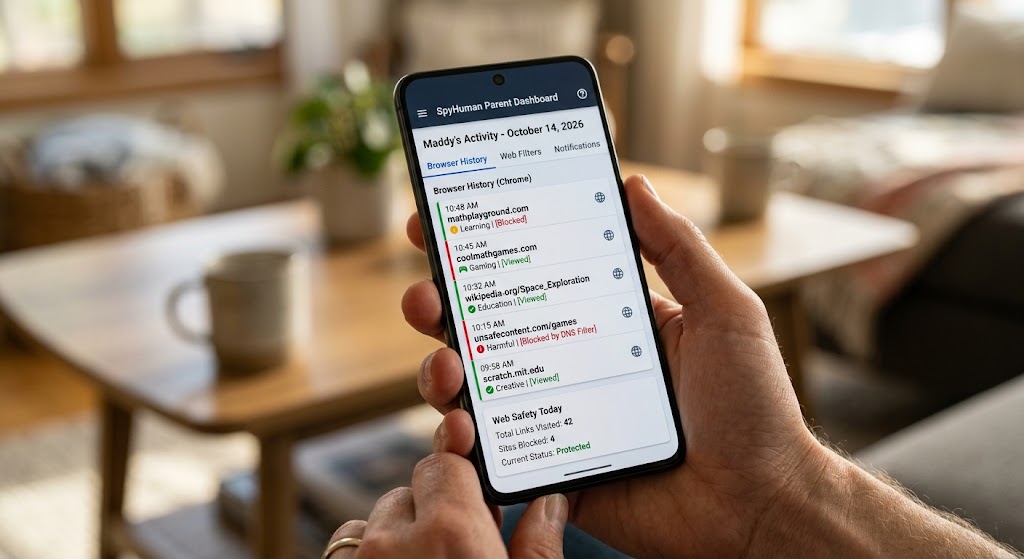
This is where a dedicated Android monitoring app earns its place. Installed on a phone you own and provided to your child, with your child aware of it, a tool like SpyHuman captures activity at the device level rather than relying on what an app chooses to surface. Our social media monitoring covers Snapchat alongside WhatsApp, Instagram, and 15+ other apps, so you’re not stitching together separate dashboards.
What device-level monitoring adds on top of Family Center:
- Message visibility that doesn’t depend on the app’s own privacy walls
- Logged activity even for content designed to disappear
- Location history and geofencing in one place with everything else
- A keylogger that captures typed text across apps — useful when chats vanish
You can see the full feature set for what’s covered. The point isn’t to spy in secret. It’s to have a complete picture when “trust but verify” genuinely matters — a young child, a known risk, or a situation you’re actively working through together.
Snap Map: the setting to check tonight
Snap Map shares your teen’s live location with their friends whenever the app is open and Ghost Mode is off. For a teen with hundreds of “friends,” that’s a real exposure. Open Settings inside Snapchat, find Snap Map, and turn on Ghost Mode so location isn’t broadcast — or limit sharing to a short list. This one toggle is the single highest-impact thing most parents can change in five minutes.
Talk first, monitor second
Tools work better when your teen knows they exist. Tell them you’ve turned on Family Center and why. Explain that the goal is safety, not surveillance, and that you’re not reading every joke they send a friend. If you add device-level monitoring, be honest about it and tie it to specific concerns. Teens accept boundaries far more readily when the reasoning is clear and the rules ease up as they show responsibility.
If you suspect your child is using a second, hidden Snapchat profile, that’s a separate problem worth understanding — see our guide on how to tell if your teen has a secret or hidden social media account.
Frequently asked questions
Can I read my child’s Snapchat messages?
Snapchat’s own Family Center never shows message content by design — only who your teen talks to and for how long. To see actual messages on a device you own, you’d need a dedicated monitoring app installed with your child’s knowledge.
Does Family Center work without my teen’s consent?
No. Your teen must accept your Family Center invitation, and they can remove the link. That’s why many parents pair it with device-level monitoring on a phone they own and provided.
At what age should I monitor Snapchat?
Snapchat’s minimum age is 13. Younger teens generally need closer supervision; as they get older and show good judgment, it’s healthy to loosen monitoring and lean more on conversation.
Can Snapchat be monitored without the app knowing?
Device-level monitoring captures activity outside Snapchat’s own controls. Run it transparently on hardware you own and supervise lawfully — covert monitoring of someone else’s phone is illegal in most places.
Lawful use only: monitor your own minor child’s device as a parent or legal guardian, or a device you own and have authorization to supervise.