
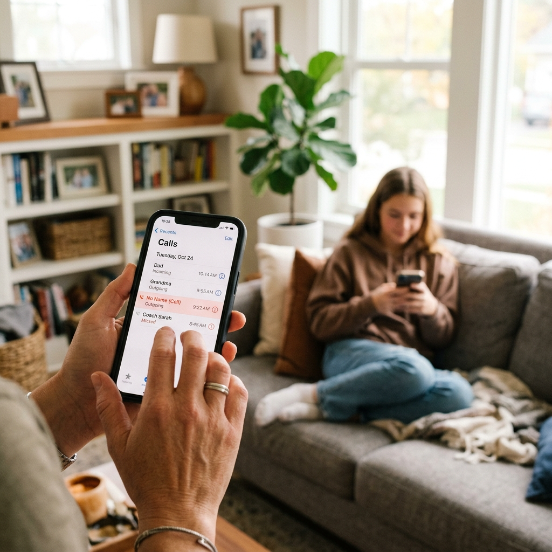
Kids practically live on their mobile devices today. While smartphones keep children connected with friends and family, they also expose young minds to cyberbullying, online predators, and unwanted contact from unverified strangers. Wanting to check who your child talks to isn’t about being overly restrictive or invading their privacy without cause. It is about keeping them safe in a digital world where online safety lines shift constantly.
If you need to track call history on your child’s device, you have several reliable and legal options available. This comprehensive parental guide covers the most effective strategies, ranging from built-in system controls to specialized software solutions like SpyHuman, giving you complete peace of mind while protecting your family.
Why Monitoring Call Logs Matters for Modern Parents
Voice calls differ significantly from public social media posts or group chats. Direct phone calls are private, immediate, and usually unmonitored by standard web safety filters. Telemarketers, online scammers, peer bullies, and predatory adults often use direct cellular calls or voice-over-IP apps to bypass the supervision rules parents set up on public networks.
Checking your child’s call history on a routine basis helps you spot warning signs before small issues escalate into major safety concerns:
-
Unknown and Unsaved Numbers: Identify incoming or outgoing calls from contacts that do not appear in your child’s saved phone directory.
-
Late-Night Calling Habits: Catch late-night conversations that disrupt sleep schedules and affect school performance.
-
Call Duration Anomalies: Identify unusually long phone chats with unknown numbers, which can indicate digital grooming or hidden peer pressure.
-
Frequent Missed Calls: Spot repeated missed or rejected calls from the same unlisted number, which may signal persistent harassment or spam.
-
Sudden Behavioral Changes: Match physical signs of anxiety, secretiveness, or distress with incoming call timestamps.
Method 1: Use Dedicated Parental Monitoring Applications
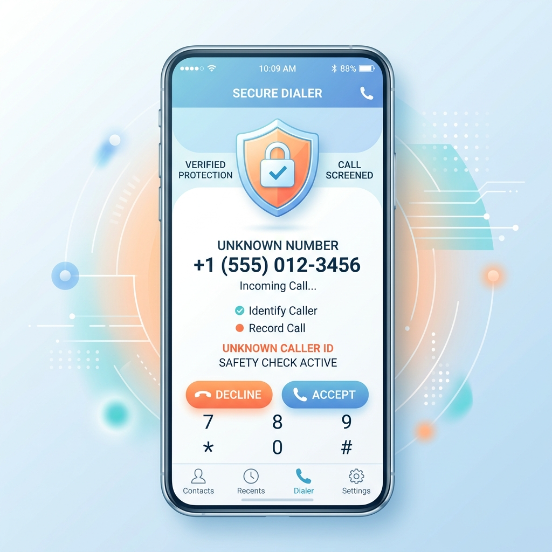
Specialized parental control applications offer the most thorough view of a child’s mobile activity. Unlike basic system limits, a dedicated call tracker runs quietly in the background, syncing data directly to a secure online dashboard accessible from your own phone or computer.
Key Features to Look For in a Phone Tracker
When evaluating parental control software, prioritize tools that provide real-time updates and clear data reporting without complicating your daily routine:
-
Real-Time Call Log Syncing: View detailed incoming, outgoing, and missed call lists along with exact timestamps and durations using tools like the SpyHuman Call Tracker.
-
Contact List Identification: Cross-reference raw phone numbers with saved address book entries through Contact Detail Monitoring.
-
Location Mapping: See where your child was when a specific call took place using integrated GPS Location Tracking.
-
Social Media Voice Call Monitoring: Track voice calls placed over internet-based messaging platforms such as WhatsApp, Messenger, and Instagram.
If you need deeper context beyond standard timestamps, using a call recording app feature allows you to review actual audio files of incoming and outgoing calls, ensuring your child stays safe from inappropriate conversations.
| Monitoring Solution | Primary Use Case | Supported Platforms | Features & Scope |
| Full Parental Suites | Comprehensive child oversight | Android, iOS | Complete call history, contact list syncing, VoIP app tracking, live location mapping, audio call logging |
| Mobile Carrier Portals | Basic billing oversight | All network lines | Standard cellular call logs, phone numbers, call durations, monthly statements |
| Built-In OS Controls | Screen time management | iOS (Apple), Android (Google) | Contact communication limits, total phone app usage, basic downtime scheduling |
Method 2: Access Call Records via Cellular Carrier Portals
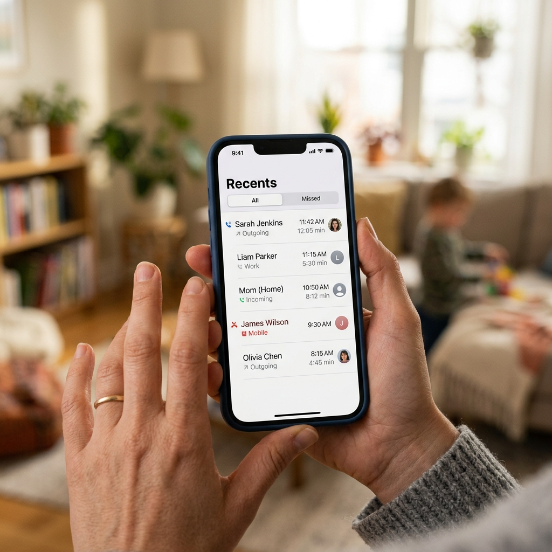
Most major cellular service providers offer primary account holders online access to detailed billing statements and usage records. If you pay the family phone bill and your child’s phone operates as a line under your primary account, you can access raw cellular call history without installing additional software.
Step-by-Step Guide to Access Carrier Records
-
Sign In to Your Master Account: Visit your wireless provider’s official portal (such as Verizon, AT&T, or T-Mobile) or open their official customer management application.
-
Navigate to Account Usage: Locate the billing or monthly usage section within your account dashboard.
-
Select Your Child’s Line: Pick the specific phone line assigned to your child from your family plan overview.
-
Review Call Records: Download or view the itemized call history log, which displays incoming and outgoing numbers, exact dates, call start times, and call durations.
Important Note: Mobile carrier logs only track standard cellular calls routed through mobile towers. They do not record internet-based calls made through third-party applications like WhatsApp, Skype, or Telegram.
Method 3: Utilize Built-In Operating System Controls
If you prefer to start with native options before purchasing third-party applications, both Apple and Google provide built-in family management tools integrated directly into iOS and Android systems.
Apple Family Sharing for iPhone Users
Apple allows parents to manage a child’s iPhone remotely through connected Family Sharing accounts:
-
Communication Limits: Restrict who your child can call or text during regular hours and designated Screen Time downtime.
-
iCloud Contact Syncing: Link your child’s Apple ID to your family group to view synced contact lists and recent call activity across shared family iPads or Mac computers.
-
Silence Unknown Callers: Enable native phone settings to automatically block calls from numbers not saved in your child’s contact list.
Google Family Link for Android Users
Google Family Link gives parents direct administrative control over Android devices used by children and teenagers:
-
App Management: Block unauthorized third-party calling or messaging applications from being installed without parent approval.
-
Activity Summaries: Monitor overall usage time spent within the primary Phone app and social messaging tools.
-
Device Downtime: Schedule strict device lock times during late-night hours to prevent hidden nighttime phone calls.
Legal and Ethical Considerations for Parents
Monitoring a child’s mobile phone requires a thoughtful balance between safety oversight and personal trust. Understanding legal guidelines ensures your parental monitoring remains fully compliant and effective.
Essential Legal Guidelines for Phone Supervision
-
Minor Children (Under 18): Legal guardians generally hold full legal rights to install monitoring software and track call records on mobile devices owned and funded for minor children under their care.
-
Adult Children (18 and Older): Installing tracking software or monitoring phone calls on a device used by an adult child without explicit, written legal consent violates federal privacy and wiretap laws.
-
Legal Compliance: Always ensure that your supervision activities follow local privacy statutes and federal guidelines established by organizations like the Federal Trade Commission (FTC) regarding children’s online privacy and data security.
Best Practices: Discussing Phone Safety with Your Child
Software tools work best when paired with open, respectful family communication. Secretive tracking can damage mutual trust if discovered unexpectedly, whereas upfront discussions build long-term digital maturity.
Effective Communication Strategies for Families
-
Explain the Purpose Clearly: Frame call tracking around personal safety rather than surveillance. Compare phone safety tools to wearing a bike helmet or seatbelt—an essential protective measure against external dangers.
-
Establish Mutual Ground Rules: Set clear family rules regarding mobile usage, such as forbidding calls from unverified numbers, restricting personal detail sharing over the phone, and establishing a nightly phone storage station outside the bedroom.
-
Encourage Open Reporting: Let your child know they can come to you without fear of losing phone privileges if they ever receive a disturbing phone call, text from a stranger, or pressure from peers.
Frequently Asked Questions
Can I track call history on another phone for free?
Yes. You can review call logs at no extra cost by logging into your cellular provider’s online account portal or by configuring free built-in tools like Google Family Link or Apple Family Sharing.
Does call history tracking work if logs are deleted on the target phone?
Yes. Cellular provider billing statements and specialized parental control tools capture call data at the network or system level. This ensures logs remain visible on your parent dashboard even if call entries are removed manually from the device’s main screen.
Can parental control tools track WhatsApp and internet calls?
Standard cellular carrier statements cannot track internet calls. However, advanced parental control platforms can record call logs, timestamps, and contact data across popular VoIP messaging tools like WhatsApp, Messenger, and Instagram.
Will tracking software slow down my child’s phone?
Modern, optimized monitoring applications run efficiently in the background without causing noticeable system lag, battery drain, or performance drops during daily use.
How do I know if an unknown caller is safe for my child?
Cross-reference unlisted numbers against online reverse phone lookup tools, or use contact management features within your parental dashboard to verify caller identities before allowing continued contact.
Conclusion
Protecting your child in today’s connected environment requires a proactive, balanced approach. Whether you rely on monthly carrier statements, set up built-in iOS and Android communication restrictions, or deploy a dedicated call tracker, reviewing call history helps protect your children from scams, cyberbullies, and unverified contacts.
For complete digital protection, combine reliable software tools with ongoing, supportive conversations about online safety.
Ready to safeguard your child’s digital interactions? Start call monitoring today by reviewing our top-rated parental control tools and configuring safety preferences on your child’s mobile device.



Leave a Reply