
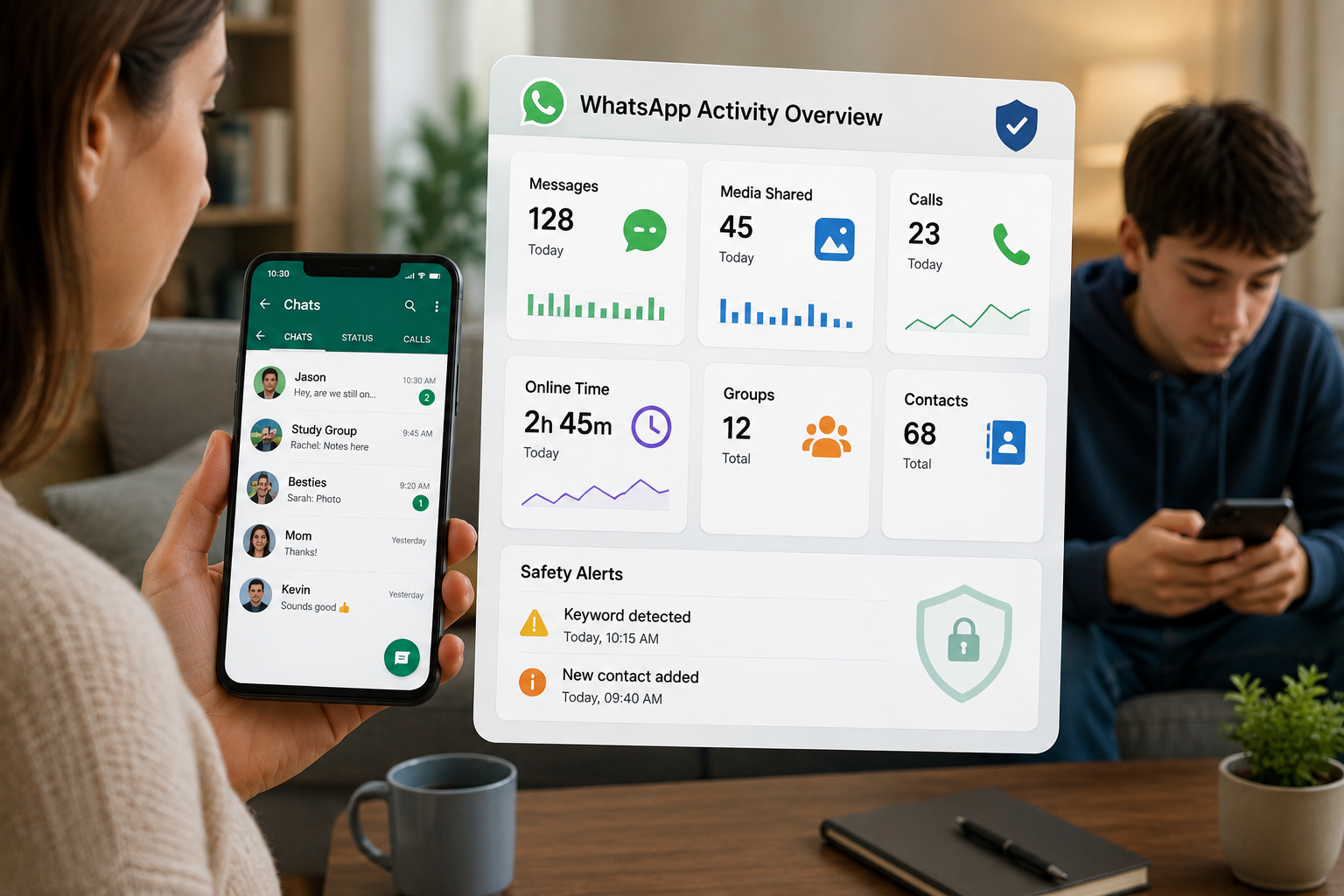
If you’re looking for a WhatsApp tracker app because you’re worried about who your child is talking to, what they’re sharing or how much time they’re spending on WhatsApp, you have several options in 2026.
The problem is that “WhatsApp tracker” can mean very different things.
Some apps focus on screen time and app blocking. Others scan conversations for risky content and send alerts. Some Android monitoring tools provide much deeper visibility into WhatsApp activity.
So which one should a parent choose?
It depends on your child’s phone, your reason for monitoring, and how much visibility you actually need. Here’s how the main options compare.
What is a WhatsApp tracker app?
A WhatsApp tracker app is software designed to give an authorized parent or device owner visibility into WhatsApp activity on a monitored device.
Depending on the product, that can include the following:
- WhatsApp usage and screen time
- Contact and communication activity
- Messages or message snippets
- Photos and other shared media
- Voice or video call activity
- Alerts for potentially risky words or behavior
- App blocking and scheduling
- Notification activity
The biggest difference between products is how much information they show.
A screen-time tool might tell you that your child spent 2 hours on WhatsApp today. A safety-focused monitoring app might alert you when it detects language linked to bullying or threats. A deeper Android monitoring tool may provide much broader WhatsApp activity data.
There’s also an important privacy point. WhatsApp says its personal messages and calls are protected by end-to-end encryption.
That means parents should be suspicious of websites promising that you can enter a phone number and instantly read someone’s WhatsApp remotely. A legitimate monitoring setup requires access to the device or an authorized account-level method.
Best WhatsApp tracker apps for parents
There’s no single winner for every family. These are the main options worth considering in 2026.
| App | Best for | Android | iPhone | WhatsApp content | Risk alerts | Screen time |
| SpyHuman | Deeper Android monitoring | Yes | No | Extensive | Yes | Yes |
| Bark | Risk-focused alerts | Yes | Yes | Alert-based | Yes | Yes |
| Qustodio | General parental controls | Yes | Yes | Limited/context-based | Yes | Yes |
| FamiSafe | Keyword monitoring | Yes | Yes | Selected monitoring | Yes | Yes |
| mSpy | Detailed Android monitoring | Yes | Limited | Extensive on supported setups | Keyword-based | Yes |
| MMGuardian | Message safety alerts | Yes | Yes | Risk-focused | Yes | Yes |
| Eyezy | Broader device monitoring | Yes | Some support | Varies by platform | Yes | Yes |
Features and platform support can change as Android, iOS and WhatsApp update. Check the provider’s current compatibility information before purchasing.
1. SpyHuman, best for deeper Android WhatsApp monitoring
SpyHuman is a strong choice for parents who use an Android phone and want broader visibility into WhatsApp activity.
Its current WhatsApp tracker supports message monitoring, shared media, group chats, contact information, activity logs, and WhatsApp call monitoring. SpyHuman also says it works without rooting the Android device.
If that’s the level of monitoring you’re looking for, you can see the full WhatsApp tracker feature set before deciding whether it fits your family.
That’s useful if your main concern is understanding what is actually happening inside WhatsApp rather than simply knowing how long the app was open.
SpyHuman also includes keyword alerts. Parents can use these to flag terms that may point to problems such as drugs, dangerous meetups, or other risky conversations.
Best for: Parents who want detailed WhatsApp monitoring on Android.
Main limitation: SpyHuman is Android-only. It requires one-time physical access to the Android device for setup.
The service currently supports Android 5.0 and above and has a free plan that lets parents test basic monitoring before upgrading.
2. Bark, best for safety alerts
Bark takes a different approach to WhatsApp monitoring.
Instead of asking parents to read every conversation, Bark focuses on detecting potentially concerning activity and sending alerts.
This approach can make sense for parents who want a warning when something looks serious without reviewing every ordinary conversation their child has.
Bark also combines messaging safety with broader parental controls such as screen-time schedules and app controls.
Best for: Parents who care more about risky-content alerts than complete message visibility.
Main limitation: Alert-based systems can sometimes miss context or flag harmless conversations.
3. Qustodio, best for all-around parental controls
Qustodio is a good option if WhatsApp is only one part of your family’s phone safety concerns.
It can identify potentially concerning activity while also giving parents tools for managing screen time and app access.
That makes it useful for families dealing with several issues at once.
Maybe your child spends too much time on WhatsApp. Maybe you also want web filtering, app controls, and broader device management. A general parental control platform can cover more ground than a WhatsApp-specific tracker.
Best for: Families wanting WhatsApp controls alongside broader parental controls.
Main limitation: Its WhatsApp monitoring is more focused on safety signals than full device-level visibility.
4. FamiSafe, best for keyword monitoring
FamiSafe is worth considering if specific words or topics are your main concern.
It can monitor for inappropriate words and phrases on supported devices. Parents can add their own terms, while predefined categories can cover issues such as bullying, drugs, and threats.
It also includes screen viewing and WhatsApp time controls.
That combination makes FamiSafe useful when you want to set limits while watching for particular warning signs.
Best for: Keyword-based monitoring and screen-time management.
Main limitation: Keyword alerts depend heavily on the words and categories being monitored. Context still matters.
5. mSpy, best for detailed Android monitoring
mSpy appears frequently in WhatsApp monitoring comparisons because of its broad monitoring feature set.
Depending on the supported setup, it can provide access to WhatsApp-related activity along with other phone information.
The trade-off is that more detailed monitoring can raise bigger privacy questions inside a family.
If you use a tool like this, establish clear rules about what you’re checking and why.
Best for: Parents looking for detailed Android monitoring.
Main limitation: The amount of information available can be more invasive than an alert-based parental control approach.
6. MMGuardian, best for targeted safety monitoring
MMGuardian focuses heavily on communication safety.
It can scan communications for categories such as bullying, depression, drugs and violence. Parents can also create custom words or phrases that trigger alerts.
It also provides scheduling tools so parents can control when WhatsApp can be used.
Best for: Parents who want message safety alerts plus app restrictions.
Main limitation: It isn’t designed around giving every parent the same level of full-content visibility as deeper Android monitoring products.
7. Eyezy, best for broader device monitoring
Eyezy is another name that appears in WhatsApp monitoring comparisons.
Its broader device-monitoring approach can appeal to parents who want several types of phone activity in one place.
Best for: Parents comparing broader device-monitoring tools.
Main limitation: Available WhatsApp features depend heavily on the device and operating system.
WhatsApp tracker vs. parental control app: What’s the difference?
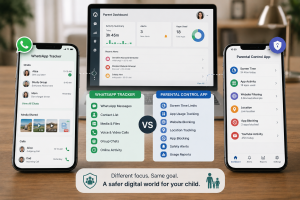
The terms are often mixed together.
A WhatsApp tracker usually focuses on WhatsApp activity itself.
A parental control app usually manages the wider device.
Here’s the practical difference:
| What you want to do | WhatsApp tracker | Parental control app |
| See WhatsApp usage | Yes | Yes |
| Set screen-time limits | Sometimes | Yes |
| Block WhatsApp | Sometimes | Yes |
| Monitor other apps | Sometimes | Yes |
| Detect risky content | Some apps | Some apps |
| Manage app installations | Rarely | Often |
| Website filtering | Rarely | Often |
| Location tracking | Some | Often |
For many families, using both types can make sense.
For example, screen-time limits can help when the main problem is excessive WhatsApp use rather than the content of individual conversations.
What can WhatsApp’s own parental controls do?
This is one area where older articles can quickly become outdated.
WhatsApp has introduced parent-managed accounts and says the feature is rolling out gradually. Availability depends on region.
These controls can give parents more control over parts of the WhatsApp experience.
Depending on availability, parents may be able to manage the following:
- Message requests
- Privacy settings
- Activity alerts
- Contacts and messaging
- Groups
- Parent PIN access
That’s useful because parents can manage parts of the WhatsApp experience without installing a third-party monitoring app.
But these controls don’t turn WhatsApp into a parent dashboard showing every conversation.
For parents who need device-level monitoring, time limits or broader activity visibility, a separate parental control or monitoring app may still be relevant.
Android vs. iPhone: Which is better for WhatsApp monitoring?
Your child’s operating system matters a lot.
Android
Android generally gives third-party parental control and monitoring software more room to operate.
Depending on the app and Android version, parents may have access to features such as:
- WhatsApp activity monitoring
- Notification monitoring
- App usage reports
- Screen-time controls
- App blocking
- Location tracking
- Keyword alerts
SpyHuman currently supports Android 5.0 and above and doesn’t require root access.
iPhone
iPhone is more restricted.
Apple controls what third-party apps can access at the system level. That means a monitoring product that works deeply on Android may have very different capabilities on iPhone.
So if you’re comparing a WhatsApp tracker app for an iPhone, read the exact feature list for iOS rather than assuming Android features will carry over.
What should you look for in a WhatsApp tracker app?
Don’t choose an app simply because its landing page says “best WhatsApp spy app.”
Look at the details.
1. Device compatibility
Check the exact Android or iOS version first.
A great app that doesn’t support your child’s phone is useless.
2. What does “monitoring” actually mean?
This is where many comparisons become confusing.
“WhatsApp monitoring” might mean the following:
- Screen time
- Online activity
- Notifications
- Risk alerts
- Message snippets
- Full message visibility
Find out which one you’re getting.
3. Does it require root or jailbreak?
Rooting an Android phone or jailbreaking an iPhone can create security and stability problems.
A no-root solution is generally easier for ordinary families.
4. What happens when WhatsApp updates?
Messaging apps change constantly.
A monitoring app that worked 6 months ago might lose a feature after a major operating-system or WhatsApp update.
Look for recent compatibility information.
5. Does it provide useful alerts?
If you’re monitoring for safety, alerts can be more useful than endless activity logs.
Look for support for concerns that actually matter to your family.
6. How much data does it collect?
Read the privacy policy.
You’re handing a monitoring company access to sensitive information. That’s a serious responsibility.
7. Can you set boundaries?
Good parental control isn’t only about visibility.
Look for screen-time limits, app blocking, and installation controls if those matter to your family.
How parents should use WhatsApp monitoring responsibly
Monitoring a child doesn’t have to mean reading every message forever.
Start with the reason you’re monitoring.
Maybe your child has received threats. Maybe an unknown adult contacted them. Maybe they’re staying awake until 2 AM chatting. Maybe there’s a bullying problem at school.
The response should match the problem.
For everyday use, you might start with:
- WhatsApp privacy settings
- Screen-time limits
- App installation controls
- Family rules around messaging
- Alerts for serious safety concerns
- Deeper monitoring when there’s a specific reason
Parents can also review the UK government’s online safety guidance when setting rules around children’s use of online services.
And don’t skip the conversation.
A monitoring tool can show you that something happened. It can’t explain why your child responded the way they did.
Are free WhatsApp tracker apps worth using?
Be careful with the word “free.”
A genuinely free parental control tool may provide useful screen time or app management features.
But websites promising a completely free WhatsApp tracker that can remotely show private messages simply from a phone number deserve serious caution.
PhoneTracker247’s current guide also warns about services claiming to track WhatsApp remotely without access to the device.
The same warning applies to fake WhatsApp login pages and modified WhatsApp APKs.
Don’t install a random app because it promises unlimited WhatsApp access for $0.
Can you track WhatsApp messages using a phone number?
No legitimate parental monitoring method should require only the phone number.
A phone number identifies the WhatsApp account. It doesn’t give you permission or technical access to the private messages on that account.
A legitimate monitoring setup requires an authorized method such as a parent-managed account or installation on a device you’re legally allowed to monitor.
WhatsApp uses end-to-end encryption for personal messages and calls.
So claims like “enter any WhatsApp number and read messages instantly” should be treated as a warning sign.
What are the biggest risks parents should watch for on WhatsApp?
Parents usually aren’t worried about ordinary conversations with friends.
They’re worried about situations that can turn serious quickly.
Unknown contacts
An unknown adult repeatedly contacting a child deserves attention.
Cyberbullying
Group chats can become a place where teasing turns into sustained harassment.
Sextortion
A stranger may pressure a teenager to send private images and then threaten to share them.
Dangerous meetups
A conversation that moves from WhatsApp to plans for meeting an unknown person needs immediate attention.
Scams
Children can be targeted with fake giveaways, payment requests, impersonation attempts, and malicious links.
Excessive late-night use
Sometimes the issue is simply sleep.
A child who is repeatedly active on WhatsApp after midnight may need healthier boundaries around phone use.
WhatsApp is also only one part of a child’s online activity. Website blocking can add another layer by restricting access to unsafe websites across supported browsers.
WhatsApp monitoring mistakes parents make
Choosing the app with the longest feature list
More features don’t automatically mean better parenting.
Choose the tool that solves your actual problem.
Ignoring the operating system
An app may have excellent Android support while offering limited iPhone functionality.
Check before paying.
Monitoring without a clear purpose
If you don’t know what you’re looking for, endless data quickly becomes noise.
Relying entirely on an app
Technology can’t replace judgment.
A concerning message needs context and often a conversation with your child.
Using unofficial APKs
Stick to legitimate software and official WhatsApp versions.
Which WhatsApp tracker app should parents choose?
Here’s the short version.
Choose SpyHuman if you have an Android device and want broad WhatsApp activity monitoring from one dashboard.
Choose Bark if your priority is alerts about potentially dangerous or inappropriate content.
Choose Qustodio if you want WhatsApp controls as part of a wider parental control system.
Choose FamiSafe if keyword monitoring and screen-time controls are high on your list.
Choose mSpy if you’re comparing deeper Android monitoring options.
Choose MMGuardian if communication safety alerts are your main concern.
Choose Eyezy if you’re comparing broader device-monitoring platforms and need to check its current support for your child’s device.
The best WhatsApp tracker app depends on the problem you’re trying to solve.
For an Android parent who needs deeper WhatsApp visibility, SpyHuman is worth comparing because it combines WhatsApp monitoring with other parental-control features.
If your concern extends beyond WhatsApp, social media monitoring can give parents a wider view of activity across supported social apps.
FAQs
Can I monitor WhatsApp without touching my child’s phone?
For most third-party monitoring apps, you’ll need access to the child’s device for setup. Claims that promise complete WhatsApp monitoring from only a phone number should be treated with caution.
Is WhatsApp monitoring legal for parents?
The answer depends on your country, local laws, and the circumstances. Parents and legal guardians generally have more authority when managing a minor’s device, while monitoring another adult’s private device without proper authorization can create serious legal and privacy problems. Check the rules where you live before installing monitoring software.
Can a WhatsApp tracker see deleted messages?
Some Android monitoring products claim to retain WhatsApp activity that is later deleted. Whether this works depends on the product, Android version, and permissions available on the device.
SpyHuman says it captures messages when they are sent or received, which means a message deleted afterward can remain visible in the dashboard.
Can parental control apps read encrypted WhatsApp messages?
End-to-end encryption protects messages while they travel between WhatsApp users. Some device-level monitoring products claim to capture content through information available on the monitored device rather than breaking WhatsApp’s encryption. The exact capability depends on the product and operating system.
Is a WhatsApp tracker better than Google Family Link?
They solve different problems. Family Link is useful for screen time, app approvals, and basic Android parental controls. It isn’t designed to provide detailed WhatsApp conversation monitoring. A WhatsApp monitoring product can provide a different level of visibility.
Should parents tell their children they’re being monitored?
For many families, yes. Clear rules can reduce conflict and make monitoring part of an agreed safety plan. The right approach depends on the child’s age, the reason for monitoring, and your family’s circumstances.
Final verdict
A WhatsApp tracker app can be useful when a parent has a genuine safety concern or needs better visibility into a child’s digital habits.
The first step should be deciding what you actually need.
If screen time is the problem, start with parental controls. If risky conversations are the concern, consider an alert-based monitoring app. If you need deeper WhatsApp visibility on Android, look at a full device-monitoring solution.
For Android parents who need broader WhatsApp monitoring, SpyHuman is one option worth comparing. Its current WhatsApp tracker supports Android 5.0+ and provides WhatsApp activity monitoring through a web dashboard.
Use monitoring as a safety tool. Keep the purpose clear. Protect your child’s privacy where you can.

Leave a Reply