You think you’ve found all your teen’s accounts. Then a friend mentions a username you’ve never seen, or you notice an app on their phone that looks like a calculator but asks for a PIN. Hidden accounts are common, and they’re not always sinister — but they’re worth understanding. Here’s how to spot a finsta, a vault app, or an alt profile, and how to handle it without blowing up the relationship.
How can I tell if my teen has a hidden social media account?
Watch for a few signals: friends following an account with very few followers and a punny username, an app on the phone that looks like a calculator or notes app but is PIN-locked, fast app-switching or screen-hiding when you walk in, and late-night use. Searching their phone number or email on a platform’s “find friends” feature can also surface accounts you didn’t know about.
Why teens hide accounts (it’s usually not what you fear)
Before you panic, understand the motive. The most common reason teens create secret accounts is simple privacy — a space that isn’t watched by parents, teachers, relatives, or hundreds of classmates. According to Pew Research Center, nearly half of US teens say they’re online “almost constantly,” and many split that life into a polished public profile and a private one for close friends.
That second account has a name: a finsta (fake + Instagram). As Gabb explains, it’s a secondary, locked-down profile shared only with a hand-picked group. Often it’s harmless venting and inside jokes. Sometimes, though, those private spaces become places for bullying, contact with strangers, or content a teen wouldn’t post publicly. The point is to find out which — not to assume the worst.
The behavioral signs
You’ll usually notice the behavior before you find the account:
- Quick screen-switching or hiding the phone when you come near
- Visible anxiety when a notification arrives, or panic if you pick up their phone
- Late-night use tied to private chats
- Withdrawal or mood changes after being online
- Friends following a low-follower account with a username that’s an inside joke or a twist on your teen’s name
One of these alone means little. A cluster of them is your cue to pay closer attention.
The vault-app trick
This one catches a lot of parents. Vault apps disguise themselves as everyday tools — a calculator, a notes app, a music player — but they’re actually password-protected containers that hide photos, videos, messages, and even other apps. They’re marketed straight at teens with taglines like “keep secrets safe.”
How to spot one:
- Two calculator or notes apps on the phone, or one that asks for a PIN before opening
- An app that behaves oddly — entering a number sequence opens a hidden gallery
- Storage or battery used by an app that “shouldn’t” use much
If you find a vault app, that’s worth a direct conversation. It’s specifically built to hide things from you.
How to actually find the accounts
A few practical methods, in rough order of how invasive they are:
- Search their phone number and email. Many platforms let you find accounts tied to a contact. Add your teen’s number/email to a fresh account’s contacts and see what surfaces.
- Check who their known friends follow. A second account often hides in plain sight in a mutual friend’s following list.
- Look at the device itself. Installed apps, app drawers, and “recently used” lists reveal more than the home screen.
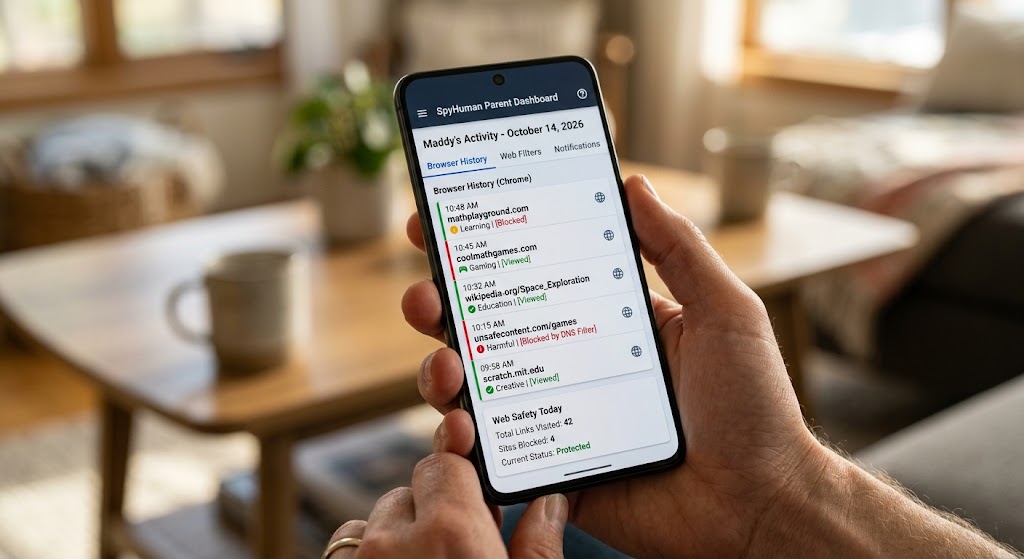
- Use device-level monitoring. On a phone you own and provide, with your child aware of it, SpyHuman’s social media monitoring shows which apps are actually in use and how often — surfacing accounts and apps that don’t show up on the home screen. Our Android keylogger can also capture usernames and logins as they’re typed, which is often how a hidden account first reveals itself.
Device-level monitoring is the most thorough option, and also the one that most needs to be done openly and lawfully — on hardware you own, with your minor child’s knowledge.
What to do when you find one
Resist the urge to confront in anger. A blow-up teaches your teen to hide better, not to stop. Instead:
- Lead with curiosity. Ask why the account exists. Often the answer is innocent.
- Separate harmless from harmful. A venting finsta for close friends is different from an account contacting strangers.
- Set clear, calm rules about what’s okay, and explain the safety reasons.
- Keep the door open. The teens who stay safest online are the ones who’ll tell a parent when something goes wrong — and they only do that if they’re not terrified of the reaction.
If the hidden account is on Snapchat specifically, the disappearing-content angle changes how you supervise it — see our guide on how to monitor Snapchat on your child’s phone.
Frequently asked questions
What is a finsta?
A finsta (“fake Instagram”) is a secondary, private account a teen shares with a small, hand-picked group. It’s often used for unfiltered posts and venting, though some are used to avoid parental oversight entirely.
What do vault apps look like?
They disguise themselves as calculators, notes apps, or music players but open a hidden, PIN-protected area for photos, videos, and messages. Two of the same utility app, or one that demands a PIN, is a red flag.
How do I find an account by phone number?
Add your teen’s number or email to the contacts of a fresh account, then use the platform’s “find friends/contacts” feature. Accounts registered to that number or email will often appear.
Should I confront my teen about a hidden account?
Talk, don’t confront. Ask why it exists, separate harmless privacy from genuine risk, and keep communication open so your teen comes to you when something goes wrong.
Lawful use only: monitor your own minor child’s device as a parent or legal guardian, or a device you own and have authorization to supervise.