The best free phone tracker for most people in 2026 is the one already built into the phone: Google Find Hub on Android or Apple Find My on iPhone. Both are genuinely free, accurate, and reliable for finding a device you own or a family member’s phone you manage. For shared family location, Life360 has the strongest free tier. For one-off sharing, Glympse is the simplest. Here’s the honest, tested rundown, including where “free” runs out.
A quick reality check first. No free app can show the live location of a stranger’s number, and any site that claims to do that is after your data, not helping you. Real free tracking works on devices you own or where the other person agrees to share. Everything below fits that rule.
Quick comparison table
| App | Best for | Platforms | Cost | Catch |
|---|---|---|---|---|
| Google Find Hub | Finding your own/child’s Android | Android | Free | Needs the Google account on the device |
| Apple Find My | Finding your own/family iPhone | iOS | Free | Apple devices only |
| Life360 | Shared family location | Android & iOS | Free tier; paid upgrades | Free tier limits history & places |
| Glympse | Quick one-off sharing | Android & iOS | Free | Temporary, not continuous |
| Google Maps sharing | Mutual location among contacts | Android & iOS | Free | Both people must opt in |
| SpyHuman (free plan) | Parents wanting more detail | Android | Free plan; premium $17.99/mo | Android only; last 5 records on free |
1. Google Find Hub — best free Android tracker
If the phone is yours or your minor child’s, this is the most reliable free option on Android. Find Hub (the renamed Find My Device) shows the phone on a map, lets you ring it, lock it, or wipe it, and can show a last-known location when it’s offline. Open it in any browser and sign in with the Google account that’s on the device. Setup is a couple of minutes. Google’s own Find Hub support page walks through it. The one requirement is access to the linked Google account, which is exactly why it’s meant for your own or a managed family device.
2. Apple Find My — best free iPhone tracker
The iPhone equivalent, and just as solid. Find My shows your Apple devices on a map, supports Family Sharing so you can see a child’s iPhone, and works even when a device is offline through the Find My network. It’s free, built in, and tightly integrated. The only catch is it’s Apple-only, so it won’t help with a mixed Android-and-iPhone household on its own.
3. Life360 — best free family location sharing
Life360 is the most popular dedicated family-tracking app, and its free tier is real: create a circle, see each member’s live location, and get basic place alerts. It works across Android and iPhone, which is its big advantage over the built-in finders. The free plan limits location history and the number of saved places, with those reserved for paid tiers, but for everyday “where is everyone” coordination, free Life360 does the job.
4. Glympse — best for quick, temporary sharing
Glympse keeps it simple: share your live location with anyone via a link for a set time, then it expires on its own. No accounts to link, nothing permanent. It’s perfect for “I’m 10 minutes away” or meeting up, less useful for ongoing oversight since it’s designed to be temporary and mutual.
5. Google Maps location sharing — free and cross-platform
Already on almost every phone. Tap your profile picture, choose Location sharing, and share with a contact for a set period or indefinitely. It’s accurate to a few meters and works on both Android and iPhone. Because both people opt in and can switch it off, it’s completely above board for friends and family.
Where free hits its limits
Free trackers are great for finding a lost phone or coordinating with people who agree to share. They’re weaker when a parent needs continuous oversight of a young child: limited location history, no geofencing alerts on most free tiers, and nothing beyond location, no app usage, messages, or screen-time context. Free family apps also rely on the child leaving the app on and the phone charged.
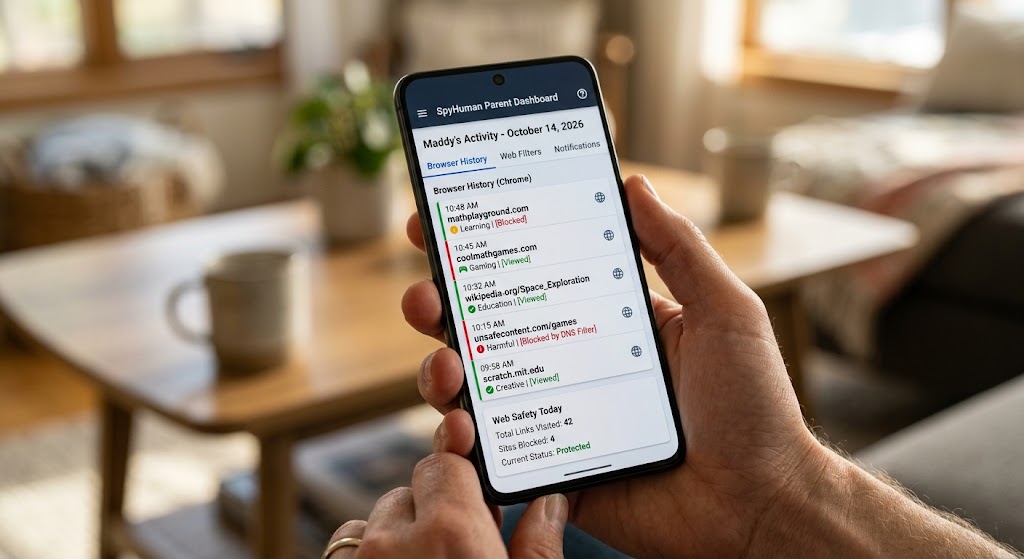
That’s the gap a dedicated monitoring tool fills. SpyHuman has a free plan of its own, showing the last five records for calls, SMS, GPS, contacts, and app usage with 30-day storage, which is more context than a pure location app gives you. Premium ($17.99/month) adds continuous location history, geofencing alerts, and more. It’s Android-only and meant for devices you own or your minor child’s phone. See how it compares on the location tracker page. For identifying an unknown caller rather than tracking a person, the phone number tracker explains what a number can and can’t reveal.
A word on the law
Free or paid, the rules are the same. Tracking is legal when you own the device, you’re the parent or guardian of the minor using it, or the adult user has consented. Secretly tracking another adult is illegal in most places, and many states have tightened these statutes (the NCSL keeps a summary). Stick to your own devices, your child’s phone, or people who agree.
The bottom line
For pure device-finding, use what’s built in: Google Find Hub on Android, Apple Find My on iPhone, both free and reliable. For shared family location across platforms, Life360’s free tier is the strongest, with Glympse for quick one-offs. When you need more than location, a free monitoring plan like SpyHuman’s gives you call, message, and app context that location-only apps can’t, on devices you’re authorized to supervise.
Free-app features change with each update. Confirm current limits on each app’s own site, and use any tracker only on devices you own or are authorized to monitor.
Frequently asked questions
What’s the best 100% free phone tracker?
For finding your own or your child’s device, Google Find Hub (Android) and Apple Find My (iPhone) are free, accurate, and reliable. For shared family location across both platforms, Life360’s free tier is the best.
Can I track a phone number for free without installing anything?
You can look up a number’s carrier and region for free, but no legitimate free service shows a stranger’s live location. Real location tracking needs either account access to a device you control or the other person’s consent.
Are free family location apps accurate?
Built-in finders and Google Maps sharing are accurate to a few meters. Free tiers of apps like Life360 are accurate too but limit history and saved places, which are reserved for paid upgrades.
Is there a free monitoring app that does more than location?
Yes. SpyHuman’s free plan shows the last five records for calls, SMS, GPS, contacts, and app usage on Android, which is more context than a location-only app. It’s meant for devices you own or your minor child’s phone.
Lawful use only: monitor devices you own, your minor child’s device as a parent or guardian, or a device whose adult user has given consent.