
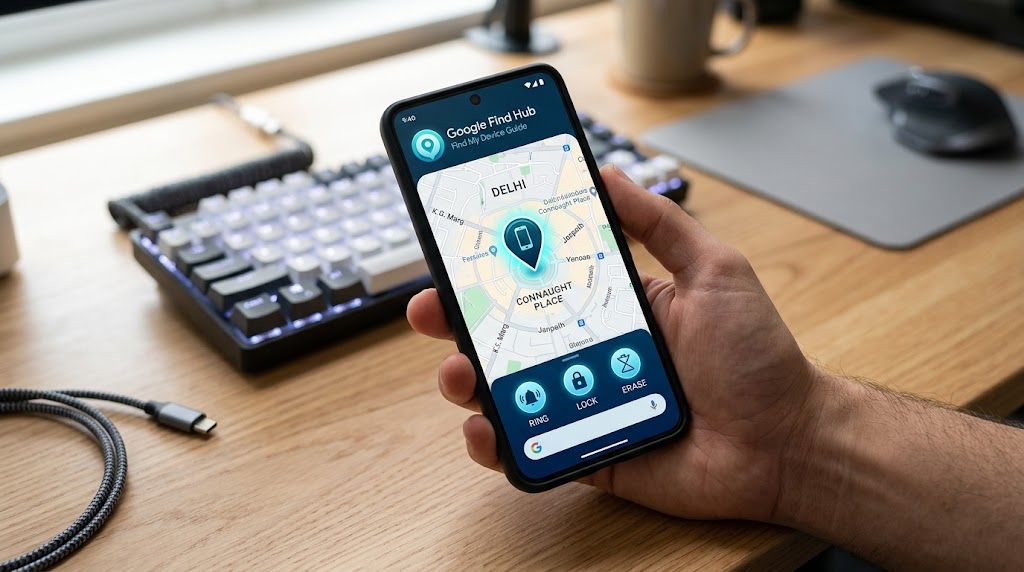
Google’s Find My Device, now rebranded as Google Find Hub, is the single most useful tool you can set up on an Android phone before something goes wrong. It locates a lost phone in seconds, rings it through silent mode, locks it with a message, and can erase it remotely if recovery isn’t possible.
In 2026, it also does something new: it finds your phone even when it’s turned off, using a crowdsourced Bluetooth network built from other Android devices around you. That changes the game for lost-phone recovery in India, where battery life on mid-range devices isn’t always generous and quick recovery is crucial.
This guide covers everything: setup from scratch, using it when your phone is missing, how the offline network actually works, what to do when it doesn’t show a location, and the limits you should know before you need them.
How to set up Google Find Hub (do this now)
Setup takes about two minutes and requires the phone to be in your hands, which is why you should do it right now rather than after the phone goes missing.
- Enable Location: Open Settings > Security (on Samsung it’s Biometrics and Security, on Xiaomi it’s Passwords and Security). Find the Find My Device toggle and make sure it is turned ON.
- Turn on Location Services: Go to Settings > Location and toggle it on. Without location enabled, Google Find Hub can still ring and lock the phone, but it cannot show you where it is on a map.
- Confirm Account Sync: Go to Settings > Accounts and confirm your primary Gmail address is active and signed in.
- Enable the Offline Network: On supported phones (Pixel 6+, 2023+ Samsung Galaxy, and most 2024+ mid-range devices), go to Settings > Google > Find My Device and turn on “Use Find My Device network.” This is the offline-finding feature that lets nearby Android devices relay your phone’s Bluetooth signal even when powered off.
How to use Google Find Hub to locate your missing phone
Go to google.com/android/find on any web browser on a friend’s phone, laptop, or work desktop and sign in with the Google account active on the missing phone.
If the device is on, connected to mobile data or Wi-Fi, and has location enabled, you will see a green pin on a live map within seconds. From here, you have three primary actions:
- Play Sound: The phone rings at maximum volume for five minutes, even if set to silent or vibrate. This is ideal if your phone is hidden under a sofa cushion or left in a restaurant.
- Secure Device: Locks the phone with your PIN/password, signs out of your Google account, and displays a custom phone number and message on the lock screen so anyone who finds it can contact you.
- Erase Device: Performs a complete remote factory reset. All personal data, apps, and monitoring abilities are wiped. Use this only as a last resort when hope of recovery is lost.
Order of operations: Always try Play Sound first, then Secure Device, and use Erase Device only when you are certain the device cannot be physically retrieved.
The offline network: how it finds a phone that’s off
On supported hardware, even when the phone is powered off or the battery has died, a tiny Bluetooth beacon continues to broadcast from a low-power chip.
Nearby Android phones opted into the network and detected that signal and relayed its location coordinates to Google’s servers. The entire transmission is end-to-end encrypted; nobody except you can see your phone’s location.
If your device is older and lacks offline hardware support, Google Find Hub will display the last known location with a timestamp showing where the device was right before it lost connectivity.
When Google Find Hub doesn’t show a location
If your map appears blank or says “Device unreachable,” it is usually due to one of these reasons:
| Issue | What It Means | Recommended Action |
| Location Disabled | The phone is online, but the GPS toggle is off. | You can still use Play Sound or Secure Device. |
| Phone Off / No Offline Support | Device lost power or has no network connection. | Check the Last Seen timestamp as a starting point. |
| Google Account Removed | The thief signed out or performed a reset. | File an FIR and block the device via ceir.gov.in. |
| Device Factory Reset | Device was wiped completely. | Proceed to official IMEI tracking and carrier reporting. |
For a complete breakdown on handling stolen devices when online tracking fails, see our guide on how to find a lost phone by phone number.
Managing multiple family devices
If you manage multiple devices under a single account, Google Find Hub lets you toggle between them seamlessly from the top menu bar.
For parents who want to pair location safety with app controls, screen time boundaries, and content filters for children, read our guide on how to set up Google Family Link.
Google Find Hub vs. Apple Find My vs. Samsung SmartThings
All three ecosystems perform similar core functions but operate within their own hardware networks:
- Google Find Hub: Covers all standard Android devices globally. In India, where Android holds over 95% market share, the crowdsourced Bluetooth relay network is significantly denser than its competitors.
- Apple Find My: Restricted strictly to Apple hardware (iPhones, iPads, Macs, AirTags).
- Samsung SmartThings Find: Works specifically across Samsung Galaxy phones, tablets, and SmartTags.
Frequently asked questions
Is Google Find Hub free to use?
Yes. Google Find Hub is a free, native service built directly into Android devices with Google Play Services.
Can I track someone else’s phone using Google Find Hub?
Only if their Google account is signed into your device or linked to your family group via Google Family Link. You cannot track an unknown stranger’s device.
What is the difference between Find My Device and Google Find Hub?
They are the same service. Google rebranded Find My Device to Google Find Hub while adding the crowdsourced offline Bluetooth network. On older Android versions, the settings menu may still be labeled “Find My Device.”
How can I access Google Find Hub if 2-Step Verification sends a code to my lost phone?
If 2-Factor Authentication (2FA) sends a prompt or SMS code to your missing device, you can use pre-downloaded Google Backup Codes, log in using a physical security key, or sign in on a secondary trusted device (like a home laptop or tablet) where your Google Account is already logged in.
Can I track my lost Android phone using a friend’s phone or browser?
Yes. You can navigate to [google.com/android/find](https://google.com/android/find) on any mobile or desktop web browser, or open the Find Hub app on another Android device, and sign in using “Sign in as guest” with your Google Account credentials.
Does Google Find Hub work if the phone’s battery dies completely?
On newer supported hardware (such as Pixel 8 series, Galaxy S21+ and above, and select recent Android models), specialized chips continue sending low-power Bluetooth beacon signals for several hours after shutdown. On older devices without offline hardware support, Google Find Hub will show the encrypted last-known location before the battery runs out.
Leave a Reply